Generate lifelike human videos with AI, making professional video creation fast and accessible for any user.
41M visits/mo+26.2%#1 Video & Animation

Chrome extension that turns screenshots into interactive product demos with AI-powered annotations and sharing options.
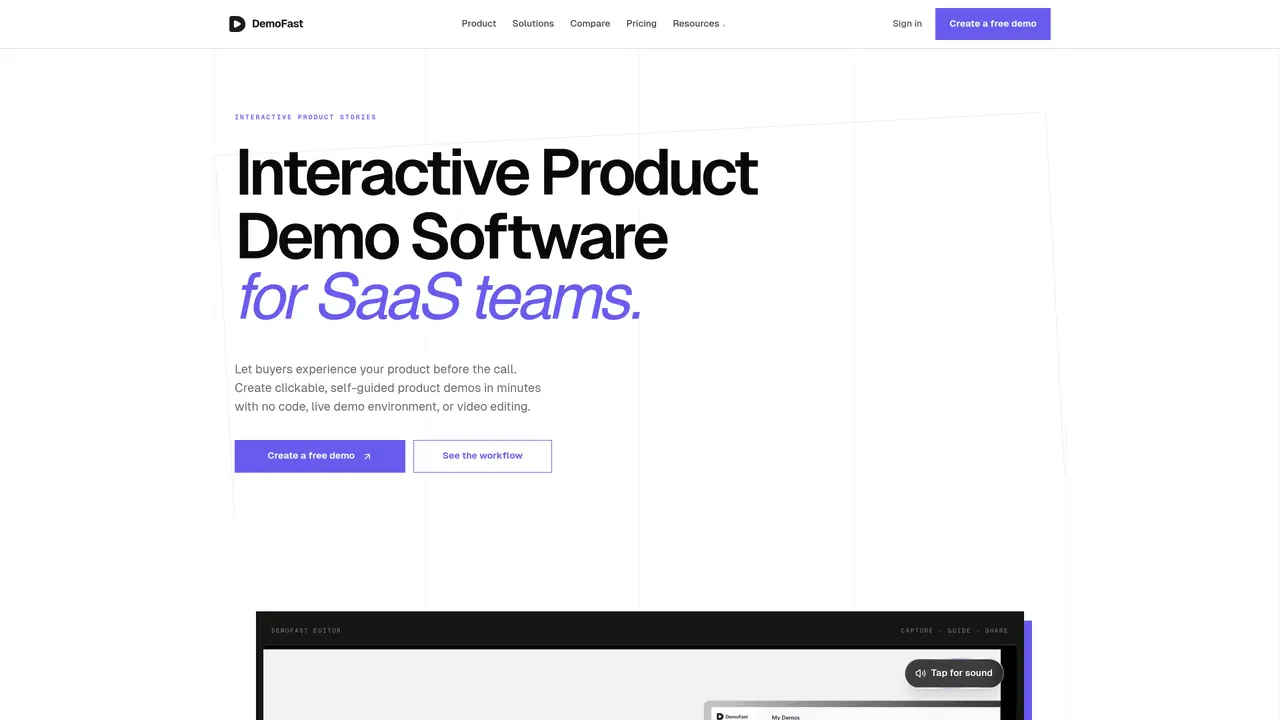
DemoFast is an interactive product demo software designed for SaaS teams to create clickable, self-guided product experiences without coding. The platform allows users to transform screenshots or Chrome-extension recordings into rich, annotated walkthroughs featuring click markers, zoom areas, and customizable textboxes. Teams can capture real workflows, add context visually, and share demos via embeddable links or export them as WebM videos and GIFs for broader distribution. The tool is built to help product, marketing, sales, and customer success teams build engaging onboarding sequences, sales demos, and promotional walkthroughs that prospects can explore independently. DemoFast emphasizes a fast, focused workflow from recording to publishing, with built-in analytics to track viewer engagement and drop-off points. It supports website embeds, lead capture integrations, and white-label branding for professional presentations. The platform is positioned as an alternative to passive screen recording tools like Loom, focusing instead on interactive product storytelling that drives engagement and conversion.
Interactive product demo software helps teams create clickable, self-guided product experiences that prospects can explore without joining a live call. DemoFast lets users build these demos with screenshots, annotations, click markers, zoom areas, share links, and website embeds.
Yes. Loom is useful for passive screen recordings, while DemoFast is built for interactive SaaS demos where buyers click through the product flow, follow guided annotations, and engage with the parts of the product that matter to them.
No. DemoFast is designed for product, marketing, sales, and customer success teams. Users can upload screenshots or use the Chrome extension, add annotations in the visual editor, then publish a shareable product walkthrough without any coding.
Yes. You can share DemoFast demos by link or embed them on landing pages, blog posts, help docs, product launch pages, and onboarding pages so visitors can experience the product directly.
Yes. With the Pro plan, you get analytics for views, engagement, and drop-off points so you can improve demo completion and follow up with better context.
Yes. You can export interactive demos as WebM video or GIF files for social posts, presentations, and channels where an interactive embed is not supported.
We use essential cookies to run aitoolnavio™, and optional cookies to analyze traffic and measure our marketing. You choose what we use — optional cookies stay off unless you turn them on. See our Privacy Policy.
One short email a week: fresh tools worth trying, honest takes and the updates that actually matter. No spam, unsubscribe any time.
Generate lifelike human videos with AI, making professional video creation fast and accessible for any user.
xAI builds Grok frontier AI models for reasoning, coding, voice, images, video, enterprise workflows, and developer APIs.
AI-powered video messaging tool that records, shares, and manages video messages with AI-generated titles, summaries, and tasks.
Explore and test Google’s experimental AI tools and prototypes before they become products.
Creates licensed videos, images, music.
Web and mobile AI platform for generating, editing, and training custom visuals from prompts with community models and face-swap tools.
Create stunning videos in a few clicks, customize with powerful tools, and automate editing without experience.
Create, convert, and enhance videos effortlessly with professional effects and royalty-free music.
Create engaging videos with voiceovers, music, and customizations using a library of royalty-free assets.
Create auto-resized campaign images and videos with DaVinci AI's generative media suite.
Freemium, uncensored AI video and image creation for individual creators with text-to-video, image effects, and gem-based upgrades for HD and no watermarks.
Generate cinematic video clips from text or images and refine them with AI-powered editing tools for creators and visual professionals.
Matched on what this tool does — grouped by the job you would be replacing.
matches AI-powered smart annotations · Automated flow capture from screenshots · Interactive clickable demos with zoom areas
No-code platform for B2B teams to create interactive product demos, personalize buyer journeys, and track engagement without manual demo environments.
AI platform that turns screen recordings into interactive demos, videos, and visuals with AI voiceovers and editing—no designers required.
AI-powered interactive demo builder for B2B teams to record workflows, add voiceovers, and share trackable demos.
Transform text prompts into interactive, visual step-by-step guides with screenshots and annotations.
matches AI-powered step extraction from video · Automated SOP generation with screenshots · AI voiceover and captions in 100+ languages
Transform screen recordings into multilingual videos and documents effortlessly.
Turn recorded processes into shareable step-by-step guides with automatic screenshots and editing tools.
AI-powered Chrome extension that records browser workflows and turns them into editable step-by-step guides and SOPs.
AI-powered tool that converts video recordings into interactive process documentation and training materials