AI assistant for safe, reliable productivity with code, collaboration, and integrations.

Markdown Converter
$9.0 USD/moStarting price
0Popularity
About Markdown Converter
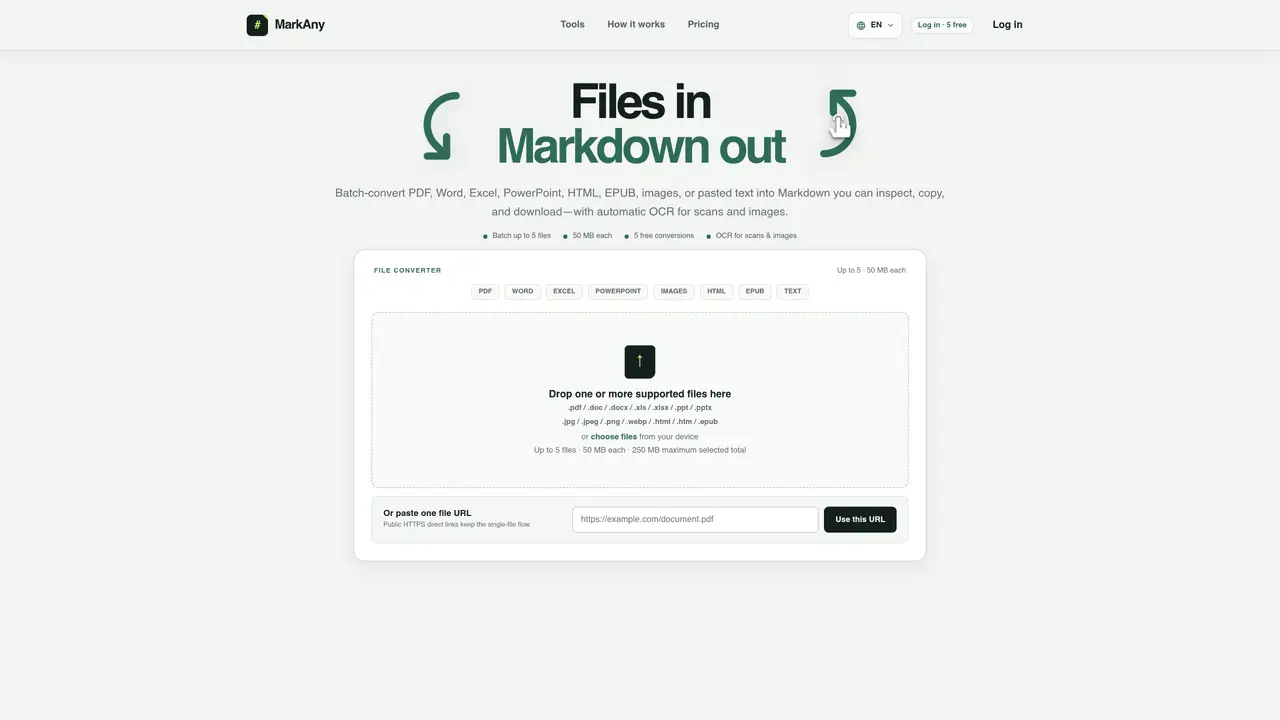
Markdown Converter supports bidirectional conversion between Markdown and various file formats including PDF, Word, Excel, PowerPoint, HTML, EPUB, and images. The tool handles batch processing with a limit of five files per batch, each up to 50 MB, and a total of 250 MB per batch. Automatic OCR is applied to scanned PDFs and images without requiring language selection. Users can upload files directly or provide public HTTPS links for conversion. The process involves adding a file, letting the system convert it into structured Markdown, and then reviewing or downloading the result as a .md file or a ZIP package with extracted assets. The converter preserves document structure such as headings, lists, tables, links, and images where supported by the source file. It also provides per-file status tracking, including states like waiting, converting, completed, needs-review, failed, and cancelled. The tool is designed for users who need to repurpose content across different platforms or tools while maintaining readability and structure.
Key features
- Convert PDF, Word, Excel, PowerPoint, HTML, EPUB, and images to Markdown
- Convert Markdown to Word, PDF, HTML, images, EPUB, PowerPoint, and Excel
- Automatic OCR for scanned documents and images
- Batch processing with up to five files per batch
- Preserve document structure including headings, lists, tables, and images
- Per-file status tracking with multiple states
- Download results as .md files or ZIP packages with extracted assets
- Public HTTPS link support for single-file conversion
Use cases
- Convert Word or PDF drafts to Markdown for blog posts or articles
- Extract text from scanned PDFs or images for research or documentation
- Repurpose legacy content into modern documentation formats
Pros
- Supports bidirectional conversion between Markdown and multiple file formats
- Automatic OCR for scanned PDFs and images without language selection
- Batch processing with up to five files per batch
- Preserves document structure including headings, lists, tables, and images
- Provides per-file status tracking and download options for results
Cons
- Free tier limited to five conversions
- Maximum file size of 50 MB per file
- Batch limit of five files per conversion
- No one-off credit packs available yet
Frequently asked questions about Markdown Converter
What file formats does Markdown Converter support for conversion to and from Markdown?
Markdown Converter supports bidirectional conversion between Markdown and formats such as PDF, Word (DOC/DOCX), Excel (XLS/XLSX), PowerPoint (PPT/PPTX), HTML, EPUB, and images (JPG, JPEG, PNG, WebP).
Can I convert scanned PDFs or images to Markdown?
Yes, the tool applies automatic OCR to scanned PDFs and supported images without requiring language selection, enabling text extraction for conversion to Markdown.
How does the batch processing work in Markdown Converter?
Users can batch-convert up to five files, each up to 50 MB, with a total limit of 250 MB per batch. The system processes each file individually and provides per-file status tracking.
What happens to the document structure during conversion?
The converter preserves document structure elements such as headings, lists, tables, links, and images where supported by the source file, ensuring content remains usable in other tools.
How can I access or download the converted Markdown files?
After conversion, users can copy the Markdown content directly, download it as a .md file, or obtain a ZIP package containing the .md file and extracted assets like images when available.
Is there a way to review or correct the converted content before finalizing?
Yes, the tool provides a preview of the converted content and indicates when manual review is needed, such as for complex layouts or elements that may not transfer perfectly.