Create marketing videos quickly, customize with templates, music, and photos, optimize for different platforms with AI.
4.4M visits/mo-5%#12 Video & Animation
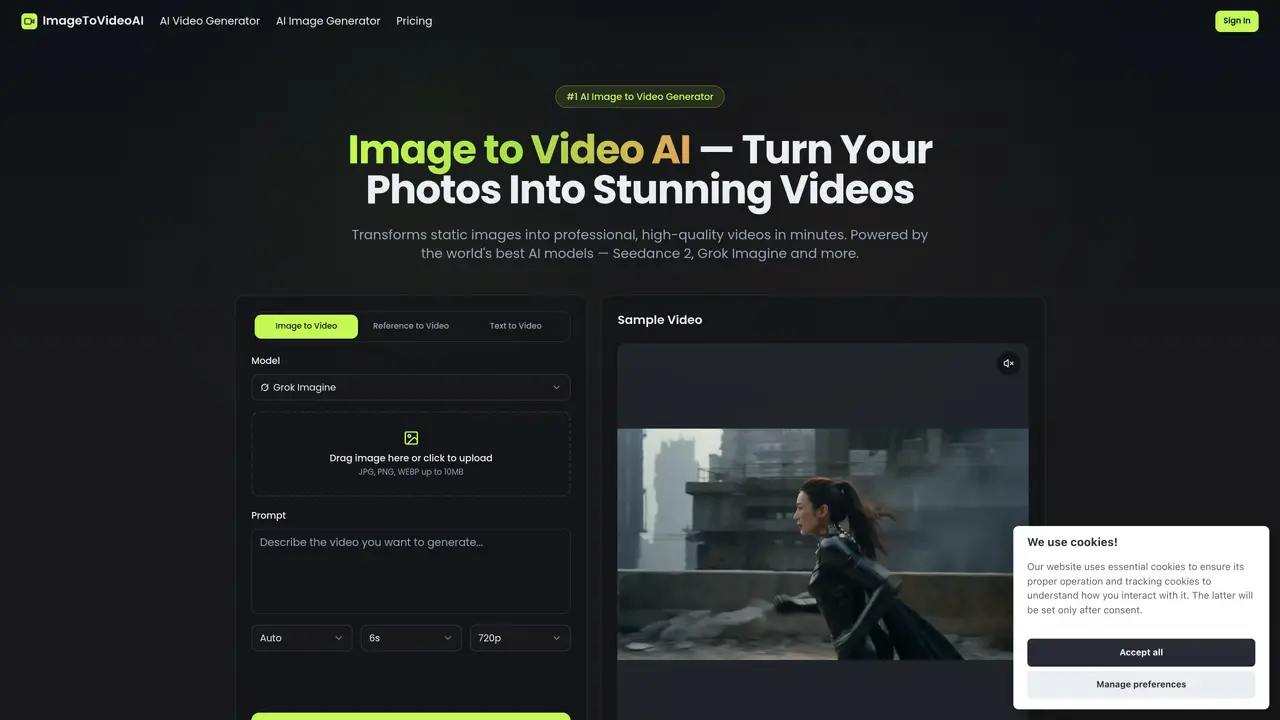
ImageToVideoAI is a powerful online tool that transforms static images into dynamic, engaging videos using advanced AI. Whether you’re a content creator, marketer, or designer, this tool helps you bring visuals to life effortlessly—no video editing skills required. The tool has an easy-to-use interface where users can upload their image, input a prompt, and generate videos in just a few clicks. It also offers fast processing, with results available within seconds to minutes, enabling rapid content creation. Multiple animation styles are available, including cinematic, artistic, or realistic motion effects tailored to the user’s needs. The tool generates high-quality output suitable for social media, marketing, or presentations. ImageToVideoAI is ideal for various use cases, such as enhancing product images with motion for more engaging promotional materials, turning images into eye-catching videos for social media platforms like TikTok and Instagram, and animating illustrations or photos for storytelling, short films, or digital art.
Image to Video AI is an online tool that transforms static images into professional-quality videos using advanced AI models such as Seedance 2, Grok Imagine, and others. Users upload an image, provide a text prompt describing desired motion, and generate videos directly in their browser.
Video generation typically takes just minutes, with optimized infrastructure ensuring minimal wait times. Processing speed depends on the selected AI model and output resolution.
Image to Video AI offers a free tier with credits to start, allowing users to try the tool without a credit card. Paid plans are available for extended usage and additional features.
Yes, videos created with Image to Video AI can be used commercially. The tool respects user privacy and does not use uploaded content for training, ensuring ownership of generated outputs.
To achieve optimal results, provide clear, detailed text prompts that specify motion, style, camera angles, and mood. Selecting the appropriate AI model for your creative vision also enhances output quality.
No technical skills are required. The tool features a simple three-step process: upload an image, describe the desired motion via text prompt, and download the generated video. It operates entirely in the browser without downloads or plugins.
image-to-video.ai · third-party estimates from Similarweb
Last 4 months · grows by one month every month
Share of visits · estimated visits
Video & Animation · Sep 2026
Traffic figures are third-party estimates, good for scale and trends; they can differ from a company's own numbers. Updated monthly.
We use essential cookies to run aitoolnavio™, and optional cookies to analyze traffic and measure our marketing. You choose what we use — optional cookies stay off unless you turn them on. See our Privacy Policy.
One short email a week: fresh tools worth trying, honest takes and the updates that actually matter. No spam, unsubscribe any time.
Create marketing videos quickly, customize with templates, music, and photos, optimize for different platforms with AI.
AI video clipping and editing tool that turns long videos into short clips with captions, reframing, and one-click social publishing.
Boost social media engagement, produce AI music videos, and remix videos with any style effortlessly.
Create promotional videos effortlessly with WeVideo's intuitive drag-and-drop interface.
An AI creation platform for turning images into videos, adding twist endings, and building interactive roleplay stories.
Drag-and-drop video maker for creating professional product demos, explainer videos, and ads without coding skills.
AI-powered video clipping and editing tool that extracts viral moments, adds captions, and schedules shorts for TikTok, YouTube, and Instagram.
Submagic is an AI tool that helps content creators create viral reels and shorts 10 times faster than any other video editing tool.
Turn text or links into short, viral-ready videos for TikTok, Instagram, and YouTube without editing skills.
Turns long videos into ready-to-post short clips for TikTok, Reels, and YouTube Shorts in minutes.
AIReel lets creators make AI-generated videos from text or image in minutes.
AI-powered tool for accurate captions, video clipping, and impactful face centering.
Matched on what this tool does — grouped by the job you would be replacing.
matches Easy-to-use interface · Fast processing · Multiple animation styles
AI-powered tool that converts static images into short videos using natural language prompts
Leverage the power of cutting-edge AI video models to transform your photos into cinematic animations.
AI video creation platform that turns text, images, or clips into polished videos with effects, templates, and 4K upscaling for creators and marketers.
Online AI tool that turns still images into short videos from text prompts
matches Easy-to-use interface · Fast processing · Multiple animation styles
Generates high-quality videos and images from text or images with cinematic controls and native 4K output.
Free AI tool by Tencent that converts text or images into high-quality videos with realistic motion and cinematic camera work up to 4K resolution.
Create short videos from text, images, clips using advanced generative models.
Create cinematic and animated videos instantly from simple text prompts with AI.