
Unleash creativity: edit photos, videos, and designs with AI-enhanced tools.
17M visits/mo+3.8%#7 Image & Design

AI-powered video editing tool that searches footage by keywords or visual similarity without manual tagging.
Be the first member to say you use it
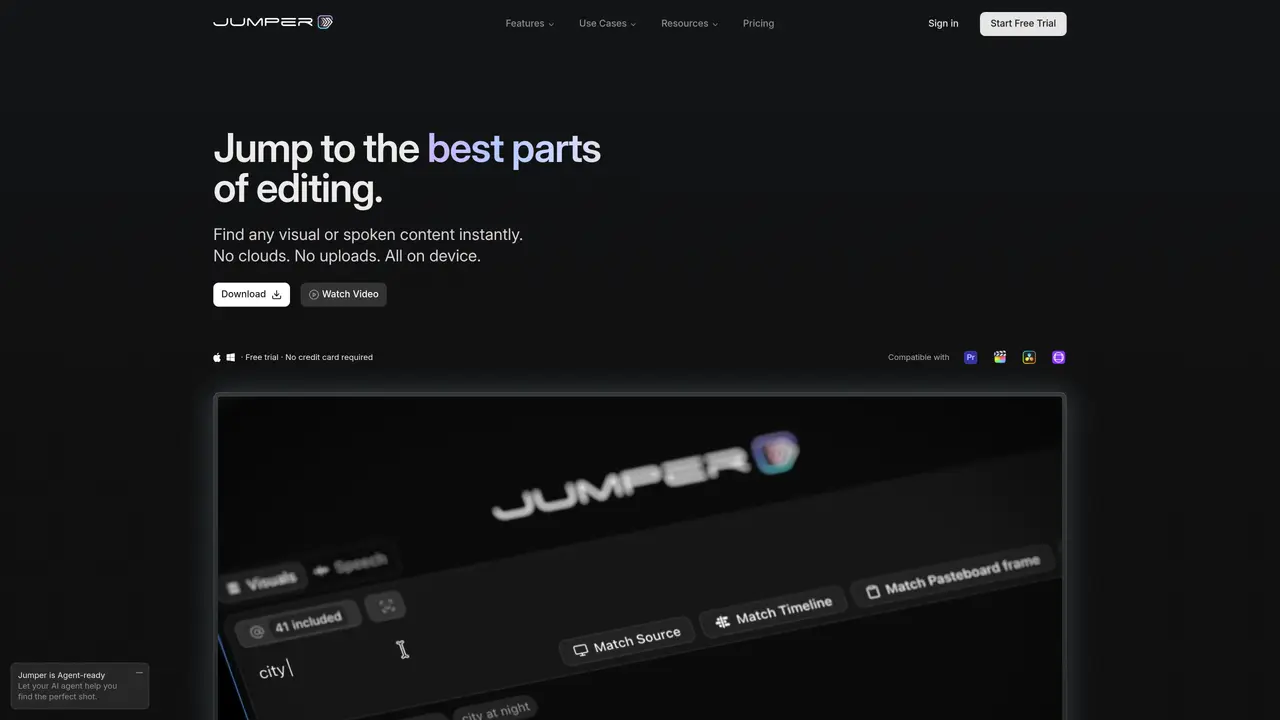
Jumper is a machine learning search engine designed for video footage, enabling editors to locate visual and spoken content across entire media libraries using keywords. It eliminates the need for manual tagging by automatically indexing footage for searchability. The tool integrates directly with major editing platforms such as Adobe Premiere Pro, Final Cut Pro, DaVinci Resolve, and Avid Media Composer through plugins, allowing searches to remain within the editing workflow. Jumper offers two key search features: Match Similar, which identifies visually similar moments, and Match Source Monitor, which locates footage matching a selected frame. All processing occurs on-device, ensuring no cloud uploads are required, which supports both individual creators and professional video production teams. The platform is suitable for anyone working with video content who needs to streamline the search and retrieval process without relying on external services or manual organization.
Jumper is a machine learning-powered search engine for video footage that allows users to find visual and spoken content instantly using keywords, without manual tagging. It integrates with editing software and operates entirely on-device.
Jumper is designed for video editors, creators, and production teams ranging from solo freelancers to global studios who need to streamline the search and retrieval of footage within their editing workflow.
No, Jumper operates entirely offline, with all processing and indexing occurring on the user's local machine. This ensures privacy and eliminates the need for cloud uploads.
Yes, Jumper PRO supports agentic editing, allowing AI assistants like Claude Codex to search footage locally and assist in finding the perfect shots based on plain English descriptions.
Jumper integrates with Adobe Premiere Pro, Final Cut Pro, DaVinci Resolve, and Avid Media Composer through dedicated plugins, enabling searches to remain within the editing workflow.
Users can start with a free trial of Jumper, which does not require a credit card. The tool can be downloaded and installed locally, with plugins available for seamless integration into supported editing software.
getjumper.io · third-party estimates from Similarweb
Last 5 months · grows by one month every month
Share of visits by channel
No measurable traffic from Paid Referrals.
Share of visits · estimated visits
Other countries: 20.4%
Video & Animation · Oct 2026
Traffic figures are third-party estimates, good for scale and trends; they can differ from a company's own numbers. Updated monthly.
We use essential cookies to run aitoolnavio™, and optional cookies to analyze traffic and measure our marketing. You choose what we use — optional cookies stay off unless you turn them on. See our Privacy Policy.
One short email a week: fresh tools worth trying, honest takes and the updates that actually matter. No spam, unsubscribe any time.
Unleash creativity: edit photos, videos, and designs with AI-enhanced tools.
AI-powered video messaging tool that records, shares, and manages video messages with AI-generated titles, summaries, and tasks.
Record lectures, create tutorials, and securely share videos with teams.
Create, convert, and enhance videos effortlessly with professional effects and royalty-free music.
Create stunning videos in a few clicks, customize with powerful tools, and automate editing without experience.
Create, edit, subtitle, and translate pro-grade videos instantly.
Generate cinematic video clips from text or images and refine them with AI-powered editing tools for creators and visual professionals.
Cloudinary provides APIs and tools to integrate, manage, and optimize images and videos for AI-driven visual experiences.
Create marketing videos quickly, customize with templates, music, and photos, optimize for different platforms with AI.
Automate video editing, add text-to-speech voice-overs, and optimize videos for impactful results.
All-in-one AI suite for creators to automate workflows, edit media, and generate content across video, design, and productivity tools.
Matched on what this tool does — grouped by the job you would be replacing.
matches Searches video footage by keywords without manual tagging · Finds visually similar moments using AI · Locates footage matching a selected frame
Search videos, generate results, and optimize searches using advanced machine learning algorithms.
AI-powered video search that locates exact moments using natural language, images, or examples across large video libraries.
AI agent that indexes and retrieves video content using natural language queries across entire libraries.
matches Integrates with Adobe Premiere Pro, Final Cut Pro, DaVinci Resolve, and Avid Media Composer · Plugin-based workflow integration · Processes footage on-device with no cloud uploads required
AI-powered video editing assistant that creates rough cuts from footage using natural language prompts and integrates with popular editing software.
An AI video editing assistant that transcribes audio, removes silences, auto-builds rough cuts, and exports timelines to major NLEs.
AI video editing plugin for Adobe Premiere Pro that automates footage selection and timeline organization.
AI video editing prep tool that automates syncing, organizing, and rough-cutting raw footage for handoff to professional NLEs.