AI-powered video messaging tool that records, shares, and manages video messages with AI-generated titles, summaries, and tasks.
16M visits/mo-3.4%#5 Chatbots & Assistants

An AI video editing assistant that transcribes audio, removes silences, auto-builds rough cuts, and exports timelines to major NLEs.
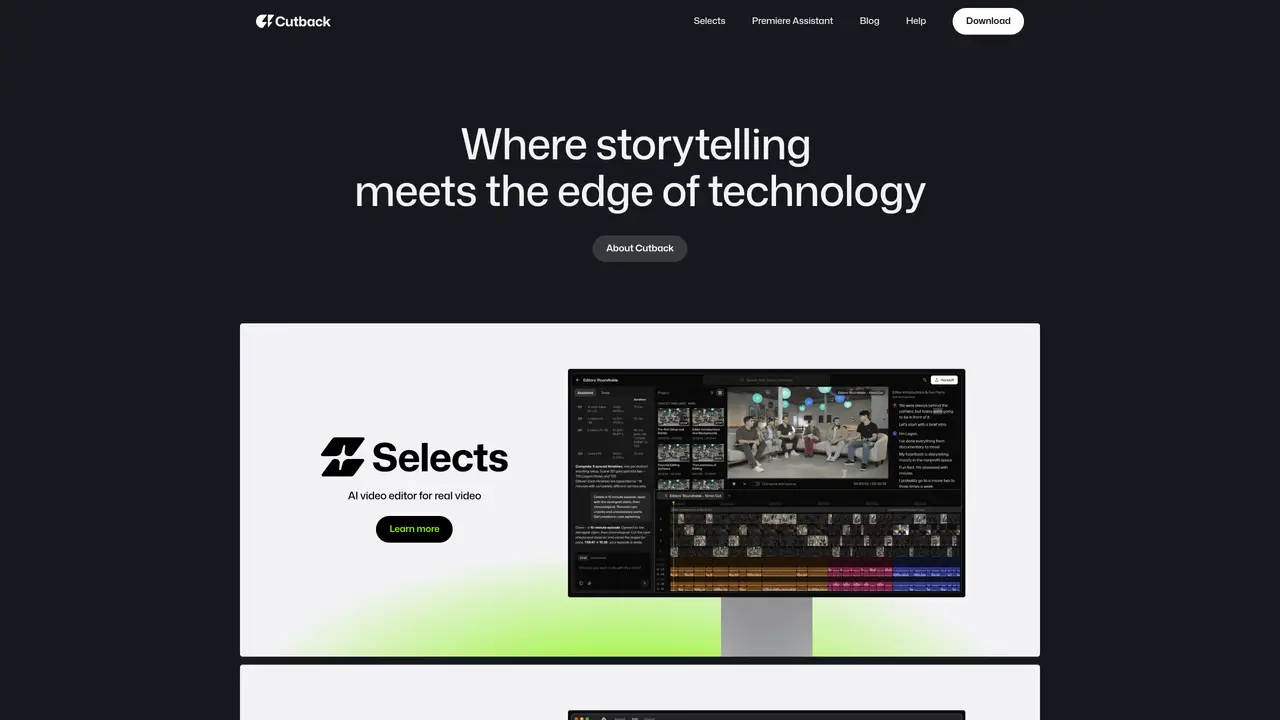
Cutback is an AI-powered video editing assistant designed for individual editors, creators, YouTubers, and producers seeking faster footage preparation and repeatable editing workflows. The tool ingests raw footage, transcribes audio, detects speakers, removes silences, and organizes clips by topic. It supports multi-cam sync and exports structured timelines to Adobe Premiere Pro, Final Cut Pro, or DaVinci Resolve with nested sequences, color coding, and markers. Cutback also generates auto rough cuts to highlight key moments, select best takes, and cut based on scripts, alongside text-based trimming and automatic chapter detection. The Premiere Assistant plugin for Adobe Premiere Pro automates in-timeline tasks such as caption generation, silence removal, zoom effects, B-roll search, photo editing, content summarization, and adding copyright-free media. The tool bridges standalone footage-prep with in-NLE workflows, offering exports tailored for multiple editing platforms and an Official Adobe Video Partner listing.
Cutback is an AI-powered video editing assistant designed for individual editors, creators, YouTubers, and producers. It streamlines footage preparation and editing workflows by automating tasks such as transcription, speaker detection, silence removal, and clip organization.
Cutback exports structured timelines to Adobe Premiere Pro, Final Cut Pro, or DaVinci Resolve with nested sequences, color coding, and markers. It also offers a Premiere Assistant plugin for Adobe Premiere Pro to automate in-timeline tasks like caption generation and silence removal.
The tool ingests raw footage, transcribes audio, detects speakers, removes silences, and organizes clips by topic. It supports multi-cam sync and generates auto rough cuts to highlight key moments and select best takes.
Yes, Cutback can cut footage based on scripts and supports text-based trimming. It also includes automatic chapter detection to structure content efficiently.
Cutback exports structured timelines tailored for multiple editing platforms, including Adobe Premiere Pro, Final Cut Pro, and DaVinci Resolve. These exports include nested sequences, color coding, and markers for seamless integration.
Users can upload raw footage to Cutback, which processes the media to generate organized clips, transcriptions, and structured timelines. The tool then allows exporting these results to supported video editing software for further refinement.
cutback.video · third-party estimates from Similarweb
Last 4 months · grows by one month every month
Share of visits · estimated visits
Other countries: 55.5%
How people reach this site from other AI tools
69 a month · 0.1% of all visits
Video & Animation · Sep 2026
Traffic figures are third-party estimates, good for scale and trends; they can differ from a company's own numbers. Updated monthly.
We use essential cookies to run aitoolnavio™, and optional cookies to analyze traffic and measure our marketing. You choose what we use — optional cookies stay off unless you turn them on. See our Privacy Policy.
One short email a week: fresh tools worth trying, honest takes and the updates that actually matter. No spam, unsubscribe any time.
AI-powered video messaging tool that records, shares, and manages video messages with AI-generated titles, summaries, and tasks.
Unleash creativity: edit photos, videos, and designs with AI-enhanced tools.
Record lectures, create tutorials, and securely share videos with teams.
Create stunning videos in a few clicks, customize with powerful tools, and automate editing without experience.
Create, convert, and enhance videos effortlessly with professional effects and royalty-free music.
Create marketing videos quickly, customize with templates, music, and photos, optimize for different platforms with AI.
Automate video editing, add text-to-speech voice-overs, and optimize videos for impactful results.
Freemium, uncensored AI video and image creation for individual creators with text-to-video, image effects, and gem-based upgrades for HD and no watermarks.
Create, edit, subtitle, and translate pro-grade videos instantly.
Cloudinary provides APIs and tools to integrate, manage, and optimize images and videos for AI-driven visual experiences.
All-in-one AI suite for creators to automate workflows, edit media, and generate content across video, design, and productivity tools.
Generate cinematic video clips from text or images and refine them with AI-powered editing tools for creators and visual professionals.
Matched on what this tool does — grouped by the job you would be replacing.
matches Transcribes audio from raw footage · Detects speakers and removes silences · Organizes clips by topic and syncs multi-cam
Auto-builds talking-head rough cuts in Premiere.
AI-powered video editing assistant that creates rough cuts from footage using natural language prompts and integrates with popular editing software.
AI-powered assistant that indexes and searches video libraries by natural language to assemble Premiere Pro–ready rough cuts and generate context-aware assets.
AI video editing prep tool that automates syncing, organizing, and rough-cutting raw footage for handoff to professional NLEs.
matches Premiere Assistant plugin for Adobe Premiere Pro · Exports structured timelines to Premiere Pro, Final Cut Pro, or DaVinci Resolve
matches Detects speakers and removes silences · Automates caption generation · Supports text-based trimming
AI plugin for Adobe Premiere Pro that automates repetitive video editing tasks like silence removal, captioning, and chapter detection.
AI-powered panel for Adobe Premiere Pro that automates rough-cut editing, removes silences, and generates captions in a single pass.
AI video editing plugin for Adobe Premiere Pro that automates footage selection and timeline organization.
Automatically detect and cut silences, recognize patterns, and create professional videos with suggested transitions and effects.
Desktop app that trims long videos and podcasts by cutting silence, speeding up scenes, and removing commentary for faster editing.
AI video editor that automatically removes silences, adds background music, and generates subtitles from transcripts.
Revolutionize video editing: automate silences, captions, B-rolls, enhancing quality and efficiency.