Automate job postings, track applicants, and streamline hiring with an intuitive HCM platform for talent acquisition.
32M visits/mo+3.9%#5 Business & Marketing

AI-powered panel for Adobe Premiere Pro that automates rough-cut editing, removes silences, and generates captions in a single pass.
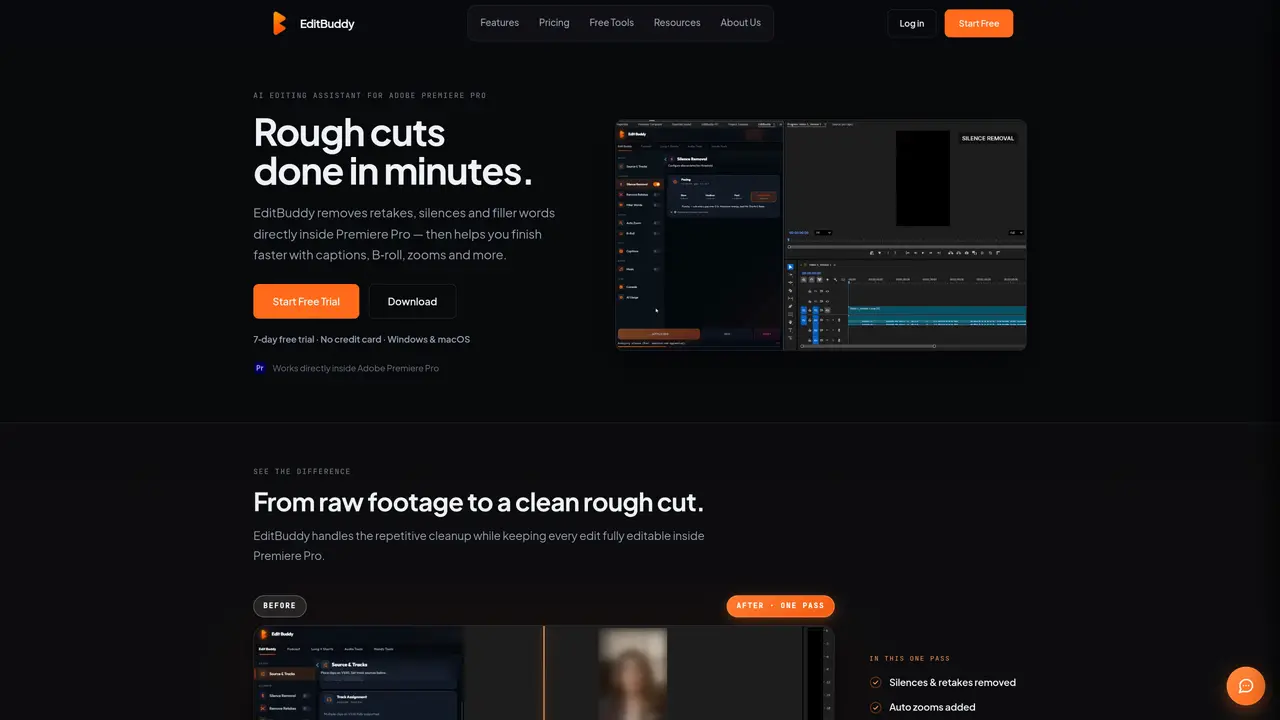
EditBuddy is an AI-powered panel that integrates natively within Adobe Premiere Pro to streamline the rough-cut editing process. It automatically removes silences, detects retakes and filler words, generates captions, places B-roll, and applies zoom cuts directly on an editable timeline in a single operation. The tool also supports multicam podcast editing for up to eight speakers and can repurpose long-form content into short-form clips for social media. Designed for video editors, podcasters, and content creators, EditBuddy reduces manual editing time by handling repetitive tasks while preserving creative control. It operates within Premiere Pro’s interface, ensuring compatibility with existing workflows. Users can trial the tool for seven days without a credit card before choosing between Pro and Max subscription tiers, which differ only in monthly AI-minute allowances. The freemium model provides access to core features while paid plans unlock higher processing volumes for professional use.
Yes. EditBuddy is a panel that docks inside Adobe Premiere Pro, reads the open sequence, and writes its edits back into the same timeline without requiring exports or round trips.
Yes. Every cut, caption, and clip created by EditBuddy remains fully editable within Premiere Pro’s native timeline.
One AI minute corresponds to one minute of source video processed, regardless of how many tools are applied during that minute.
Yes. The Long → Shorts feature scans long-form content to identify shareable moments, reframes them to 9:16, and generates ready-to-post sequences.
Yes. It supports editing multicam podcasts with up to eight speakers, syncing cameras, and generating teasers or trailers from the same timeline.
You can purchase additional AI minutes as top-ups, which never expire and are available in increments such as 125, 350, or 900 minutes.
editbuddy.app · third-party estimates from Similarweb
Last 4 months · grows by one month every month
Share of visits by channel
Automation & Agents · Sep 2026
Traffic figures are third-party estimates, good for scale and trends; they can differ from a company's own numbers. Updated monthly.
We use essential cookies to run aitoolnavio™, and optional cookies to analyze traffic and measure our marketing. You choose what we use — optional cookies stay off unless you turn them on. See our Privacy Policy.
One short email a week: fresh tools worth trying, honest takes and the updates that actually matter. No spam, unsubscribe any time.
Automate job postings, track applicants, and streamline hiring with an intuitive HCM platform for talent acquisition.
Automate workflow, optimize operations, and detect potential issues with this efficient AI-driven solution.
AI automation and agent-building platform with 3,000+ app integrations
Automate email sending, save leads to CRMs, and create complex workflows for customer support tickets.
Open-source workflow automation platform to build, run, and monitor agentic and traditional workflows with 500+ integrations and AI governance.
AI-powered platform streamlining workflows with no-code automation.
With Accio, manufactures/ products/ suppliers/ inspirations will come to you, any time, any where.
Create & deploy AI apps, access real-time insights, and easily build models with an intuitive user interface.
Automate outreach campaigns, create personalized emails with AI, and monitor results with detailed analytics.
AI-powered fleet management platform for trucking, delivery, and field service teams, combining GPS tracking, ELD compliance, dash cams, maintenance, and spend management.
Automate tasks, streamline workflows, and create powerful automation flows effortlessly.
Control your computer and apps from any chat.
Matched on what this tool does — grouped by the job you would be replacing.
Paid placement · similar tools from listings that support aitoolnavio™
Instant lead response for home-service pros: your phone rings on every new lead, plus 14 days of follow-up
matches Native integration with Adobe Premiere Pro · Editable timeline output for manual adjustments
matches Automatic silence removal and retake detection · Filler word removal and caption generation
matches Multicam podcast editing for up to eight speakers · B-roll placement and zoom cut automation
matches Long-form to short-form content repurposing
AI plugin for Adobe Premiere Pro that automates repetitive video editing tasks like silence removal, captioning, and chapter detection.
AI video editing plugin for Adobe Premiere Pro that automates footage selection and timeline organization.
An AI video editing assistant that transcribes audio, removes silences, auto-builds rough cuts, and exports timelines to major NLEs.
AI video editor that edits videos by text transcript
Revolutionize video editing: automate silences, captions, B-rolls, enhancing quality and efficiency.
AI video editor that automatically removes silences, adds background music, and generates subtitles from transcripts.
Auto-builds talking-head rough cuts in Premiere.
Auto-clips raw talking-head footage by removing mistakes, pauses, and bad takes to save hours of editing time.
AI video editing prep tool that automates syncing, organizing, and rough-cutting raw footage for handoff to professional NLEs.
AI video clipping and editing tool that turns long videos into short clips with captions, reframing, and one-click social publishing.
AI video editor that repurposes long-form videos into clips, captions, and posts with built-in scheduling for social media.
AI tool that converts long videos into branded short clips for social media platforms.