AI-powered video messaging tool that records, shares, and manages video messages with AI-generated titles, summaries, and tasks.
16M visits/mo-3.4%#5 Chatbots & Assistants

Revolutionize video editing: automate silences, captions, B-rolls, enhancing quality and efficiency.
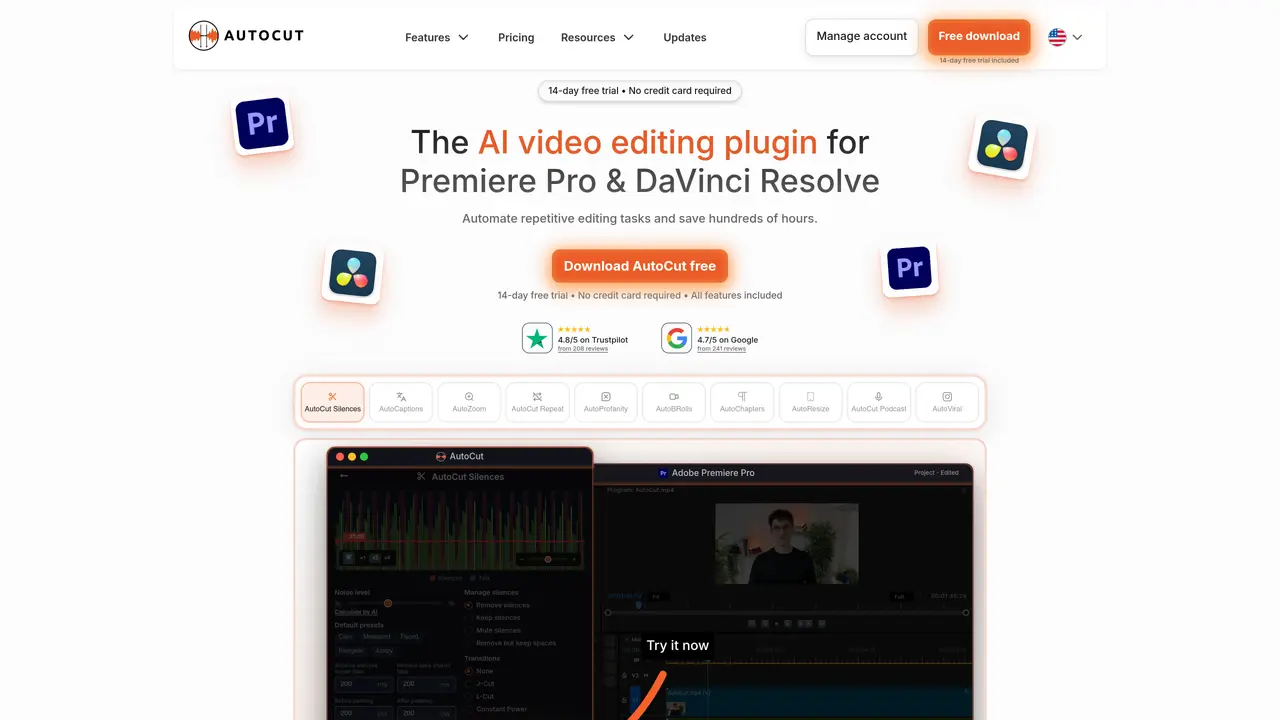
AutoCut is an advanced plugin for Adobe Premiere Pro designed to transform the video editing process by automating repetitive and time-consuming tasks. This tool aims to streamline video production by efficiently handling tasks such as removing silences, adding animated captions, and integrating B-rolls, thereby significantly reducing editing time and enhancing the quality of video content. Ideal for content creators, video editors, and podcast producers, AutoCut stands out for its ability to streamline workflows while preserving creativity and quality. Key Features: Automatic Silence Remover: Efficiently detects and removes unwanted silences from a video, ensuring a fluid and engaging viewing experience. Animated Captions with One Click: The AutoCaptions feature automatically syncs animated subtitles with spoken words, ideal for enhancing viewer engagement on platforms like TikTok and YouTube. Instant Podcast Editing: Simplifies podcast editing by automatically detecting silences and applying dynamic jump cuts and transitions. Sophisticated AutoZoom: Adds professionalism to videos by automatically zooming in on subjects, maintaining viewer focus. Seamless Integration of B-Rolls: Integrates relevant B-Roll footage automatically, enriching video content without manual search and placement. AutoCut serves a diverse range of users including: Content Creators: For producing polished and engaging content for social media. Video Editors: Streamlining post-production workflows and enhancing efficiency. Podcast Producers: Adding dynamic edits and animated captions to podcast videos. Marketing Agencies: Creating compelling video content for campaigns with minimal effort. Uncommon Use Cases: Educational institutions using it in digital media courses; Independent filmmakers speeding up documentary editing.
AutoCut is an AI-powered plugin for Adobe Premiere Pro and DaVinci Resolve that automates repetitive video editing tasks such as removing silences, adding animated captions, applying dynamic cuts, and integrating B-roll footage to streamline post-production workflows.
The tool is designed for content creators, video editors, podcast producers, marketing agencies, and independent filmmakers who want to save time on manual editing while maintaining high-quality output.
Yes, AutoCut provides a 14-day free trial with no credit card required, allowing users to test all features before committing to a purchase.
AutoCut is compatible with Adobe Premiere Pro and DaVinci Resolve, with support for additional editors potentially available in the future.
Users can start by downloading the plugin from the AutoCut website, installing it in their preferred video editor, and following the provided setup instructions to begin automating their editing tasks.
AutoCut primarily integrates with Adobe Premiere Pro and DaVinci Resolve, but its automated outputs can be exported and used across various platforms for publishing or further editing.
We use essential cookies to run aitoolnavio™, and optional cookies to analyze traffic and measure our marketing. You choose what we use — optional cookies stay off unless you turn them on. See our Privacy Policy.
One short email a week: fresh tools worth trying, honest takes and the updates that actually matter. No spam, unsubscribe any time.
AI-powered video messaging tool that records, shares, and manages video messages with AI-generated titles, summaries, and tasks.
Unleash creativity: edit photos, videos, and designs with AI-enhanced tools.
Record lectures, create tutorials, and securely share videos with teams.
Create stunning videos in a few clicks, customize with powerful tools, and automate editing without experience.
Create, convert, and enhance videos effortlessly with professional effects and royalty-free music.
Create marketing videos quickly, customize with templates, music, and photos, optimize for different platforms with AI.
Automate video editing, add text-to-speech voice-overs, and optimize videos for impactful results.
Freemium, uncensored AI video and image creation for individual creators with text-to-video, image effects, and gem-based upgrades for HD and no watermarks.
Create, edit, subtitle, and translate pro-grade videos instantly.
Cloudinary provides APIs and tools to integrate, manage, and optimize images and videos for AI-driven visual experiences.
All-in-one AI suite for creators to automate workflows, edit media, and generate content across video, design, and productivity tools.
Generate cinematic video clips from text or images and refine them with AI-powered editing tools for creators and visual professionals.
Matched on what this tool does — grouped by the job you would be replacing.
matches Instant Podcast Editing · Automatic Silence Remover · Animated Captions with One Click
Auto-builds talking-head rough cuts in Premiere.
An AI video editing assistant that transcribes audio, removes silences, auto-builds rough cuts, and exports timelines to major NLEs.
AI-powered panel for Adobe Premiere Pro that automates rough-cut editing, removes silences, and generates captions in a single pass.
AI video editing prep tool that automates syncing, organizing, and rough-cutting raw footage for handoff to professional NLEs.
matches Automatic Silence Remover · Animated Captions with One Click · Seamless Integration of B-Rolls
matches Automatic Silence Remover · Sophisticated AutoZoom
AI video clipping and editing tool that turns long videos into short clips with captions, reframing, and one-click social publishing.
Submagic is an AI tool that helps content creators create viral reels and shorts 10 times faster than any other video editing tool.
AI video editing platform that turns long-form videos into TikTok, Instagram Reels, and YouTube Shorts with auto cuts, B-roll, and subtitles.
AI-powered video editor that turns raw footage into viral reels with one click, adding auto captions, b-roll, and animated effects.
Automatically detect and cut silences, recognize patterns, and create professional videos with suggested transitions and effects.
AI plugin for Adobe Premiere Pro that automates repetitive video editing tasks like silence removal, captioning, and chapter detection.
Create videos effortlessly, add music easily, automate editing with voice recognition—save time and money.
AI video editor that automatically removes silences, adds background music, and generates subtitles from transcripts.