Generate lifelike human videos with AI, making professional video creation fast and accessible for any user.
41M visits/mo+26.2%#1 Video & Animation

Motion control AI video generator that copies real movement from a reference clip to any character or avatar.
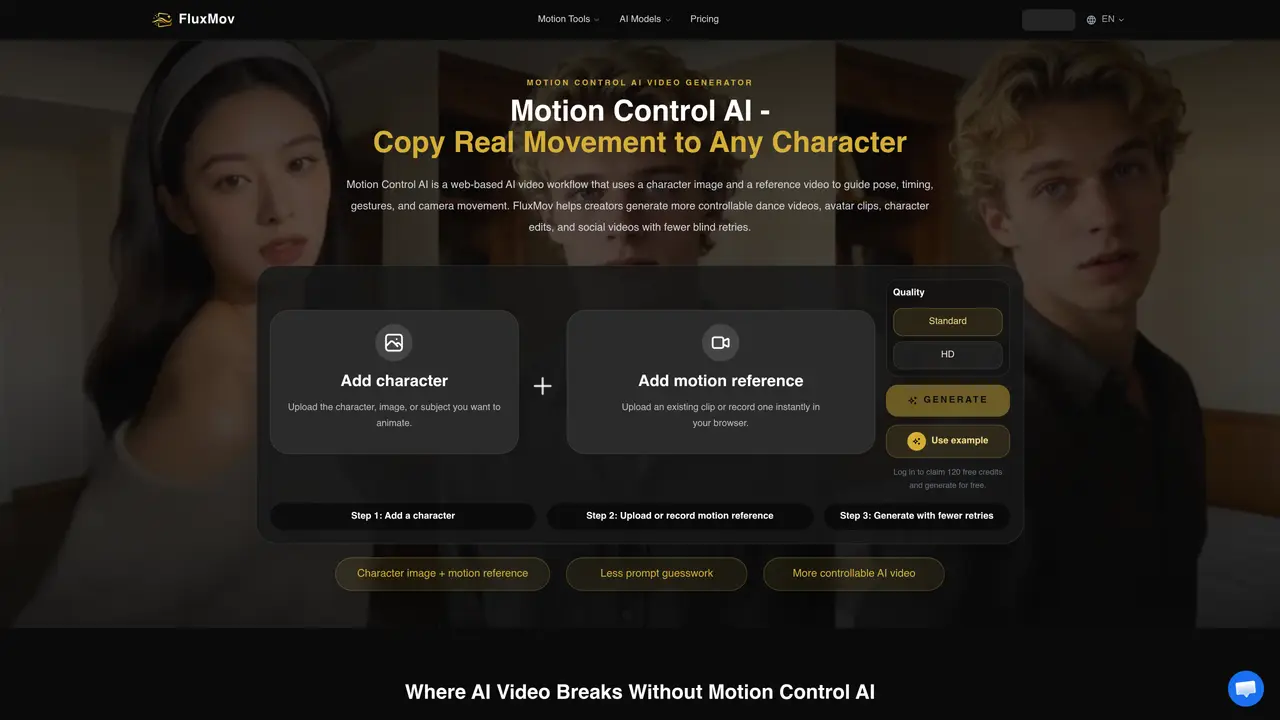
FluxMov is a motion control AI video generator that lets you copy real movement to any character, avatar, or subject. Instead of asking a text prompt to “guess” how a character should move, FluxMov uses a character image plus a real motion reference video to guide pose, timing, gestures, and camera movement. Creators can upload a still character image, add a short MP4 or MOV reference clip, and then use a text prompt for style, clothing, background, lighting, or output format. The reference clip becomes the movement target, so the AI can follow real choreography and camera flow instead of inventing motion from scratch. FluxMov is especially useful for dance clips, avatar performances, mascot content, anime character motion, social video hooks, and motion-driven ads. Motion Control AI helps reduce character drift, improve identity consistency, and cut down on failed retries by giving the model clearer inputs before generation. Tools like Motion Transfer and Replace Character turn motion into a more controllable and consistent process.
FluxMov is a web-based AI video generator that uses a character image and a reference video to guide pose, timing, gestures, and camera movement. Users upload a still character image and a short motion reference clip, then generate videos where the character follows the reference motion instead of relying solely on text prompts.
FluxMov is designed for creators who need precise control over character motion, such as animators, social media content creators, advertisers, and avatar performers. It is particularly useful when exact choreography, gestures, or camera movements are required.
By providing a visible motion target through a reference video, FluxMov gives the AI clearer inputs before generation, reducing the likelihood of unexpected or incorrect movements. This helps stabilize character identity and improves consistency across frames.
The best motion references are 5 to 10 seconds long, feature one primary subject, have stable framing, readable body motion, and minimal occlusion. Higher resolution (720p or above) and simple backgrounds improve output stability.
Users should ensure they have the rights to upload both the character image and the reference video. FluxMov itself does not claim ownership of generated content, but creators are responsible for verifying the rights to their inputs.
To get started, upload a character image, add a motion reference video (or record one in-browser), and optionally provide a short prompt to guide style, scene, or output format. After logging in, users can claim free credits to generate their first videos.
We use essential cookies to run aitoolnavio™, and optional cookies to analyze traffic and measure our marketing. You choose what we use — optional cookies stay off unless you turn them on. See our Privacy Policy.
One short email a week: fresh tools worth trying, honest takes and the updates that actually matter. No spam, unsubscribe any time.
Generate lifelike human videos with AI, making professional video creation fast and accessible for any user.
xAI builds Grok frontier AI models for reasoning, coding, voice, images, video, enterprise workflows, and developer APIs.
AI-powered video messaging tool that records, shares, and manages video messages with AI-generated titles, summaries, and tasks.
Explore and test Google’s experimental AI tools and prototypes before they become products.
Creates licensed videos, images, music.
Web and mobile AI platform for generating, editing, and training custom visuals from prompts with community models and face-swap tools.
Create stunning videos in a few clicks, customize with powerful tools, and automate editing without experience.
Create, convert, and enhance videos effortlessly with professional effects and royalty-free music.
Create engaging videos with voiceovers, music, and customizations using a library of royalty-free assets.
Create auto-resized campaign images and videos with DaVinci AI's generative media suite.
Freemium, uncensored AI video and image creation for individual creators with text-to-video, image effects, and gem-based upgrades for HD and no watermarks.
Generate cinematic video clips from text or images and refine them with AI-powered editing tools for creators and visual professionals.
FluxMov – Motion Control AI Video GeneratorSubscription Pollo AIFreemiumFluxMov – Motion Control AI Video GeneratorSubscription
 Motion Control AIFree TrialFluxMov – Motion Control AI Video GeneratorSubscription
 Seedance 3.0 AISubscriptionFluxMov – Motion Control AI Video GeneratorSubscription
 Kling AI Video GeneratorFreemium
Matched on what this tool does — grouped by the job you would be replacing.
matches Copies real movement from a reference clip to any character or avatar · Guides pose, timing, gestures, and camera movement · Uses a character image plus a real motion reference video
AI video generation tool that creates videos from text prompts, images, or reference clips with strong character consistency.
Turn any character image into a video by transferring motion, gestures, and expressions from a reference clip—no mocap, rigging, or keyframes required.
Seedance 3.0 AI is a video generator that allows users to create videos using multi-modal input, reference anything, and maintain superior consistency.
Generates AI videos from text prompts, images, or motion inputs
matches Video-to-video AI editing with text prompts · Lip sync and dubbing for audio-video synchronization · Face swap and identity replacement
Web-based AI video editing platform for transforming, editing, and restyling videos with prompt-driven controls and multi-model workflows.
Generates videos from text prompts or images with AI
AI video generator that combines text, image, video and audio references into directed 2K clips up to 15