Generate lifelike human videos with AI, making professional video creation fast and accessible for any user.

Idea to Motion
$1Starting price
0Popularity
About Idea to Motion
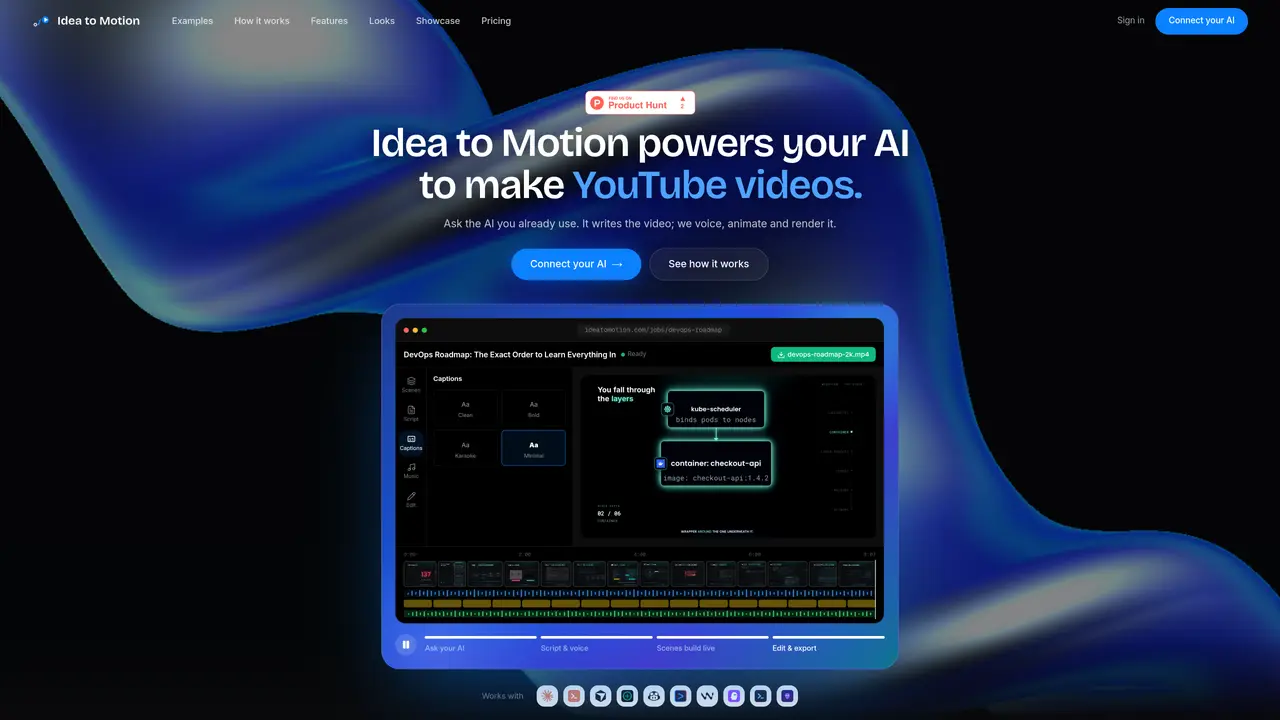
Idea to Motion integrates with existing AI clients via MCP to generate short-form videos from text prompts or existing recordings. Users provide a topic or a raw video recording, and the system automatically scripts, voices, animates, and renders the content without requiring manual editing. The tool supports four primary video types: talking-head reels from recordings, faceless explainers, motion graphics, and news reels. Outputs are delivered in various aspect ratios and resolutions up to 4K, with branded templates available. The process relies on a connected AI client to handle scripting and direction, while Idea to Motion handles voice synthesis, animation, and rendering. No timeline, keyframes, or manual editing are required, streamlining the production of consistent, publishable content.
Key features
- MCP server integration for AI clients
- Automated scripting and voice synthesis
- Motion graphics and kinetic typography
- Multi-format output (Shorts, 16:9, 4K)
- Brand kit and template customization
- No manual timeline editing
- Supports talking-head and faceless explainers
- Automated scene transitions and motion effects
Use cases
- Turning AI-generated scripts into branded explainers
- Converting raw video recordings into polished reels
- Creating motion graphics for product launches
Pros
- Integrates with existing AI clients via MCP
- Automates scripting, voiceover, animation, and rendering
- Supports multiple video formats and aspect ratios
- No manual editing or timeline work required
- Brand customization available
Cons
- Requires an MCP-compatible AI client
- No standalone desktop or web application
- Limited to video types explicitly described
Frequently asked questions about Idea to Motion
What is Idea to Motion and how does it work?
Idea to Motion is an AI video generator that integrates with existing AI clients via MCP to automate the creation of short-form videos. Users provide a topic or raw video recording, and the system handles scripting, voice synthesis, animation, and rendering without manual editing.
Who should use Idea to Motion?
The tool suits content creators, marketers, educators, and teams looking to produce consistent, publishable videos efficiently. It is particularly useful for those who want to transform text prompts or recordings into polished videos without video editing expertise.
What types of videos can Idea to Motion generate?
It supports four primary video types: talking-head reels from recordings, faceless explainers, motion graphics, and news reels. Each type is tailored to different use cases, such as social media content, educational explainers, product launches, and news summaries.
Does Idea to Motion require manual editing?
No manual editing is required. The tool automates scripting, voiceover, animation, and rendering, allowing users to generate finished videos with a single prompt or by uploading a raw recording.
What integrations does Idea to Motion support?
It works with AI clients that support the MCP protocol, such as Claude, Cursor, VS Code, or any other MCP-compatible client. Users connect their AI client to Idea to Motion to enable automated video production.
How do I get started with Idea to Motion?
Users can sign in with Google, add the Idea to Motion server to their AI client, and then provide a prompt or recording to generate a video. The process involves three steps: signing in, connecting the server, and issuing a prompt to create the video.