
AI-powered writing assistant for grammar, style, and tone improvements across documents and emails.
60M visits/mo+21.3%#2 Writing & Content
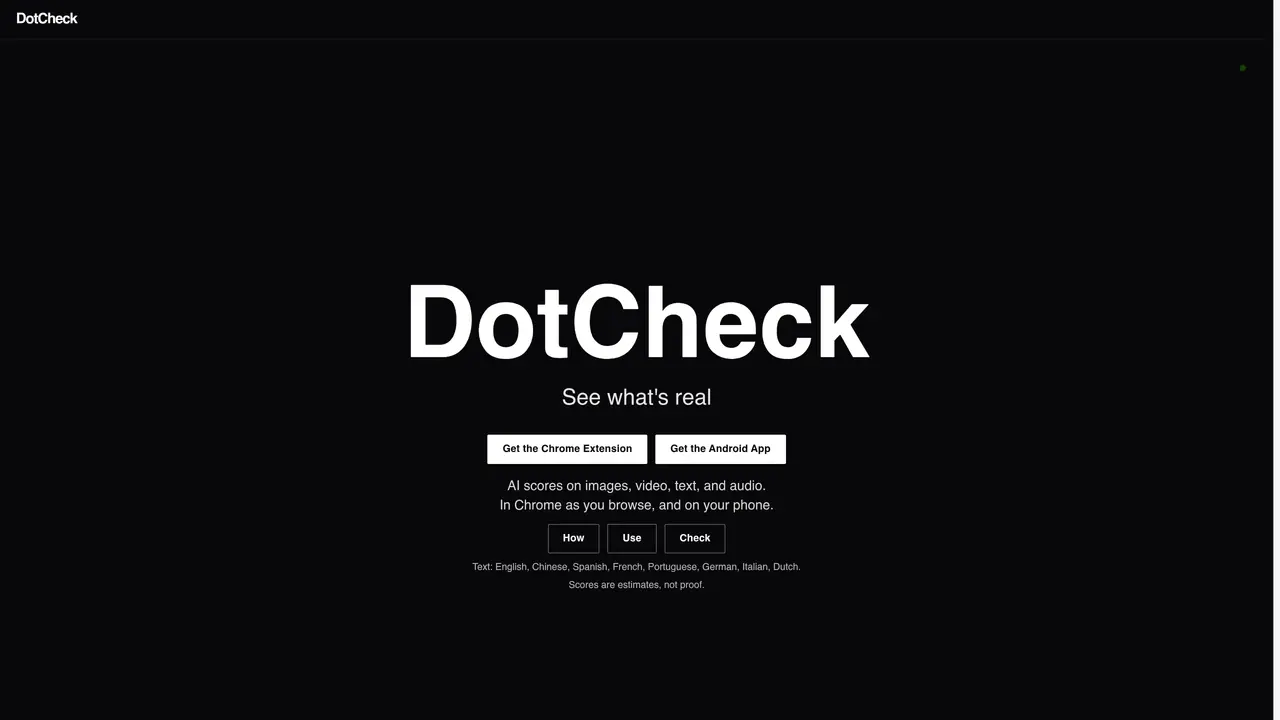
DotCheck provides AI-generated authenticity scores for images, video, text, and audio content. The tool operates within Chrome as users browse and is also available as an Android app. It flags potential manipulations or inconsistencies in media and text through colored dots and underlines, offering quick visual indicators. Scores are presented as estimates rather than definitive proof, emphasizing transparency about their probabilistic nature. The service supports multiple languages including English, Chinese, Spanish, French, Portuguese, German, Italian, and Dutch. Users can perform checks directly in the browser or via uploads, with limits varying by plan. Free accounts allow 300 checks per week across platforms, while premium tiers expand capabilities to include detailed reports, batch processing, and API access for automated scoring.
DotCheck provides AI-generated authenticity scores for images, video, text, and audio content. It flags potential manipulations or inconsistencies through colored dots and underlines, offering quick visual indicators while browsing or via uploads.
DotCheck is designed for users who need to verify the authenticity of digital content, including journalists, researchers, content creators, and businesses. It supports multiple languages and is accessible via Chrome or Android.
DotCheck presents scores as estimates rather than definitive proof, emphasizing transparency about their probabilistic nature. Results are shown as colored dots and underlines in the browser or app interface.
Yes, DotCheck offers a free account with 300 checks per week across platforms, including Chrome, uploads, and the Android app. Premium and Pro plans provide additional features like detailed reports and API access.
DotCheck provides API keys for image, text, and video scoring in its Pro plan, allowing integration with other systems for automated authenticity checks.
Users can start by downloading the Chrome extension or Android app, signing in, and performing checks directly in the browser or via uploads. Free accounts are available to begin using the service.
We use essential cookies to run aitoolnavio™, and optional cookies to analyze traffic and measure our marketing. You choose what we use — optional cookies stay off unless you turn them on. See our Privacy Policy.
One short email a week: fresh tools worth trying, honest takes and the updates that actually matter. No spam, unsubscribe any time.
AI-powered writing assistant for grammar, style, and tone improvements across documents and emails.
Plagiarism detector for AI generated text.
Instantly detect AI-generated text, identify plagiarism, and customize the detection process.
Automatically check student papers for plagiarism, generate originality reports, and offer powerful grading tools.
AI-generated text detector with 99.98% verified accuracy, supporting 20+ languages and integrations with LMS platforms.
Detect plagiarism, verify authenticity, and save time with an intuitive interface across multiple languages.
Tailor web copy, generate high-quality content, bypass AI detectors.
All-in-one SEO suite for website performance analysis, keyword tracking, plagiarism checks, sitemap generation, and article rewriting.
Create undetectable, original and engaging content with customizable output.
Ensure content originality, detect plagiarism, and identify AI usage in content with advanced AI technology.
JustDone transforms AI-generated content into clear, natural, and human-like text with its style adaptation technology.
Secure, scalable AI-driven identity verification solutions.
Matched on what this tool does — grouped by the job you would be replacing.
matches AI scoring for images, video, text, and audio · Colored visual indicators in Chrome · Multi-language text support
DetectGPT is an AI detector and humanizer focused on telling human writing apart from text generated by large language models.
Rewrites AI-generated text to sound natural and human while preserving facts
Uses AI to detect fraudulent supplier photos in seconds
matches Audio and video transcription · Speaker recognition and labeling · Timestamped transcripts
matches Natural rewriting of AI-generated text · Multiple writing tone options · Built-in AI detection scoring
Revolutionize transcription with unmatched accuracy, speed, and language support.
AI platform for creating text-to-speech voiceovers, cloning voices, and transcribing audio in over 20 languages.
Transcribes audio and video files to text in 90+ languages
Transcribes audio and video files into text with timestamps and speaker labels
AI-powered writing tool for paraphrasing, summarizing, and enhancing writing effortlessly.
Plagiarism detector for AI generated text.