
Design, automate, and analyze email campaigns with drag-and-drop builders, AI editing, and real-time analytics.
5.2M visits/mo+4.7%#21 Business & Marketing

Craft personalized replies, search emails, track sent emails' open status, all in one.
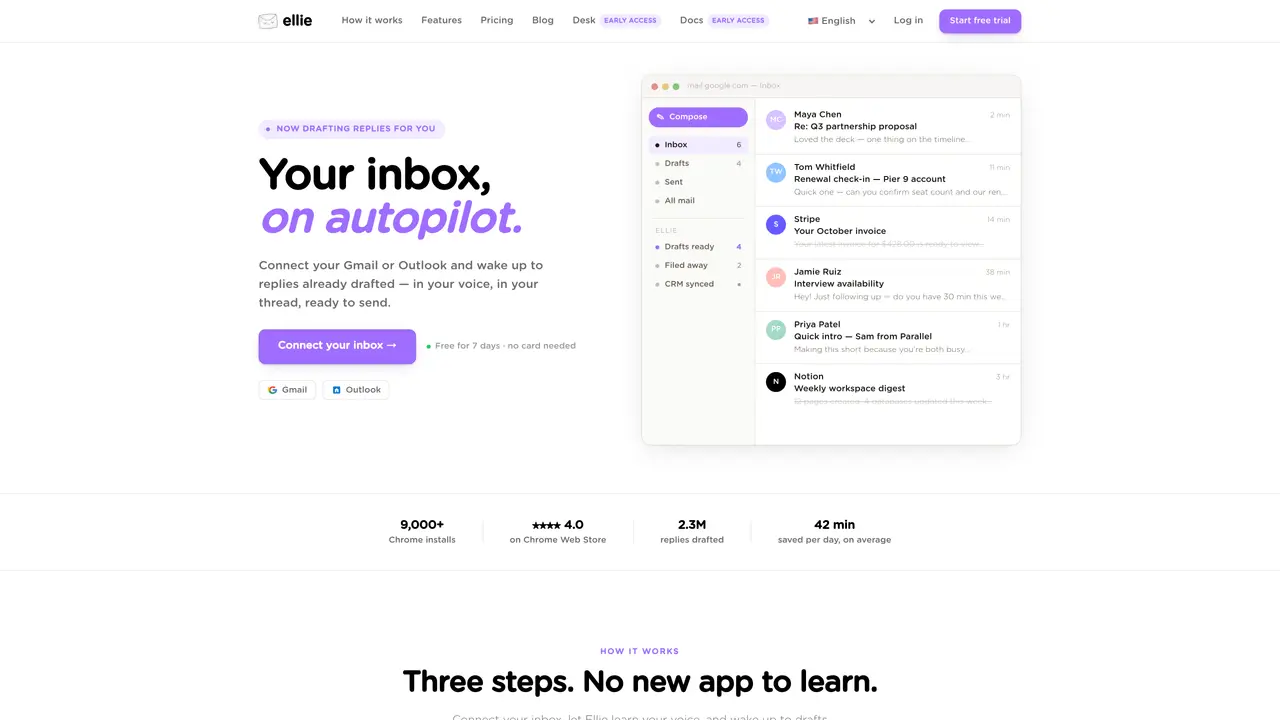
Ellie is an email assistant that helps make your life easier. This AI-powered tool takes the hassle out of organizing, replying, and tracking emails. By learning from your writing style, Ellie crafts replies that sound like they’re coming directly from you. With Ellie, you don’t have to worry about wasting time crafting individual responses. Instead, you can focus on more important tasks. Ellie also makes it easier to organize and manage your emails. You can easily sort and search emails to find the ones you need, as well as set reminders to follow up on specific messages. Thanks to Ellie’s advanced tracking system, you can keep tabs on sent emails and know exactly when your recipients have opened them. Whether you’re a busy professional, a business owner, or a student, Ellie is the perfect tool for streamlining your email workflow.
Ellie supports Gmail and Outlook, integrating directly with these platforms to draft replies within your existing inbox workflow.
Ellie analyzes your sent emails to understand your tone, sign-offs, and writing patterns, ensuring drafts reflect your unique voice without using rigid templates.
Yes, Ellie can be trained on your company's public help docs, pricing pages, or CRM data to include accurate, context-specific information in drafts.
No, Ellie operates within your existing Gmail or Outlook interface, with drafts appearing directly in your drafts folder for seamless use.
Ellie reads threads to draft replies but does not store your emails or train general AI models on them; it only uses your sent mail to learn your writing style.
Yes, Ellie drafts replies overnight while you sleep, so you wake up to pre-written drafts ready for review and sending.
We use essential cookies to run aitoolnavio™, and optional cookies to analyze traffic and measure our marketing. You choose what we use — optional cookies stay off unless you turn them on. See our Privacy Policy.
One short email a week: fresh tools worth trying, honest takes and the updates that actually matter. No spam, unsubscribe any time.
Design, automate, and analyze email campaigns with drag-and-drop builders, AI editing, and real-time analytics.
Identify contacts, generate emails, track prospects and accounts based on key signals.
AI assistant that automates routine work across email, calendar, Slack, files and other tools with human oversight.
Schedule events, streamline projects, and draft emails efficiently with its features.
AI-powered email assistant that organizes inboxes, drafts replies, and automates routine tasks for professionals.
Generate SEO-friendly YouTube video scripts and descriptions for blog posts.
Create personalized emails, follow up automatically, and analyze for optimization and insights.
AI-powered email management for Gmail and Google Workspace teams with shared inboxes, AI drafting, automation, and analytics.
Cross-platform email client with unified inbox, calendar, and optional AI assistance for students, professionals, and small teams.
AI executive assistant that organizes Gmail and Outlook inboxes, drafts replies in your voice, schedules meetings, and tracks follow-ups for busy professionals.
Create interactive email campaigns with automated personalization.
Automate responses, personalize emails, and enjoy an intuitive interface for efficient email management.
Matched on what this tool does — grouped by the job you would be replacing.
matches Automatically craft personalized replies · Easily search and sort emails · Track sent emails and know when opened
Auto-respond to emails, detect context, and access as a browser extension.
Automate personalized email replies, organize emails with filters, and process emails efficiently with AI assistant.
AI email assistant that drafts personalized emails from voice commands while learning your writing style.
Generate accurate replies, learn agent's style, edit or send drafts to save time.