
Design, automate, and analyze email campaigns with drag-and-drop builders, AI editing, and real-time analytics.
5.2M visits/mo+4.7%#21 Business & Marketing

Automate personalized email replies, organize emails with filters, and process emails efficiently with AI assistant.
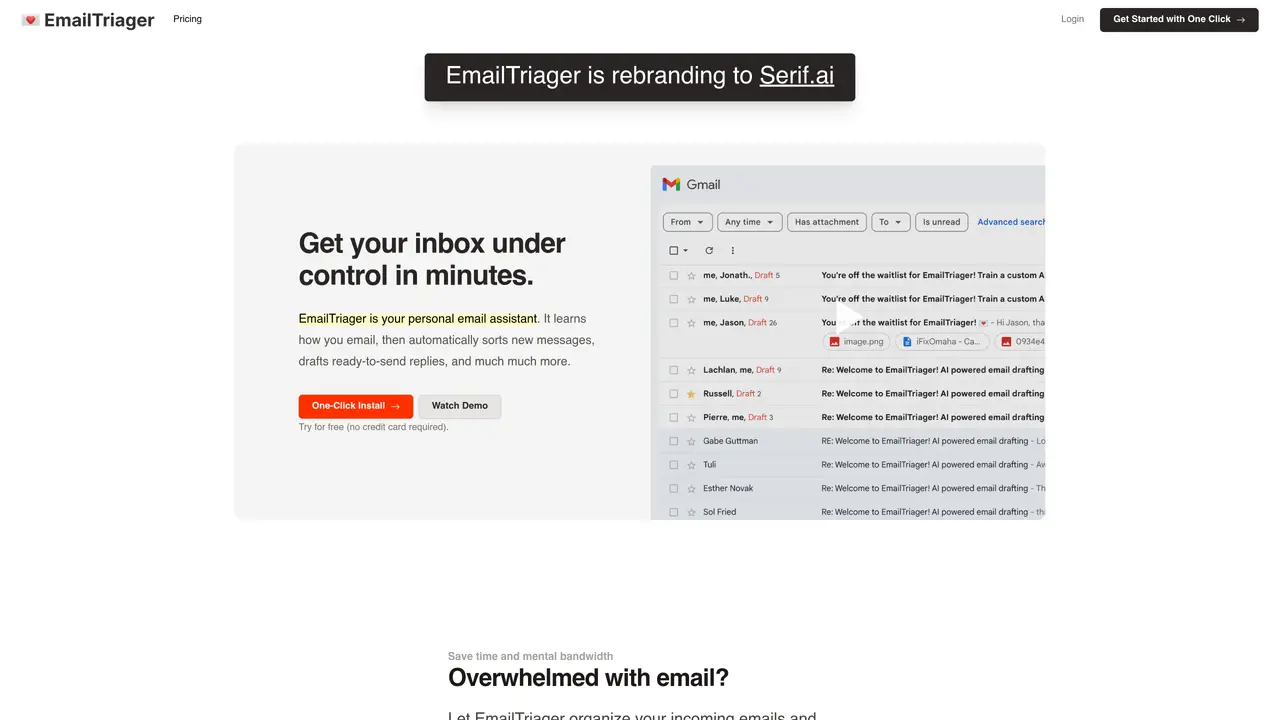
Email Triager is a revolutionary service that uses artificial intelligence to help you handle email quickly, efficiently, and accurately. With Email Triager, you can easily draft replies to emails without having to manually type out each response. The AI-powered assistant will scan your incoming emails and automatically generate appropriate replies, helping you save time and stay on top of your inbox.The service also allows you to customize your replies so that they match your desired style and tone. You can also set up filters and rules to help you easily organize and prioritize your emails. Email Triager is designed to make managing your email inbox easier and faster than ever before.With Email Triager, you can quickly reply to emails and stay up to date with your contacts. The AI assistant will take care of the tedious task of processing emails, allowing you to focus on more important tasks. Get back to your inbox faster, with Email Triager.
Email Triager automatically drafts ready-to-send email replies in the background by scanning incoming messages and generating responses tailored to your writing style. It integrates directly with Gmail without requiring a browser extension.
The tool is designed for professionals and teams overwhelmed by email volume who want to reduce manual typing and streamline their inbox management while maintaining a personal touch in their communications.
Email Triager trains on your past emails to replicate your unique writing style, sign-offs, and tone, ensuring drafts sound authentically like you rather than generic AI responses.
Yes. Email Triager is verified by a Google-designated third-party security auditor and is CASA Tier 2 accredited. Your emails are never used to train general AI models, and only you have access to your private AI model.
No. Email Triager plugs directly into Gmail without requiring any additional software or extensions, allowing you to use it seamlessly within your existing workflow.
Simply connect your Gmail account to Email Triager. The service automatically begins analyzing your past emails to generate drafts for new messages, which appear directly in your Gmail inbox for review and sending.
emailtriager.com · third-party estimates from Similarweb
Last 2 months · grows by one month every month
Share of visits · estimated visits
Writing & Content · Sep 2026
Traffic figures are third-party estimates, good for scale and trends; they can differ from a company's own numbers. Updated monthly.
We use essential cookies to run aitoolnavio™, and optional cookies to analyze traffic and measure our marketing. You choose what we use — optional cookies stay off unless you turn them on. See our Privacy Policy.
One short email a week: fresh tools worth trying, honest takes and the updates that actually matter. No spam, unsubscribe any time.
Design, automate, and analyze email campaigns with drag-and-drop builders, AI editing, and real-time analytics.
Identify contacts, generate emails, track prospects and accounts based on key signals.
AI assistant that automates routine work across email, calendar, Slack, files and other tools with human oversight.
Schedule events, streamline projects, and draft emails efficiently with its features.
AI-powered email assistant that organizes inboxes, drafts replies, and automates routine tasks for professionals.
Generate SEO-friendly YouTube video scripts and descriptions for blog posts.
Create personalized emails, follow up automatically, and analyze for optimization and insights.
AI-powered email management for Gmail and Google Workspace teams with shared inboxes, AI drafting, automation, and analytics.
Cross-platform email client with unified inbox, calendar, and optional AI assistance for students, professionals, and small teams.
AI executive assistant that organizes Gmail and Outlook inboxes, drafts replies in your voice, schedules meetings, and tracks follow-ups for busy professionals.
Create interactive email campaigns with automated personalization.
Automate responses, personalize emails, and enjoy an intuitive interface for efficient email management.
Matched on what this tool does — grouped by the job you would be replacing.
matches Automatically craft personalized replies to emails · Employ AI assistant to process emails quickly
Auto-respond to emails, detect context, and access as a browser extension.
Automates Gmail/Outlook inbox from plain language rules.
AI work assistant that turns emails into tasks, drafts replies in your style, and prioritizes your inbox automatically.
Craft personalized replies, search emails, track sent emails' open status, all in one.
matches Create filters and rules to organize and prioritize emails
AI-powered email assistant that organizes inboxes, drafts replies, and automates routine tasks for professionals.
AI assistant that triages inboxes, drafts replies, schedules meetings, and syncs CRM updates directly in Gmail and Outlook.
Stop drowning in emails - Emilio prioritizes and automates your email, saving 60% of your time
AI-native email client that drafts replies, prioritizes messages, and automates scheduling for busy professionals.