Generate content, correct spelling, suggest synonyms to enhance writing.
173M visits/mo+0.1%#1 Productivity & Office

AI-native email client that drafts replies, prioritizes messages, and automates scheduling for busy professionals.
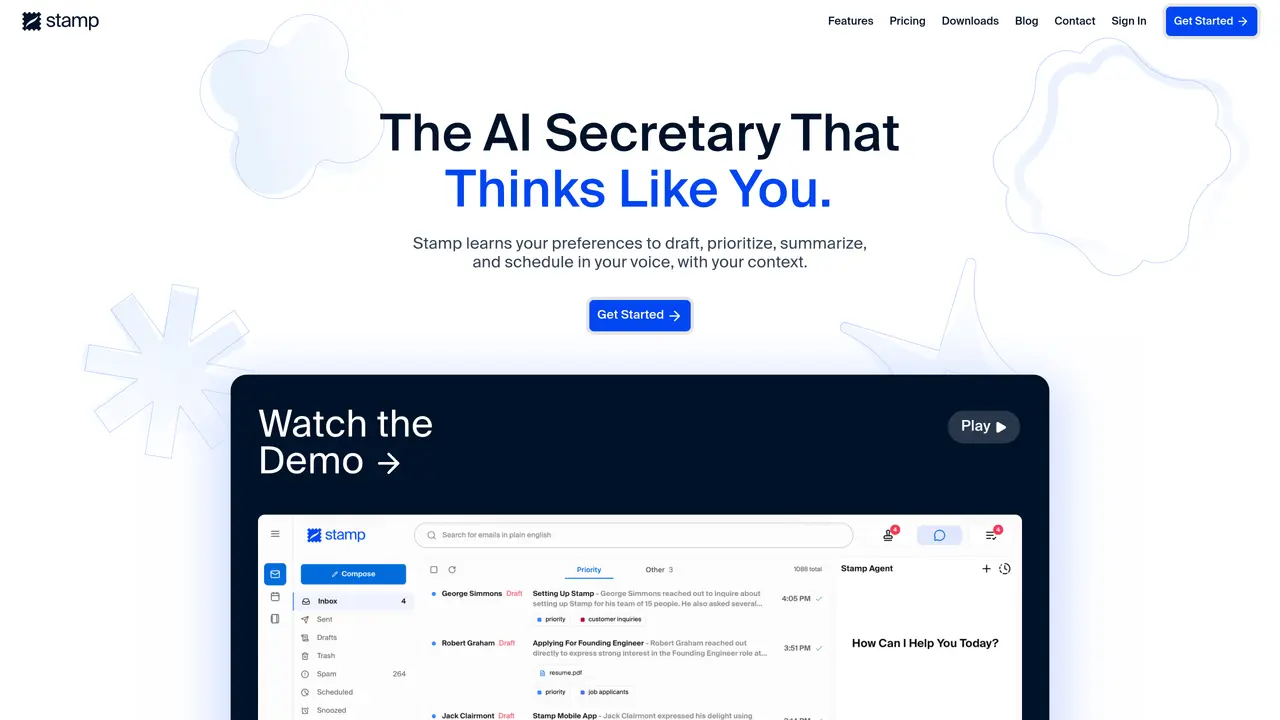
Stamp is an AI-native email client and personal assistant designed to automate email and calendar management for busy professionals. It learns user preferences through long-term memories, AI Labels, and context search to draft replies in the user’s voice, prioritize messages, and generate summaries and to-dos. The tool categorizes emails, highlights high-priority items, and can execute agent tasks such as bulk drafting, web research, and scheduling. Users can delegate repetitive inbox tasks and accelerate replies using Stamp Mode, a single-key approval workflow. Stamp transforms the inbox into a 24/7 second brain, helping users stay organized and responsive without constant manual effort. It is available as a mobile app and integrates with existing email accounts to provide seamless automation across devices and platforms.
Stamp uses three features to learn preferences: Memories (automatically created from interactions), AI Labels (plain-English rules for categorization), and Context Search (analyzes inbox and calendar to understand writing style and availability).
Stamp Mode is a workflow where Stamp automatically drafts replies, prioritizes, and categorizes emails, allowing users to approve changes with a single key press to speed through their inbox.
Yes, Stamp supports voice commands through its mobile app, enabling hands-free automation and task delegation.
Stamp is designed to work with existing email accounts and supports multiple email providers, though compatibility may vary.
Stamp stores email content to maintain context and memories, but it adheres to data privacy policies and does not use content for purposes outside of providing its services.
Stamp includes built-in spam and virus detection as part of its email handling capabilities to ensure security and reduce unwanted messages.
stampmail.ai · third-party estimates from Similarweb
Last 3 months · grows by one month every month
Share of visits by channel
Share of visits · estimated visits
Productivity & Office · Sep 2026
Traffic figures are third-party estimates, good for scale and trends; they can differ from a company's own numbers. Updated monthly.
We use essential cookies to run aitoolnavio™, and optional cookies to analyze traffic and measure our marketing. You choose what we use — optional cookies stay off unless you turn them on. See our Privacy Policy.
One short email a week: fresh tools worth trying, honest takes and the updates that actually matter. No spam, unsubscribe any time.
Generate content, correct spelling, suggest synonyms to enhance writing.
Turn messy team ideas into actionable plans with Miro's visual workspace.
Leverage analytics, automate tasks, share documents, and coordinate projects.
Integrates AI into Airtable to analyze data, summarize insights, draft content, and automate workflows without prior AI experience.
Cloud accounting software that automates bookkeeping, invoicing, and financial reporting for small and growing businesses.
Streamline teamwork, manage projects, automate tasks efficiently.
Automate code, research, and documents using agents.
AI assistant for safe, reliable productivity with code, collaboration, and integrations.
Create customizable tables, databases, and spreadsheets, share data securely with team members.
Easy-to-use CRM platform that automates lead capturing, prioritizes tasks, and provides sales pipeline analytics for businesses of all sizes.
Transforms thoughts into actions, enhancing productivity and efficiency.
Write & run code in 50+ languages, auto-complete with AI, and code faster with an intuitive interface.
Matched on what this tool does — grouped by the job you would be replacing.
Paid placement · similar tools from listings that support aitoolnavio™
Instant lead response for home-service pros: your phone rings on every new lead, plus 14 days of follow-up
matches Drafts email replies in your writing style · Prioritizes and categorizes incoming messages · Generates summaries and actionable to-dos from emails
matches Executes bulk drafting, web research, and scheduling tasks · Acts as a 24/7 AI assistant for email and calendar tasks · Automates scheduling for busy professionals
AI-powered email assistant that organizes inboxes, drafts replies, and automates routine tasks for professionals.
Stop drowning in emails - Emilio prioritizes and automates your email, saving 60% of your time
AI-powered email assistant that summarizes inbox messages, drafts replies, and sorts emails to save time on routine correspondence.
Automates Gmail/Outlook inbox from plain language rules.
AI assistant that automates routine work across email, calendar, Slack, files and other tools with human oversight.
AI-powered assistant that automates emails, calendars, and tasks across your tools through natural language commands.
AI-powered personal assistant that automates daily tasks like calendar management, email, and reminders to boost productivity.
A personal AI assistant that consolidates email, calendar, notes, tasks, and reminders into one platform for streamlined productivity.