
Design, automate, and analyze email campaigns with drag-and-drop builders, AI editing, and real-time analytics.
5.2M visits/mo+4.7%#21 Business & Marketing

AI assistant that drafts email replies and manages inbox tasks for small businesses
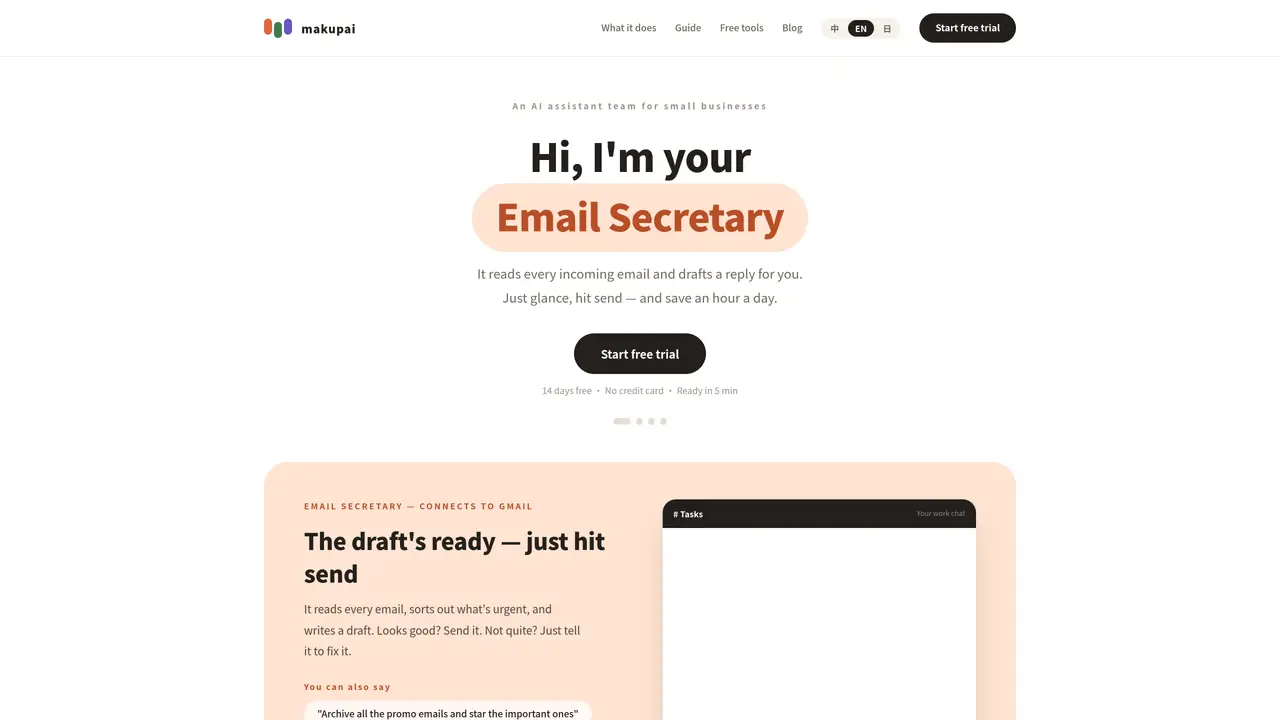
makupai functions as an AI assistant integrated into team chat platforms to handle routine email and scheduling tasks. It connects to tools such as Gmail, Google Calendar, Google Drive, and Square POS to automate responses and organize communications. Users interact with it through natural language commands within their existing chat applications, such as Slack. The system reads incoming emails, identifies urgency, and drafts replies that users can review and send with minimal effort. It also performs tasks like archiving promotional emails or flagging important messages based on user instructions. Setup requires only a few clicks to authorize integrations, with no coding or software installation needed. Data is encrypted during transit and storage, and users retain control over actions by reviewing and confirming changes before they are executed.
makupai acts as an AI assistant for small businesses, reading incoming emails, identifying urgency, and drafting replies that users can review and send. It also performs tasks like archiving promotional emails or flagging important messages based on user instructions.
makupai is designed for small businesses and teams that want to automate routine email and scheduling tasks without requiring technical expertise or software installation.
makupai connects to tools such as Gmail, Google Calendar, Google Drive, and Square POS through a few clicks to authorize integrations. It operates directly within team chat platforms like Slack.
No, makupai requires minimal setup—just a few button clicks and under five minutes to authorize integrations, with no coding or manual required.
Yes, makupai encrypts data during transit and storage, and users retain control over actions by reviewing and confirming changes before execution. Data is used only to assist with tasks.
No, makupai operates directly within the chat app you already use for work, such as Slack, with no additional software installation required.
makupai.com · third-party estimates from Similarweb
Share of visits by channel
Share of visits · estimated visits
Writing & Content · Sep 2026
Traffic figures are third-party estimates, good for scale and trends; they can differ from a company's own numbers. Updated monthly.
We use essential cookies to run aitoolnavio™, and optional cookies to analyze traffic and measure our marketing. You choose what we use — optional cookies stay off unless you turn them on. See our Privacy Policy.
One short email a week: fresh tools worth trying, honest takes and the updates that actually matter. No spam, unsubscribe any time.
Design, automate, and analyze email campaigns with drag-and-drop builders, AI editing, and real-time analytics.
Identify contacts, generate emails, track prospects and accounts based on key signals.
AI assistant that automates routine work across email, calendar, Slack, files and other tools with human oversight.
Schedule events, streamline projects, and draft emails efficiently with its features.
AI-powered email assistant that organizes inboxes, drafts replies, and automates routine tasks for professionals.
Generate SEO-friendly YouTube video scripts and descriptions for blog posts.
Create personalized emails, follow up automatically, and analyze for optimization and insights.
AI-powered email management for Gmail and Google Workspace teams with shared inboxes, AI drafting, automation, and analytics.
Cross-platform email client with unified inbox, calendar, and optional AI assistance for students, professionals, and small teams.
AI executive assistant that organizes Gmail and Outlook inboxes, drafts replies in your voice, schedules meetings, and tracks follow-ups for busy professionals.
Create interactive email campaigns with automated personalization.
Automate responses, personalize emails, and enjoy an intuitive interface for efficient email management.
Matched on what this tool does — grouped by the job you would be replacing.
matches Email reply drafting · Inbox task automation · Natural language task instructions
AI-powered email assistant that organizes inboxes, drafts replies, and automates routine tasks for professionals.
AI executive assistant that organizes Gmail and Outlook inboxes, drafts replies in your voice, schedules meetings, and tracks follow-ups for busy professionals.
AI-powered assistant that automates emails, calendars, and tasks across your tools through natural language commands.
AI email assistant that drafts, tracks and signs emails inside Gmail and Outlook