
Design, automate, and analyze email campaigns with drag-and-drop builders, AI editing, and real-time analytics.
5.2M visits/mo+4.7%#21 Business & Marketing

AI email assistant that drafts, tracks and signs emails inside Gmail and Outlook
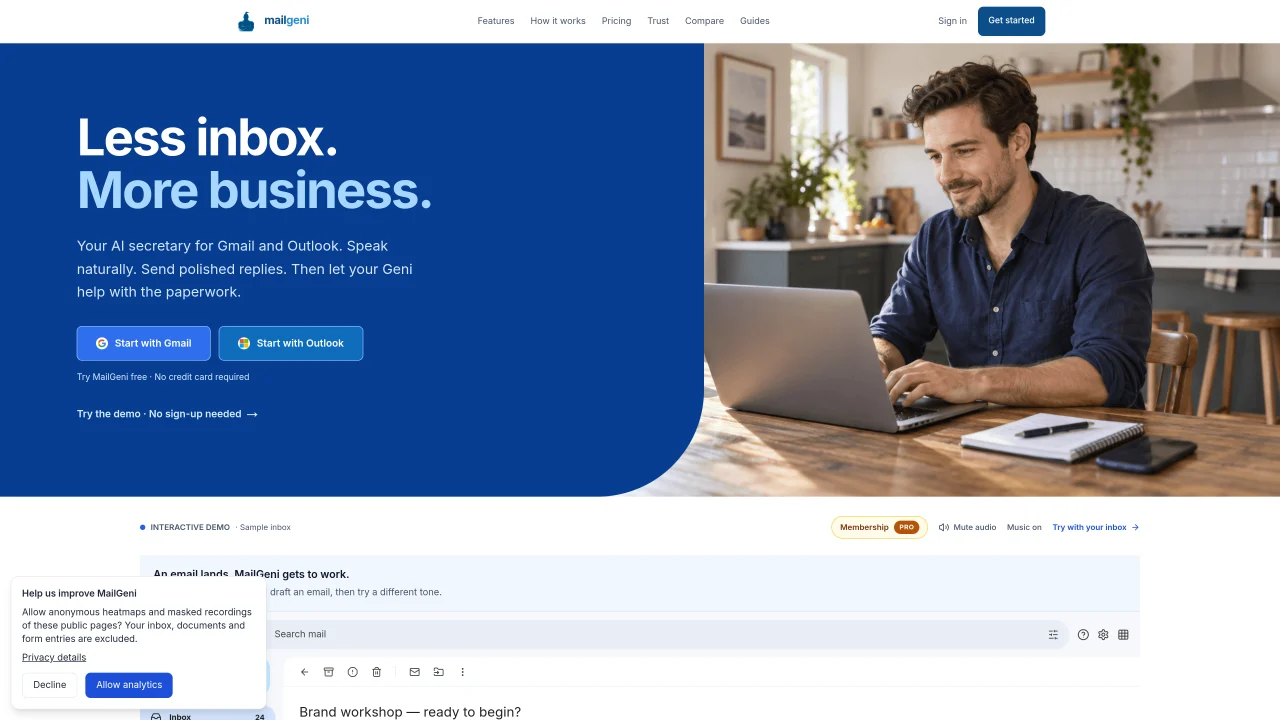
MailGeni integrates with Gmail and Outlook as a sidebar panel to assist with email workflows. It reads incoming messages and drafts replies in natural language that can be edited or approved before sending. The tool can book appointments, set priorities, forward attachments, and CC colleagues based on spoken commands. It also handles document signing by opening PDF and Word attachments directly in the browser for digital signature and return. Contracts and invoices can be analyzed for key clauses, red flags, totals, and regional compliance notes. MailGeni automatically labels and tracks emails, highlighting those that require action and recording open times. It includes a cleanup feature to unsubscribe from bulk senders and archive unopened messages in bulk. The assistant maintains a signature card that adapts per email thread and can be toggled between full, simple, or none. No new app or inbox migration is required; users sign in with existing Google or Microsoft accounts and continue using their current email client.
MailGeni is an AI assistant that integrates as a sidebar panel within Gmail and Outlook. It reads incoming emails, drafts replies in the user's voice, and can perform actions like booking appointments, forwarding attachments, or setting priorities based on spoken commands.
MailGeni is designed for professionals who manage high volumes of email and need to streamline administrative tasks such as drafting replies, scheduling meetings, signing documents, and analyzing contracts or invoices directly from their inbox.
No, MailGeni does not require a new app or inbox migration. Users can sign in with their existing Google or Microsoft accounts and continue using their current email client without any disruption.
Yes, MailGeni can open PDF and Word attachments directly in the browser for digital signature and return. It also analyzes contracts for key clauses, red flags, and regional compliance notes, and reviews invoices for totals, hidden charges, and VAT quirks.
MailGeni automatically labels and tracks emails, highlighting those requiring action and recording open times. It also includes a cleanup feature to unsubscribe from bulk senders and archive unopened messages in bulk.
The signature card feature allows users to create a custom signature with photo, credentials, and brand colors. It adapts per email thread, toggling between full, simple, or none, and automatically switches to a simple sign-off within the same thread to avoid redundancy.
We use essential cookies to run aitoolnavio™, and optional cookies to analyze traffic and measure our marketing. You choose what we use — optional cookies stay off unless you turn them on. See our Privacy Policy.
One short email a week: fresh tools worth trying, honest takes and the updates that actually matter. No spam, unsubscribe any time.
Design, automate, and analyze email campaigns with drag-and-drop builders, AI editing, and real-time analytics.
Identify contacts, generate emails, track prospects and accounts based on key signals.
AI assistant that automates routine work across email, calendar, Slack, files and other tools with human oversight.
Schedule events, streamline projects, and draft emails efficiently with its features.
AI-powered email assistant that organizes inboxes, drafts replies, and automates routine tasks for professionals.
Generate SEO-friendly YouTube video scripts and descriptions for blog posts.
Create personalized emails, follow up automatically, and analyze for optimization and insights.
AI-powered email management for Gmail and Google Workspace teams with shared inboxes, AI drafting, automation, and analytics.
Cross-platform email client with unified inbox, calendar, and optional AI assistance for students, professionals, and small teams.
AI executive assistant that organizes Gmail and Outlook inboxes, drafts replies in your voice, schedules meetings, and tracks follow-ups for busy professionals.
Create interactive email campaigns with automated personalization.
Automate responses, personalize emails, and enjoy an intuitive interface for efficient email management.
Matched on what this tool does — grouped by the job you would be replacing.
matches Natural language email drafting · Drafts replies in your tone · Drafts email replies
AI executive assistant that organizes Gmail and Outlook inboxes, drafts replies in your voice, schedules meetings, and tracks follow-ups for busy professionals.
An open-source AI email assistant that labels messages, drafts replies in your voice, blocks cold email, and provides inbox analytics.
AI assistant that drafts email replies and manages inbox tasks for small businesses
Automates Gmail/Outlook inbox from plain language rules.
matches Automatic email labeling and tracking · Bulk unsubscribe and archive · Signature card with adaptive formatting
AI-powered email assistant that organizes inboxes, drafts replies, and surfaces priorities across multiple email providers.
AI executive assistant that automates Gmail workflows, drafts replies, schedules meetings, and coordinates actions across tools with approval.
AI email assistant that categorizes and prioritizes messages in Gmail or Outlook using natural language processing.
AI assistant that reads Gmail, Outlook and Slack to surface only the messages that need attention