
Automate research, make corrections, and integrate easily into text editors for convenient content generation and error detection.
36M visits/mo+12%#4 Writing & Content
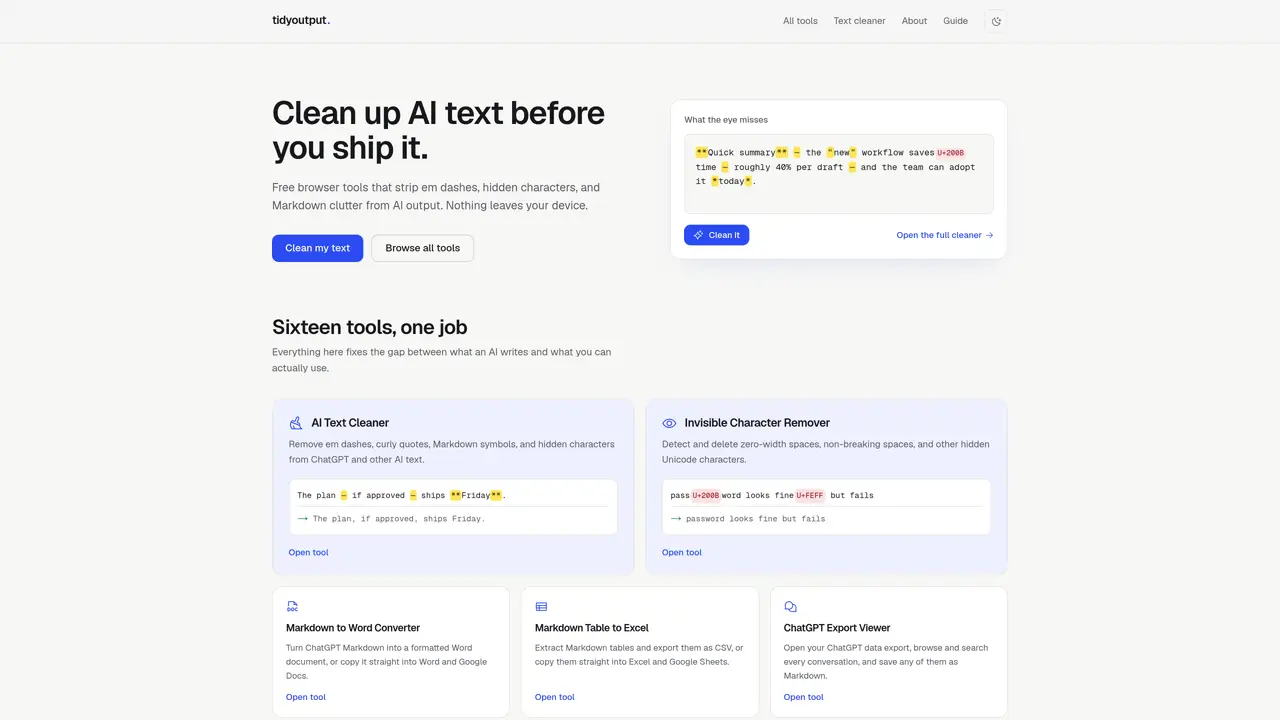
TidyOutput provides a suite of free browser-based tools designed to clean and convert AI-generated text before use. The platform offers sixteen specialized utilities that address common formatting issues such as em dashes, curly quotes, Markdown symbols, hidden Unicode characters, and broken line breaks. Processing occurs entirely in the user’s browser using JavaScript, ensuring no text leaves the device and no accounts or uploads are required. Tools include converters for Markdown to Word or Excel, an export viewer for ChatGPT data, a transcript timestamp remover, and utilities for anonymizing sensitive information or removing emojis. The site emphasizes local execution, offline functionality, and no usage limits, supported by ads rather than subscriptions or tracking. The platform is particularly useful for professionals handling contracts, meeting notes, or unpublished drafts, as it guarantees text privacy by never transmitting content to external servers. It supports a wide range of AI models, including ChatGPT, Claude, Gemini, and Copilot, and is designed to fix formatting inconsistencies that often disrupt workflows. Users can process text in bulk or as a single sentence, with tools remaining functional even without an internet connection once loaded.
Yes. Every tool on TidyOutput is free with no accounts, sign-ups, or usage limits required. The site is supported by ads rather than subscriptions.
Your text never leaves your device. All tools run as plain JavaScript in your browser with no uploads or server-side processing, ensuring complete privacy.
Yes. The formatting issues they address, such as Markdown markers, em dashes, curly quotes, and hidden characters, appear in output from ChatGPT, Claude, Gemini, Copilot, and others.
Yes. Requests are actively considered and often shape the tools that get built next. You can send a note through the contact page describing what you need.
Once a tool page has loaded, it continues to work offline, confirming no server dependency. The offline functionality is a key feature of the platform.
Visit the website, select a tool, paste your text, and process it directly in your browser. No installation, accounts, or uploads are required to begin cleaning or converting text.
We use essential cookies to run aitoolnavio™, and optional cookies to analyze traffic and measure our marketing. You choose what we use — optional cookies stay off unless you turn them on. See our Privacy Policy.
One short email a week: fresh tools worth trying, honest takes and the updates that actually matter. No spam, unsubscribe any time.
Automate research, make corrections, and integrate easily into text editors for convenient content generation and error detection.
AI-powered writing assistant for grammar, style, and tone improvements across documents and emails.
AI-powered writing tool for paraphrasing, summarizing, and enhancing writing effortlessly.
AI-powered proofreading, editing, plagiarism checking, and citation generation for academic papers.
Detect errors, check language style, reword sentences for desired writing style.
Detect errors, suggest real-time corrections, and provide a variety of writing tools.
AI-powered grammar and writing assistant that corrects English text, rephrases sentences, suggests synonyms, and translates content.
Instantly corrects spelling, typos, and punctuation, suggests synonyms, and ensures error-free content for businesses.
Hemingway offers a seamless solution for enhancing writing clarity and conciseness with its AI-powered tool.
Professional proofreading and editing service for students, writers, and businesses with 24/7 support and free samples.
Fix errors, paraphrase text automatically, and generate new content for clearer ideas.
Enterprise AI platform that enforces consistent, inclusive writing across teams with style rules and integrations.
Matched on what this tool does — grouped by the job you would be replacing.
matches Removes em dashes, curly quotes, and Markdown formatting · Detects and deletes hidden Unicode characters · Converts Markdown tables to Excel or CSV
Removes hidden AI markers from text to reduce detection risk
Removes invisible Unicode and statistical watermarks from AI-generated text
Removes formatting issues and invalid characters from text and CSV files for AI models
Browser-based tool that scans pasted text for Claude watermark traces and invisible artifacts
matches Converts Markdown tables to Excel or CSV · Splits long documents for AI chat limits
Instantly convert PDF, Word, PowerPoint, Excel, CSV, and HTML files into clean markdown
Online converter turning PDF, Word and other files into clean Markdown for AI workflows
Web-based file converter that transforms documents into clean Markdown for AI workflows
Converts PDF, Word, Excel and images to AI-ready Markdown in-browser