AI-powered writing tool for paraphrasing, summarizing, and enhancing writing effortlessly.
36M visits/mo+12%#3 Writing & Content
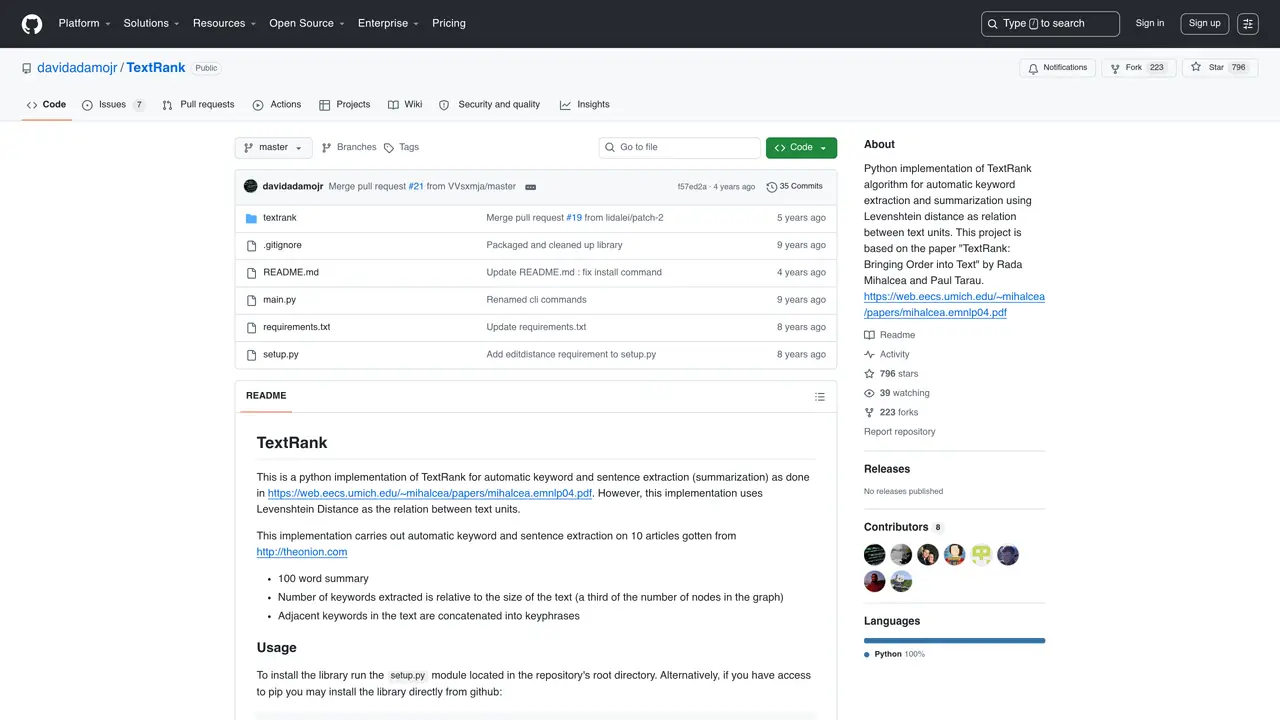
TextRank is the perfect tool for anyone who needs to quickly and accurately summarize large amounts of text. It uses advanced natural language processing algorithms to extract key phrases and sentences from input text, providing an efficient way to summarize longer documents. It also enables users to quickly identify important topics and themes within their text, as well as to assess the overall sentiment and tone of a document. TextRank is a fast, efficient, and powerful tool used by content creators, researchers, and digital marketers to make sense of large volumes of text in a matter of seconds. It is extremely user friendly and can be easily integrated into any existing workflow. With TextRank, you can quickly and accurately summarize text, identify key topics, and assess the sentiment and tone of any document. Make sense of large amounts of text quickly and accurately with TextRank.
GitHub, Inc.
San Francisco, California, US · Founded 2008
TextRank is a Python implementation of the TextRank algorithm for automatic keyword extraction and summarization. It uses graph-based ranking to identify key phrases and sentences in text, based on the paper 'TextRank: Bringing Order into Text' by Rada Mihalcea and Paul Tarau.
TextRank is suitable for researchers, content creators, digital marketers, and anyone needing to quickly extract key information from large volumes of text. It is particularly useful for summarizing articles, identifying topics, and analyzing document structure.
TextRank models text as a graph where nodes represent sentences or words, and edges represent relationships such as Levenshtein distance. It then applies a ranking algorithm to determine the most important nodes, which are extracted as keywords or summary sentences.
The tool supports automatic keyword and keyphrase extraction, sentence-based summarization, and uses Levenshtein distance to measure relationships between text units. It also allows customization of summary length and keyword quantity based on input text size.
Install the library via pip using 'pip install git+https://github.com/davidadamojr/TextRank.git'. Download required NLTK resources with 'textrank initialize', then use commands like 'textrank extract_summary ' or 'textrank extract_phrases ' to process text.
Yes, TextRank depends on NetworkX, NLTK 3.0, NumPy, and Click. These are installed automatically with pip, but NLTK resources must be downloaded separately using the 'textrank initialize' command before use.
We use essential cookies to run aitoolnavio™, and optional cookies to analyze traffic and measure our marketing. You choose what we use — optional cookies stay off unless you turn them on. See our Privacy Policy.
One short email a week: fresh tools worth trying, honest takes and the updates that actually matter. No spam, unsubscribe any time.
AI-powered writing tool for paraphrasing, summarizing, and enhancing writing effortlessly.
Transcribe and summarize audio or video recordings with AI-powered speech recognition and summarization.
Quickly summarize documents, identify key themes, and analyze for insights.
Automatically summarize chat transcripts, comprehend key components, and accelerate transcript analysis.
Transform audio/video to text with precision, supporting 1500+ platforms, enriched by AI features.
Efficiently find data, extract key topics, map entities, analyze sentiment, and highlight important points in your PDF documents.
Decopy provides a one-stop AI writing solution with tools for detecting AI-generated content, humanizing text, summarizing videos and articles, and solving complex mathematical problems.
Summarize video contents, extract key points accurately, and maximize video utilization with a user-friendly interface.
Free AI text summarizer that condenses articles, essays, and documents into bullet or paragraph summaries from text, URLs, or file uploads.
AI platform for finding, summarizing, and analyzing academic research, grants, patents, and clinical trials.
Find relevant search results, get summaries without reading entire pages, and filter with AI-powered 'Glarify' feature.
Generate auto-translated captions, edit with ease, and collaborate on projects with shared captions in 17 languages.
Matched on what this tool does — grouped by the job you would be replacing.
matches Summarize documents · Identify key topics and themes · Efficient way to summarize longer documents
Highlight confusing text, upload papers, identify key points and concepts.
Summarize PDFs, extract topics, and get answers effortlessly.
Cut reading time, capture key points, and customize output length and type effortlessly.
Instantly analyze, summarize, and highlight essential information from content with a user-friendly interface.
matches Assess sentiment and tone
matches Advanced natural language processing algorithms · Identify key topics and themes
Efficiently find data, extract key topics, map entities, analyze sentiment, and highlight important points in your PDF documents.
Create NLP models for information extraction, analyze sentiment in text data, and generate text with natural language processing.
Automate sentiment analysis, extract keywords, and identify key entities in customer reviews, blog posts, and news articles.
Automate customer sentiment analysis, uncover patterns in feedback, and extract actionable insights from text data.
AI-powered writing tool for paraphrasing, summarizing, and enhancing writing effortlessly.
Identify topics, extract entities & relationships, analyze text in 20+ languages.
Generate original content, summarize texts quickly, and rewrite text for conciseness using advanced NLP capabilities.
Generate tag clouds, identify keywords, and summarize large texts quickly and accurately.