AI chatbot for conversation, work, research, coding, and content creation.
5.9B visits/mo+5%#1 Chatbots & Assistants

AI-powered Markdown Editor that streamlines writing for tech bloggers with intelligent suggestions and formatting assistance.
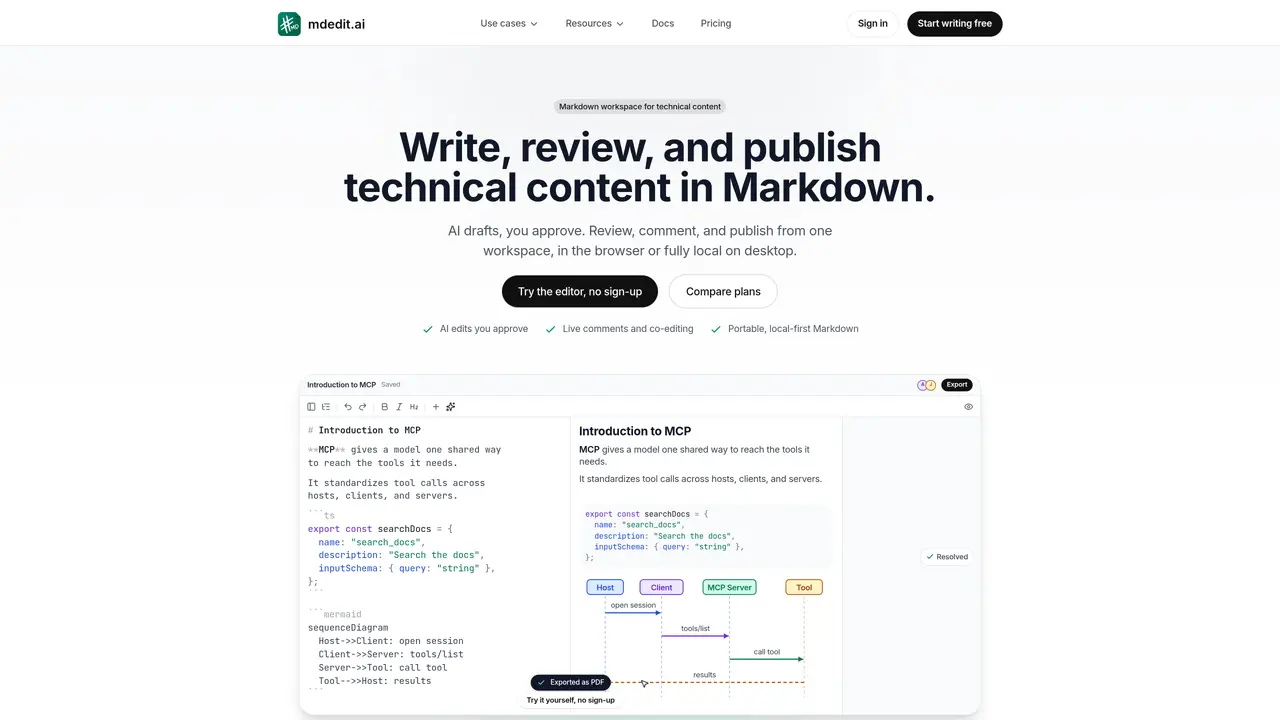
MD Editor is an AI-powered Markdown Editor designed specifically for tech bloggers and writers who need to produce structured content efficiently. The tool combines intelligent suggestions with real-time formatting assistance to help users write faster and with fewer errors. It includes features for code highlighting, AI-generated first drafts, and brainstorming ideas, making it easier to start and refine articles. The editor also provides explanations for code snippets, ensuring technical accuracy and clarity. Additional tools for media embedding and publishing integration further streamline the workflow, reducing the need to switch between multiple applications. Whether drafting a blog post, documenting code, or organizing research, MD Editor aims to boost productivity by automating repetitive tasks and offering contextual guidance throughout the writing process.
MD Editor is a Markdown workspace designed for technical writers, developers, students, and technical content teams to draft, review, and publish technical content efficiently.
The AI proposes edits, comments, or suggestions directly within the document context, which users can review, accept, reject, or resolve before finalizing changes.
Yes, MD Editor supports local-first editing with automatic cloud sync, allowing users to work offline and recover drafts or earlier versions.
MD Editor allows publishing to destinations such as GitHub, WordPress, Ghost, DEV, Hashnode, and X Articles, among others.
No, users can start writing immediately in the editor without signing up.
Users can generate photos, diagrams, charts, animations, or author diagrams-as-code, tables, media, and code images directly within the editor.
We use essential cookies to run aitoolnavio™, and optional cookies to analyze traffic and measure our marketing. You choose what we use — optional cookies stay off unless you turn them on. See our Privacy Policy.
One short email a week: fresh tools worth trying, honest takes and the updates that actually matter. No spam, unsubscribe any time.
AI chatbot for conversation, work, research, coding, and content creation.
Generate content, correct spelling, suggest synonyms to enhance writing.
Summarizes, extracts, and rewrites content from files.
Automate research, make corrections, and integrate easily into text editors for convenient content generation and error detection.
AI-powered writing assistant for grammar, style, and tone improvements across documents and emails.
Instantly detect AI-generated text, identify plagiarism, and customize the detection process.
A free web-based AI chatbot and agent for writing, coding, research, and content creation with multilingual support.
AI research assistant that finds trusted sources, summarizes documents and videos, and generates cited answers with a browser extension for capturing findings.
AI-powered proofreading, editing, plagiarism checking, and citation generation for academic papers.
AI-powered web design suite inside Webflow that generates sites, code components, and SEO improvements from prompts.
Get quick copywriting help, generate marketing copy, and easily translate, explain, and rephrase web page text.
Craft captivating stories effortlessly using AI-powered GPT technology and an intuitive interface.
Matched on what this tool does — grouped by the job you would be replacing.
matches AI-powered intelligent suggestions · Real-time Markdown formatting assistance · AI-generated first drafts
Generate content, correct spelling, suggest synonyms to enhance writing.
The AI-first document editor designed to help anyone write impactful content.
AI-powered Google Docs writing assistant that generates native suggestions, explains edits, and preserves formatting for faster editing.
AI-powered writing assistant to generate ideas, refine drafts, and craft compelling content efficiently.
matches Code highlighting and snippet formatting · Code snippet explanations · AI-powered code generation and debugging
matches Media embedding and publishing tools
Collaboration and version control platform for software development and AI model hosting.
Cloud-based integrated development environment with AI coding assistant and live collaboration
VS Code extension that turns the editor into an AI-powered programming assistant for coding, debugging, and project management.
AI-powered coding assistant that streamlines code creation, editing, and review for developers.
AI-powered design canvas that accelerates UI workflows, visual iteration, and production-ready handoff with real CSS-based layouts.
AI assistant inside Canva that generates designs, writes copy, and creates visuals faster for marketers, creators, and teams.
Cloud-based design and content creation tool for real-time collaboration, visual customization, and project management.