Generate captions, optimize content, and enhance with custom images for maximum engagement.
46M visits/mo-10%#3 Image & Design

Open-source context compression layer that reduces AI agent token usage by removing noisy tool outputs, logs, files, and conversation history before they reach the model.
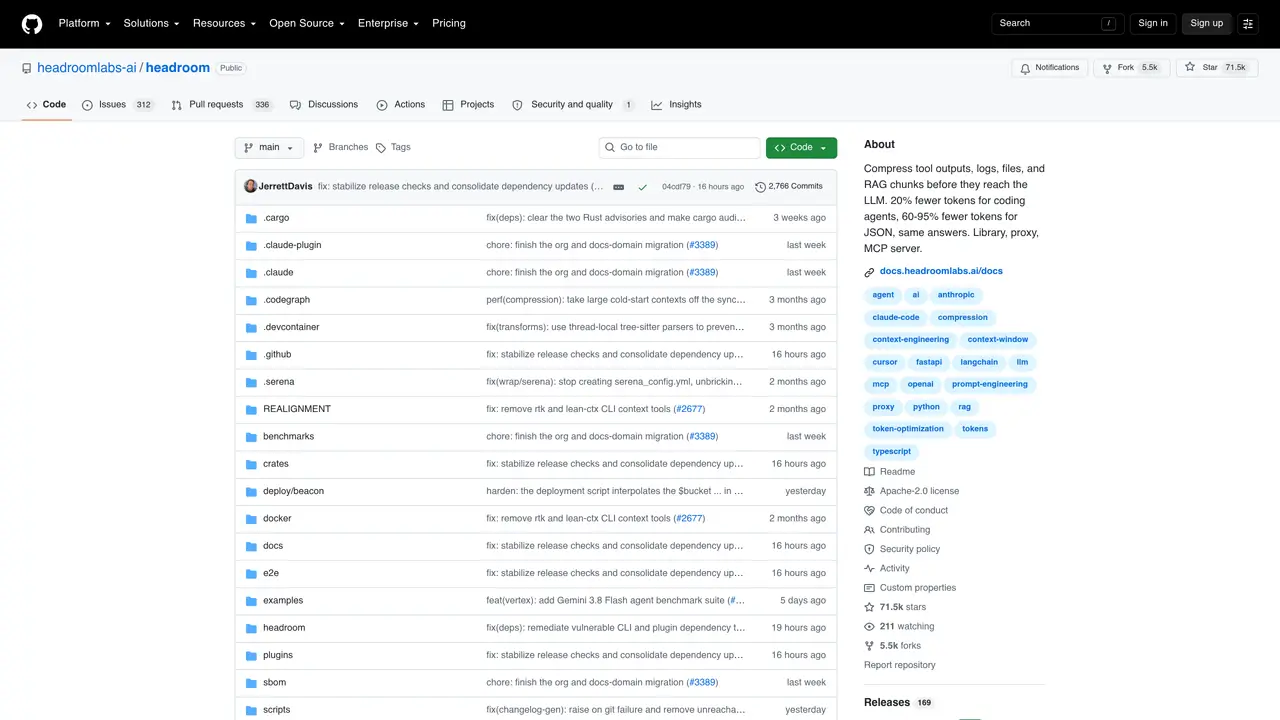
Headroom is an open-source context optimization layer designed to compress noisy AI agent context before it reaches the LLM provider. It reduces token usage from tool outputs, logs, files, database results, RAG chunks, and conversation history, helping developers build more efficient AI agents. The tool can be used as a library, transparent proxy, MCP server, or wrapper around existing agent tools, making it adaptable to various workflows. Headroom supports custom AI agent workflows built with Python, TypeScript, LangChain, LangGraph, Agno, and Strands, and integrates with coding agents such as Claude Code, Codex, Cursor, Aider, and OpenClaw. By compressing repetitive or boilerplate context, Headroom improves context efficiency and reduces model costs for AI applications. Developers can start with small projects, compare token usage before and after compression, and expand to RAG pipelines, tool-heavy agents, or file-heavy workflows as needed.
GitHub, Inc.
San Francisco, California, US · Founded 2008
Headroom compresses tool outputs, logs, files, RAG chunks, and conversation history before they reach the LLM, reducing token usage while preserving answer accuracy.
Headroom is designed for developers building AI agents, particularly those working with coding agents, RAG pipelines, or tool-heavy workflows where context efficiency is critical.
Headroom can be used as a library in Python or TypeScript, deployed as a transparent proxy, wrapped around existing agent tools, or run as an MCP server for broader compatibility.
No, compression runs entirely on the user's machine, ensuring no prompt or file content is transmitted externally.
Yes, Headroom supports cross-agent memory, allowing shared context stores across different agents like Claude, Codex, and Grok.
Users can begin by installing Headroom as a library or proxy, then integrating it into their agent workflows or using the agent wrap feature for quick setup.
We use essential cookies to run aitoolnavio™, and optional cookies to analyze traffic and measure our marketing. You choose what we use — optional cookies stay off unless you turn them on. See our Privacy Policy.
One short email a week: fresh tools worth trying, honest takes and the updates that actually matter. No spam, unsubscribe any time.
Generate captions, optimize content, and enhance with custom images for maximum engagement.
Build conversational forms, capture rich responses, and automate follow-ups with AI-powered surveys and workflows.
Automate code, research, and documents using agents.
AI-powered IDE for autonomous coding tasks and agentic development workflows
Source, match, and manage talent with predictive analytics for effortless recruiting.
Automate workflow, optimize operations, and detect potential issues with this efficient AI-driven solution.
Transforms thoughts into actions, enhancing productivity and efficiency.
AI Recruitment engine to hire top global talent
All-in-one team productivity platform combining chat, docs, video meetings, workflows, and AI tools in one place.
Personal assistant that coordinates tasks across apps and devices via text or call
AI automation and agent-building platform with 3,000+ app integrations
AI job search copilot that matches roles to skills, optimizes resumes for ATS, generates cover letters, and autofills applications with real-time insights.
Matched on what this tool does — grouped by the job you would be replacing.
matches Compress noisy context from tool calls, file reads, logs, RAG chunks, and conversation history · Reduction of token usage and model costs by removing boilerplate context · Context compression for RAG pipelines, tool-heavy agents, and file-heavy workflows
Enhances AI with adaptive memory, reducing costs significantly.
Local observability dashboard for AI coding agents and autonomous tools
Browser-based tools to clean, compress and anonymize text before sending it to AI models
matches Support for coding agents including Claude Code, Codex, Cursor, Aider, and OpenClaw · Integration with agent frameworks like LangChain, LangGraph, Agno, and Strands · Customizable workflows for Python and TypeScript applications
matches Flexible deployment as a library, transparent proxy, MCP server, or agent wrapper · Transparent proxy mode for seamless integration into existing systems
Revolutionize AI application development, monitoring, and deployment with LangChain.
Centralizes and visualizes AI coding tool configurations, provider keys, and model routing for developers and teams.
Open-source framework for building resilient, stateful AI agents with graph-based orchestration, durable execution, and human-in-the-loop control.
Open-source MCP server, Python library and CLI that builds high-signal, privacy-preserving code context for AI coding assistants.
MCP server that connects Browserbase to Cursor, Claude Desktop, and Windsurf for web automation and scraping.
Qdrant MCP server connects Qdrant vector search to Cursor, Claude Desktop, and Windsurf via the MCP protocol.