
Design, distribute, and analyze surveys online or via email with real-time insights using Survey Monkey.
38M visits/mo-3.9%#2 Business & Marketing

Hosted MCP server for read and edit access to Google Analytics 4, Search Console, and Tag Manager
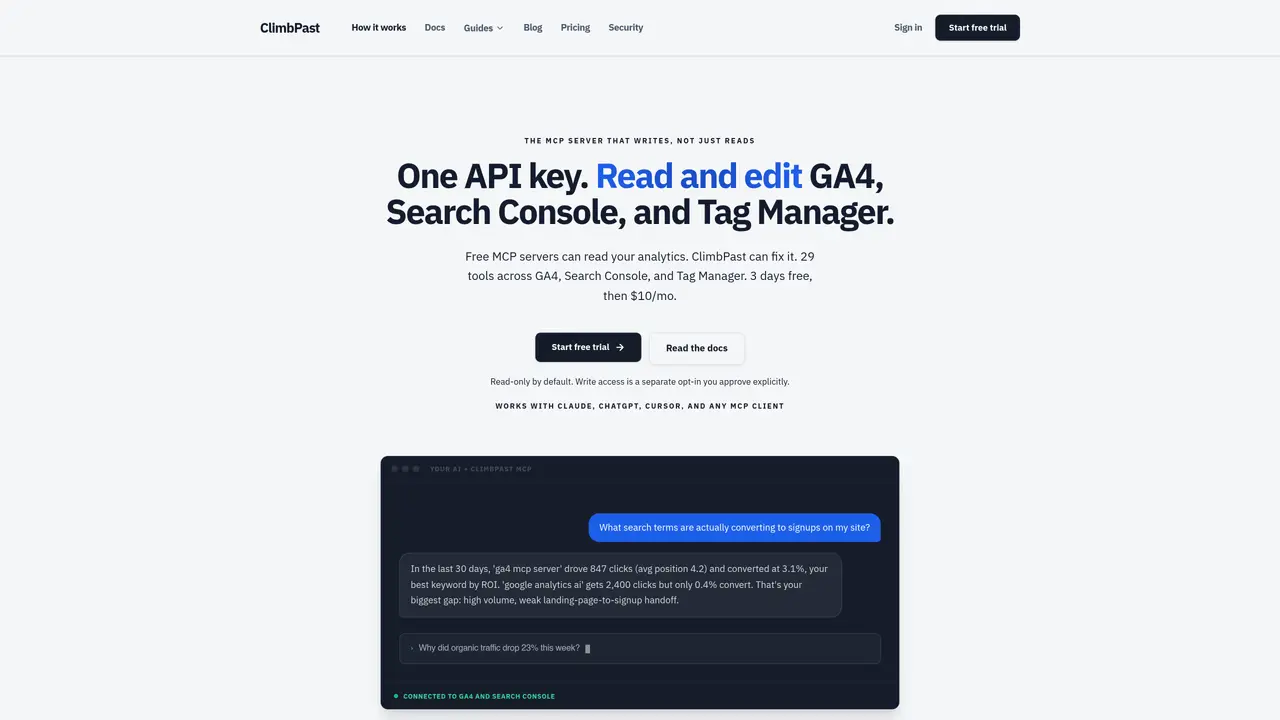
ClimbPast is a hosted MCP server that provides read and edit access to Google Analytics 4, Google Search Console, and Google Tag Manager through a single API key. It enables AI agents such as Claude, ChatGPT, Cursor, and other MCP-compatible clients to query and modify Google data without requiring users to manage their own Google Cloud projects or OAuth credentials. The service operates with read-only access by default, while write permissions can be explicitly enabled for tasks like registering custom dimensions, marking key events, submitting sitemaps, or editing and publishing Tag Manager containers. Users connect via a one-click Google OAuth flow through a verified Google app, after which their AI tool receives a short, revocable API key. This key allows the agent to interact with Google’s APIs through ClimbPast without exposing the user’s Google credentials. Access can be revoked instantly from the dashboard or Google’s security settings. The platform is designed to answer questions about traffic, rankings, and indexing status in plain English, and to perform actions such as re-submitting sitemaps or adjusting tracking setups when write access is enabled.
ClimbPast is a hosted MCP server that provides read and edit access to Google Analytics 4, Google Search Console, and Google Tag Manager through a single API key. It enables AI agents like Claude, ChatGPT, and Cursor to query and modify Google data without requiring users to manage their own Google Cloud projects or OAuth credentials.
Yes, there are free local MCP servers, including Google's official GA4 MCP server and community-built options for Search Console. However, these require setting up a Google Cloud project, creating OAuth credentials, and running a separate server for each data source on every machine.
You sign in once with Google OAuth through ClimbPast's verified app, which requests read-only scopes by default. ClimbPast stores your tokens encrypted and provides your AI agent with a short revocable API key to interact with Google's APIs through its MCP server.
ClimbPast works with AI tools that support the Model Context Protocol (MCP), including Claude Code, claude.ai custom connectors, ChatGPT connectors, and Cursor. You copy a one-line config snippet with your API key and the MCP server URL into your preferred AI tool.
Write access is opt-in and disabled by default. You must explicitly enable it to perform actions like registering custom dimensions, marking key events, submitting sitemaps, or editing and publishing Tag Manager containers.
You can revoke access instantly from your ClimbPast dashboard or through Google's security settings. The revocation stops the AI agent's API key from working immediately, and your Google credentials remain securely stored with ClimbPast.
climbpast.com · third-party estimates from Similarweb
Last 2 months · grows by one month every month
Share of visits · estimated visits
Traffic figures are third-party estimates, good for scale and trends; they can differ from a company's own numbers. Updated monthly.
We use essential cookies to run aitoolnavio™, and optional cookies to analyze traffic and measure our marketing. You choose what we use — optional cookies stay off unless you turn them on. See our Privacy Policy.
One short email a week: fresh tools worth trying, honest takes and the updates that actually matter. No spam, unsubscribe any time.
Design, distribute, and analyze surveys online or via email with real-time insights using Survey Monkey.
Create targeted campaigns, automate email campaigns, and analyze performance for maximum ROI.
Discover keywords, analyze competitors' SEO strategies, and make data-driven decisions for website performance.
Analyze website performance, track competitors' tactics, and access comprehensive analytics and optimization features.
YouTube and Instagram growth toolkit with AI-powered optimization and analytics
Develop, run data jobs, transform datasets, leverage ML algorithms for actionable insights.
Streamline hiring, monitor job performance, and choose flexible pricing plans.
Unified AI-powered platform for real-time monitoring, analytics, and security across cloud infrastructure, applications, and services.
Securely store, analyze, and scale data while enhancing security and performance with encryption and automated backups.
AI-powered customer feedback platform for mid-market businesses to run conversational surveys and extract insights.
Automate review requests, analyze sentiment, and monitor ratings with a streamlined dashboard for improved customer feedback.
Monitor brand performance, create content for social media, and gain insights with deep analytics.
Matched on what this tool does — grouped by the job you would be replacing.
matches Read and edit GA4, Search Console, and Tag Manager · Register GA4 custom dimensions and key events · Submit sitemaps to Google
AI-powered tool that audits and fixes Google Analytics 4 and Google Tag Manager issues with prioritized recommendations and reports.
AI agent connector for automating Google Ads management via chat
AI-powered SEO analysis via Google Search Console integration
matches Revocable API keys with one-click revocation
Self-hosted agent gateway that connects AI assistants to personal data sources without sharing passwords
Converts data sources into MCP servers automatically