
Design, distribute, and analyze surveys online or via email with real-time insights using Survey Monkey.
38M visits/mo-3.9%#2 Business & Marketing

An open-source MCP server that lets assistants connect to Neo4j, inspect schemas, run queries, and manage records in real time.
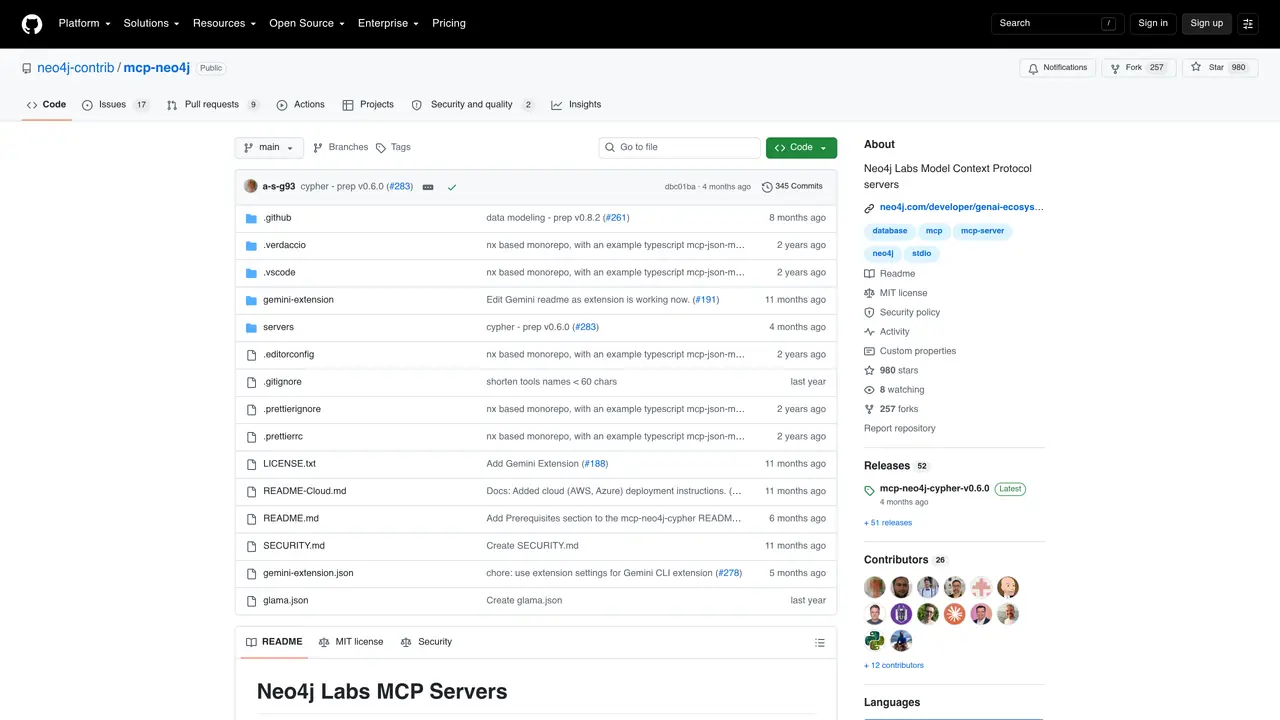
The Mcp Neo4j MCP server provides a standardized way for AI assistants to interact with Neo4j graph databases. It exposes capabilities to inspect database schemas, execute Cypher queries, and perform CRUD operations on nodes and relationships. The server acts as a bridge between an AI assistant and a live Neo4j instance, enabling dynamic data access without requiring direct database credentials to be exposed. It supports both read and write operations, making it suitable for applications that need to retrieve, analyze, and update graph data through natural language or automated workflows. Developers can integrate this MCP server into their AI pipelines to enable assistants to reason over structured graph data or to automate database maintenance tasks. Typical use cases include data exploration, knowledge graph querying, and real-time graph analytics.
GitHub, Inc.
San Francisco, California, US · Founded 2008
Mcp Neo4j MCP is a set of Model Context Protocol servers that bridge AI assistants with Neo4j graph databases. It allows natural language interaction to inspect schemas, execute Cypher queries, and perform CRUD operations on graph data.
Developers and AI practitioners who need to integrate Neo4j graph databases with AI assistants or automate graph data operations through natural language or automated workflows.
It acts as a standardized interface between AI assistants and Neo4j instances, enabling assistants to query, analyze, and update graph data without requiring direct database credentials.
The servers support STDIO (default), SSE, and HTTP transport modes, allowing integration with local tools, web-based deployments, and microservices.
Some features, like schema inspection, require the APOC plugin to be installed and enabled on the Neo4j instance.
Install the appropriate server (e.g., mcp-neo4j-cypher) and configure it with your Neo4j instance details. Then integrate it with an MCP-compatible client like Claude Desktop or VS Code.
We use essential cookies to run aitoolnavio™, and optional cookies to analyze traffic and measure our marketing. You choose what we use — optional cookies stay off unless you turn them on. See our Privacy Policy.
One short email a week: fresh tools worth trying, honest takes and the updates that actually matter. No spam, unsubscribe any time.
Design, distribute, and analyze surveys online or via email with real-time insights using Survey Monkey.
Create targeted campaigns, automate email campaigns, and analyze performance for maximum ROI.
Discover keywords, analyze competitors' SEO strategies, and make data-driven decisions for website performance.
Analyze website performance, track competitors' tactics, and access comprehensive analytics and optimization features.
YouTube and Instagram growth toolkit with AI-powered optimization and analytics
Develop, run data jobs, transform datasets, leverage ML algorithms for actionable insights.
Streamline hiring, monitor job performance, and choose flexible pricing plans.
Unified AI-powered platform for real-time monitoring, analytics, and security across cloud infrastructure, applications, and services.
Securely store, analyze, and scale data while enhancing security and performance with encryption and automated backups.
AI-powered customer feedback platform for mid-market businesses to run conversational surveys and extract insights.
Automate review requests, analyze sentiment, and monitor ratings with a streamlined dashboard for improved customer feedback.
Monitor brand performance, create content for social media, and gain insights with deep analytics.
Matched on what this tool does — grouped by the job you would be replacing.
matches Inspect database schemas and metadata · Execute Cypher queries directly from an assistant · Create, read, update, and delete nodes and relationships
Open-source graph database for storing, managing, and analyzing connected data with real-time insights and application development.
Inspect, read, write, and debug Redis keys and cache state in real time via MCP.
Open-source MCP server that connects Supabase to Cursor, Claude Desktop, and Windsurf for database interactions.
Neon MCP server connects Neon databases to Cursor, Claude Desktop and Windsurf via MCP.