
Automate customer service, track interactions, gather insights for improving customer support performance.
5.2M visits/mo-12.1%#17 Chatbots & Assistants

Automate customer support, access ChatGPT platform in-browser, and effortlessly handle multiple conversations.
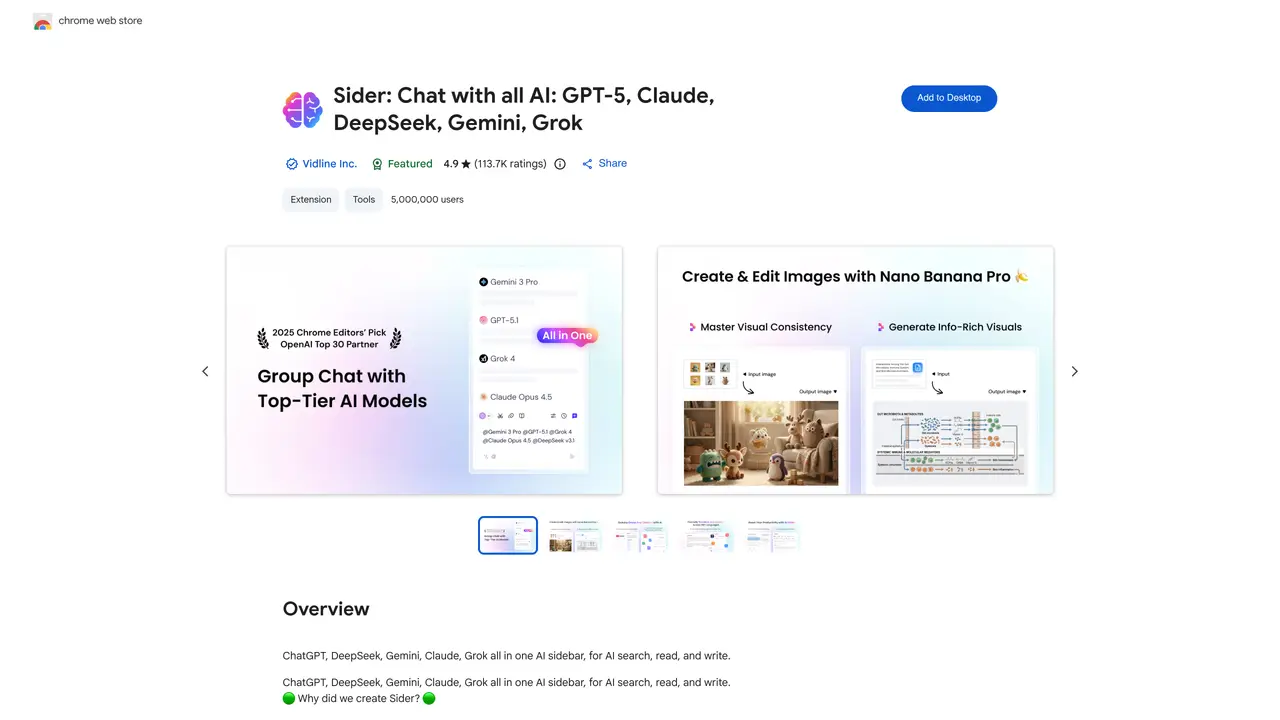
ChatGPT Sidebar is the perfect solution for automating customer support and providing users with an effortless, streamlined experience. This powerful Chrome extension allows users to access and query the ChatGPT Artificial Intelligence (AI) platform quickly and easily, without ever leaving their web browser. ChatGPT Sidebar provides users with a comprehensive suite of customer support tools, including automated responses to common inquiries, detailed answers to complex queries, and personalized recommendations. This AI-driven platform can even handle multiple conversations at once, so users can get the answers they need faster. What’s more, ChatGPT Sidebar is incredibly user-friendly, so anyone can get up and running in minutes. It requires no additional software or hardware, and users can customize their experience to suit their needs. Whether you’re an experienced customer service professional or a complete novice, ChatGPT Sidebar is the perfect tool for streamlining your customer service operations.
The ChatGPT Sidebar Chrome Extension, developed by Vidline Inc. and branded as Sider, integrates multiple AI models like ChatGPT, Claude, DeepSeek, Gemini, and Grok into a single sidebar within the Chrome browser. It enables users to access AI functionalities such as search, reading, writing, and analysis without leaving their current tab.
The extension is designed for anyone looking to streamline their workflow with AI assistance, including professionals, students, writers, researchers, and casual users. Its user-friendly interface makes it accessible to both beginners and experienced users.
Yes, the extension supports multiple AI models, including ChatGPT, DeepSeek, Gemini, Claude, and Grok, allowing users to interact with different AI assistants in one unified sidebar.
Yes, the extension allows users to upload and interact with various file types, including PDFs, images, audio files, and web pages. It can summarize documents, transcribe audio, and generate text from images.
The extension is available as a free tool on the Chrome Web Store, though some advanced features may require a premium subscription depending on the provider's terms.
To get started, simply add the extension from the Chrome Web Store to your browser. Once installed, the sidebar will appear on any webpage, allowing you to access AI functionalities instantly without additional setup.
We use essential cookies to run aitoolnavio™, and optional cookies to analyze traffic and measure our marketing. You choose what we use — optional cookies stay off unless you turn them on. See our Privacy Policy.
One short email a week: fresh tools worth trying, honest takes and the updates that actually matter. No spam, unsubscribe any time.
Automate customer service, track interactions, gather insights for improving customer support performance.
Web-based CRM that unifies WhatsApp, Instagram, email, and calls into one inbox for sales teams to manage leads and automate conversations.
Automate support, target customers, gather insights – all with AI-powered tools.
Automate tailored conversations, analyze customer behavior, and automate lead gen, customer service, and sales.
Real-time customer support with personalized service, accessible through a mobile app.
Automate review requests, analyze sentiment, and monitor ratings with a streamlined dashboard for improved customer feedback.
AI-powered lead generation and customer communication platform for local businesses to capture, respond to, and convert leads across text, email, web chat, and calls.
Gorgias is an AI-driven Ecommerce customer experience enhancer that integrates major platforms.
Unify communication channels, automate customer service, track customer inquiries with advanced analytics.
Identify pain points, generate reports, and monitor customer sentiment in real-time.
Automate customer responses, personalize messages, and create an AI-powered chatbot for 24/7 customer service.
Automatically summarize chat transcripts, comprehend key components, and accelerate transcript analysis.
Matched on what this tool does — grouped by the job you would be replacing.
Paid placement · similar tools from listings that support aitoolnavio™
Instant lead response for home-service pros: your phone rings on every new lead, plus 14 days of follow-up
matches Automate customer support with AI-driven responses · Instantly support multiple conversations with ease
matches Gain quick access to ChatGPT platform without leaving browser · User-friendly interface requires no additional software or hardware
Engage customers in real-time, use advanced NLP for conversations, and gain AI-powered insights into customer behavior.
Automate conversations, customize chatbot appearance, measure customer engagement without complex setup.
Automate follow-up emails, track interactions, and analyze customer behavior for efficient customer relationship management.
AI-powered chatbot for 24/7 customer service, personalized experiences, and analytics dashboard.
AI browser extension that reads, writes, and creates across any webpage with integrated models like ChatGPT, Claude, and Gemini.
Browser extension AI assistant for in-page summarization, translation, drafting, and cited web search.
AI-powered browser that integrates chat assistance, summarization, and drafting tools directly into your tabs for faster, smarter web browsing.
Browser extension that lets users query web pages and documents with multiple AI models via a side panel