

Automate customer service, track interactions, gather insights for improving customer support performance.
5.2M visits/mo-12.1%#17 Chatbots & Assistants
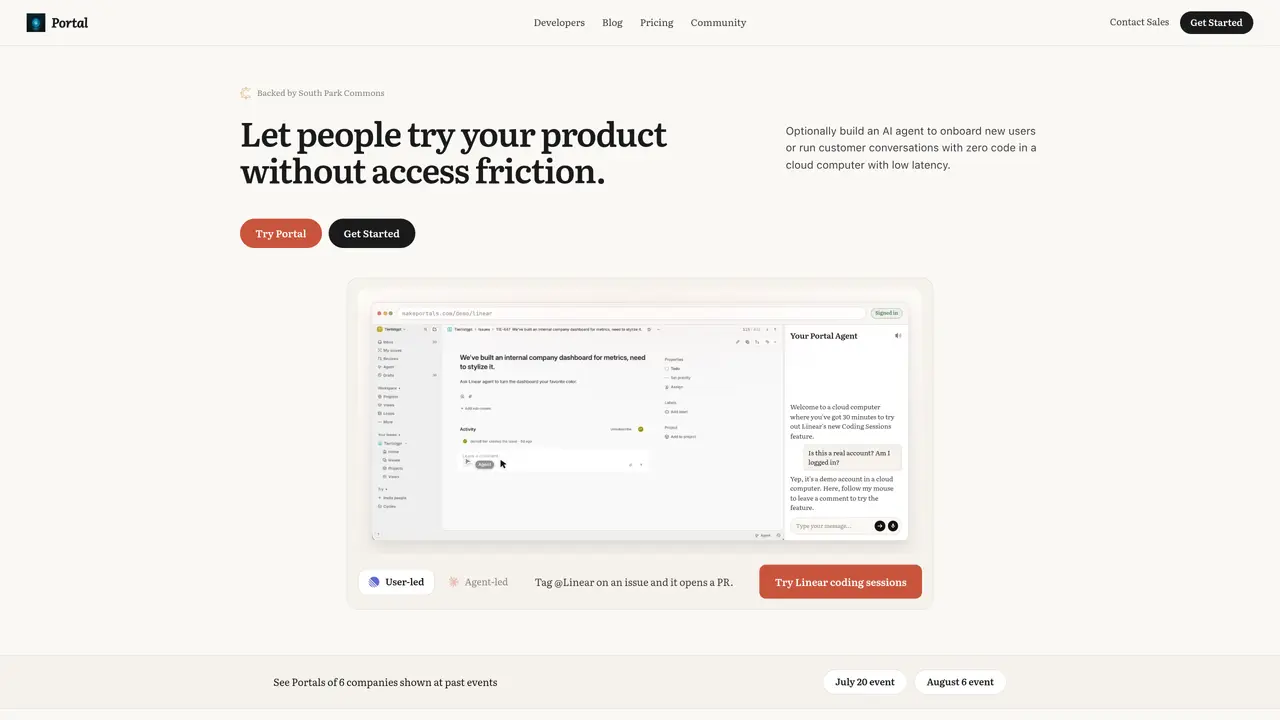
Portal converts any running product state—websites, localhost, Chrome extensions, or local files—into a shareable link. Recipients open an isolated session to explore the product without installation or signup. An AI guide trained on provided documentation can answer questions and guide users through product experiences. The tool captures click-level analytics on every interaction, allowing creators to observe user behavior, identify friction points, and refine onboarding. Guardrails prevent destructive actions, ensuring safe exploration. Setup requires no code, making it accessible for non-technical users. Portal is positioned as a solution for replacing initial sales calls with self-serve product experiences, enabling real-time user research and smoother onboarding.
Portal converts any running product state, such as websites, localhost, Chrome extensions, or local files, into a shareable link. Recipients can open an isolated session to explore the product in real time without installation or signup.
Portal is designed for product teams, sales teams, developers, and customer success professionals looking to provide self-serve product experiences, conduct user research, or streamline onboarding without requiring live calls.
The AI guide is trained on provided documentation and can answer questions and guide users through product experiences within the shared session, enhancing user exploration and understanding.
No, Portal requires no code to set up. Users can create shareable links for any browser state with minimal configuration, making it accessible for non-technical users.
Portal captures click-level analytics on every interaction, allowing creators to observe user behavior, identify friction points, and refine onboarding or product experiences.
Yes, Portal supports sharing Chrome extensions and localhost projects as interactive links, enabling users to explore these products without installation.
makeportals.com · third-party estimates from Similarweb
Last 4 months · grows by one month every month
Share of visits by channel
Share of visits · estimated visits
Chatbots & Assistants · Sep 2026
Traffic figures are third-party estimates, good for scale and trends; they can differ from a company's own numbers. Updated monthly.
We use essential cookies to run aitoolnavio™, and optional cookies to analyze traffic and measure our marketing. You choose what we use — optional cookies stay off unless you turn them on. See our Privacy Policy.
One short email a week: fresh tools worth trying, honest takes and the updates that actually matter. No spam, unsubscribe any time.
Automate customer service, track interactions, gather insights for improving customer support performance.
Web-based CRM that unifies WhatsApp, Instagram, email, and calls into one inbox for sales teams to manage leads and automate conversations.
Automate support, target customers, gather insights – all with AI-powered tools.
Automate tailored conversations, analyze customer behavior, and automate lead gen, customer service, and sales.
Real-time customer support with personalized service, accessible through a mobile app.
Automate review requests, analyze sentiment, and monitor ratings with a streamlined dashboard for improved customer feedback.
AI-powered lead generation and customer communication platform for local businesses to capture, respond to, and convert leads across text, email, web chat, and calls.
Gorgias is an AI-driven Ecommerce customer experience enhancer that integrates major platforms.
Unify communication channels, automate customer service, track customer inquiries with advanced analytics.
Identify pain points, generate reports, and monitor customer sentiment in real-time.
Automate customer responses, personalize messages, and create an AI-powered chatbot for 24/7 customer service.
Automatically summarize chat transcripts, comprehend key components, and accelerate transcript analysis.
Matched on what this tool does — grouped by the job you would be replacing.
Paid placement · similar tools from listings that support aitoolnavio™
Instant lead response for home-service pros: your phone rings on every new lead, plus 14 days of follow-up
matches Share any browser state as a link · Isolated session for recipients · Real-time interactive product exploration
Turn product context into flows, prototypes, documentation.
A local browser for running AI agents with real user logins and session replay