
AI-powered video messaging tool that records, shares, and manages video messages with AI-generated titles, summaries, and tasks.
16M visits/mo-3.4%#7 Chatbots & Assistants
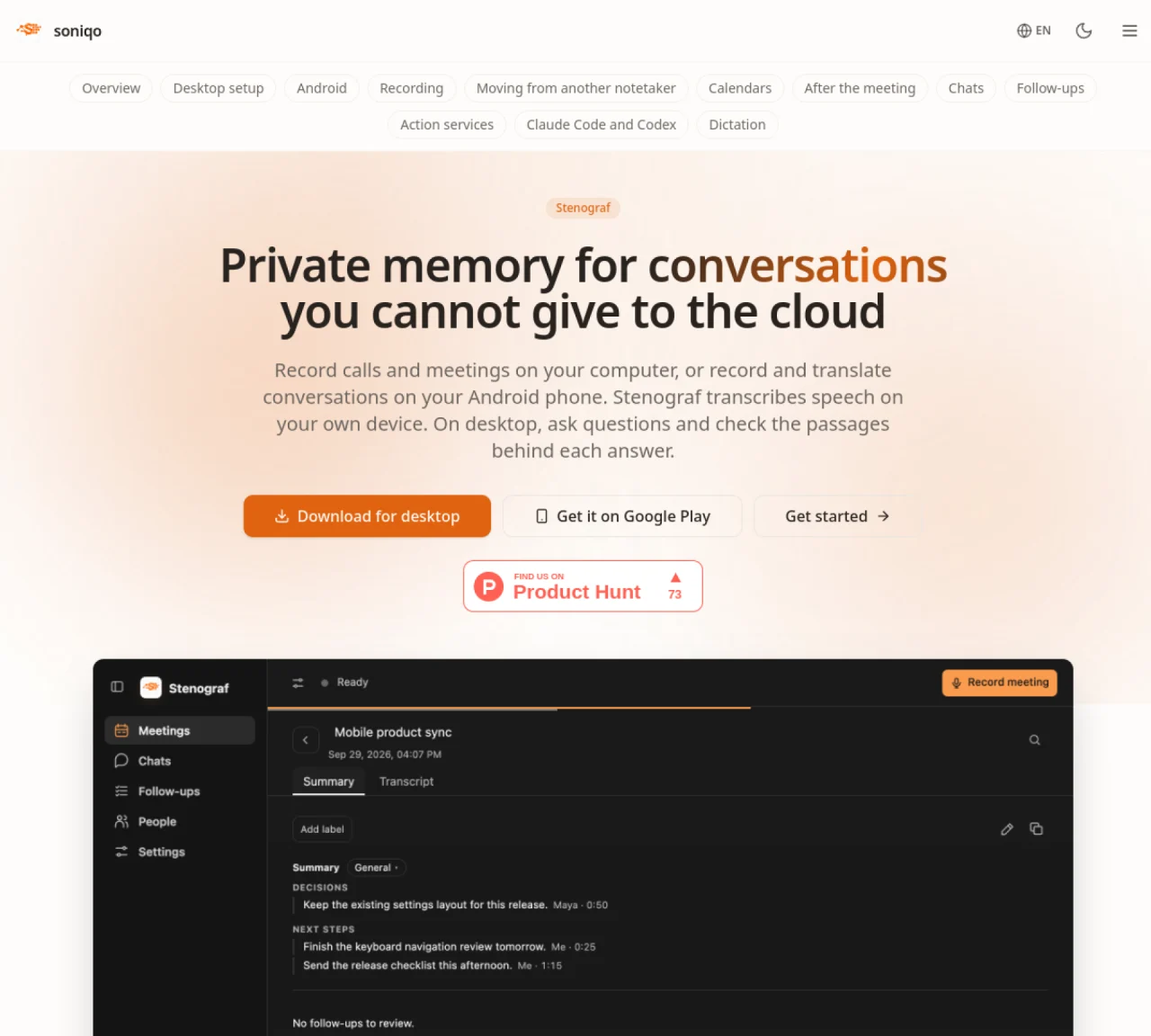
Stenograf records and transcribes conversations locally on desktop or Android devices without sending data to the cloud. On desktop, it captures audio from calls, meetings, or room microphones and stores transcripts, speaker labels, and summaries on the user’s computer. The tool recognizes named voices across recordings and allows users to ask questions about past meetings, cite specific passages, and review proposed summary changes. Android users can record conversations, transcribe speech, and translate into multiple languages offline after downloading models. Transcripts can be saved as Markdown or kept as audio files, with the option to sync phone recordings to a paired desktop over a local network. Additional features include custom vocabulary for technical terms, meeting reminders from calendars, and integrations with services like Slack and Jira for action tracking. The software supports dictation, document attachment, and read-only access for AI assistants like Claude Code over MCP.
Stenograf is a local AI tool that records and transcribes conversations directly on a user's device without sending data to the cloud. It captures audio from calls, meetings, or room microphones on desktop or Android devices, storing transcripts, speaker labels, and summaries locally.
Stenograf is designed for individuals or teams who prioritize privacy and need to transcribe, summarize, or search through meetings, calls, or conversations. It suits professionals who work with sensitive information or prefer offline processing.
No, Stenograf operates entirely offline after downloading the necessary speech models. Transcription, translation, and summarization functions work without an internet connection on both desktop and Android devices.
Yes, Stenograf integrates with services like Slack and Jira for action tracking. It also supports calendar integrations for meeting reminders and provides read-only access to recordings for AI assistants like Claude Code over MCP.
To get started, download Stenograf from the Mac App Store or Google Play, depending on your device. Follow the setup guide to install the app, download the required speech models, and begin recording conversations locally.
Stenograf supports translation into English, Spanish, French, German, Italian, Portuguese, and Russian. These translations are available offline after downloading the respective language models on Android.
We use essential cookies to run aitoolnavio™, and optional cookies to analyze traffic and measure our marketing. You choose what we use — optional cookies stay off unless you turn them on. See our Privacy Policy.
One short email a week: fresh tools worth trying, honest takes and the updates that actually matter. No spam, unsubscribe any time.
AI-powered video messaging tool that records, shares, and manages video messages with AI-generated titles, summaries, and tasks.
Hardware device that records conversations and converts them into searchable transcripts, summaries, and notes.
Automate transcription, generate summaries, identify speakers, and timestamps for video-conferencing conversations.
AI-powered meeting recorder and summarizer that captures, transcribes, and generates actionable insights from conversations.
Automatically record, transcribe, take notes, and create summaries with key insights during meetings.
Transforms audio/video to summarized text, instantly, across platforms.
Automatically transcribe meetings, create summaries, and securely store audio files in a searchable format.
Automatically turn meetings into searchable notes and tasks.
Wearable AI device that captures conversations and meetings, then auto-generates transcripts, summaries, action items, mind maps, and searchable notes.
Record, transcribe, and share key insights from virtual trainings, online meetings, and content creation.
Record, transcribe, and summarize online meetings from Google Meet and Zoom with AI, then share insights across collaboration tools.
Transform audio/video to text with precision, supporting 1500+ platforms, enriched by AI features.
Matched on what this tool does — grouped by the job you would be replacing.
matches Local speech-to-text transcription · Speaker identification and labeling · Meeting summaries and chat-based Q&A
AI-powered meeting assistant for transcription, summaries and action items
AI-powered meeting transcription, summarization and action-item extraction
iOS app that records, transcribes, and summarizes spoken conversations into organized notes with action items.
AI-powered meeting transcription and note-taking tool
matches Multi-language translation (7 languages)
matches Custom vocabulary for technical terms
Revolutionize transcription with unmatched accuracy, speed, and language support.
Transforms audio/video to summarized text, instantly, across platforms.
Create bilingual video subtitles, label speakers for meetings, and add translations to transcripts.
Real-time AI translation for multilingual video meetings, enabling live voice, chat, and document translation with zero data retention.
Captures audio and screen locally, transcribes with speaker separation, and generates private AI summaries without cloud dependency.
Turns spoken words into refined text with context-aware adjustments
Local AI tool that transcribes and summarizes voice recordings into searchable notes