Scales efficient language processing with open-source accessibility.
357M visits/mo+1%#2 Coding & Development

AI web tool that converts app ideas into structured technical specification blueprints for developers and teams.
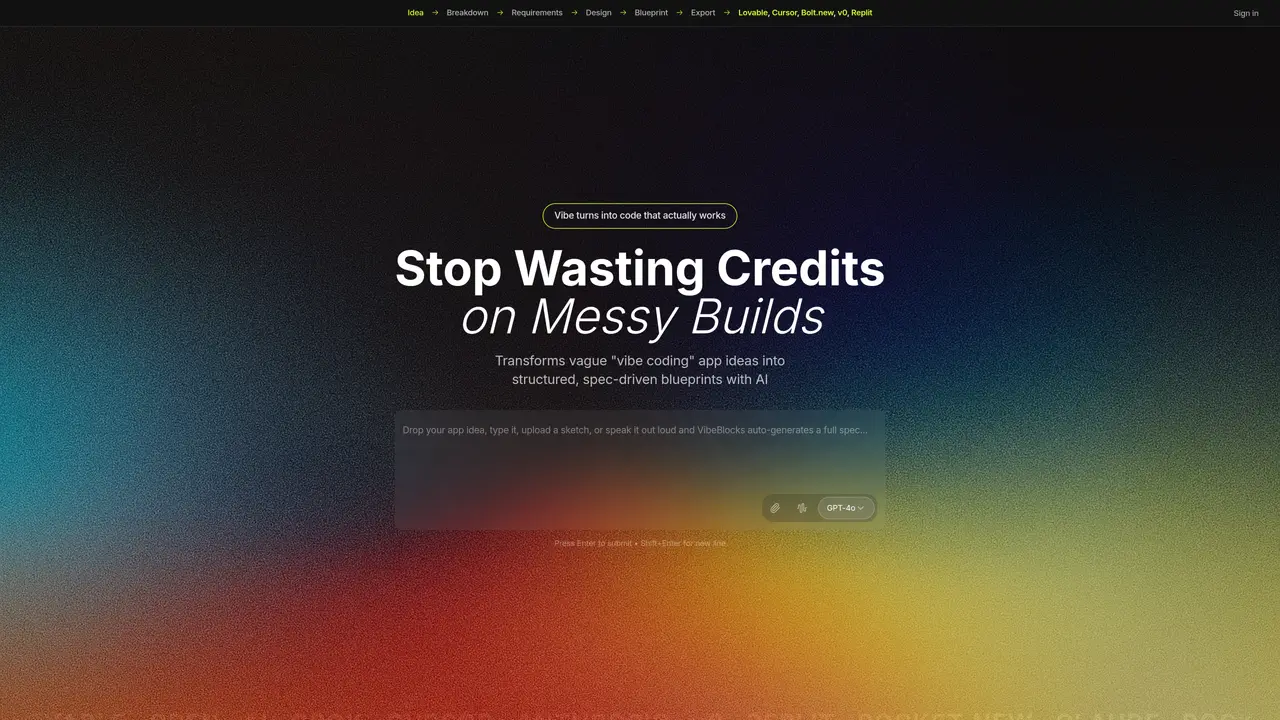
VibeBlocks is a web-based AI specification generator designed for developers, founders, product managers, and teams who need to transform vague app concepts into detailed, spec-driven blueprints. The tool takes a single prompt—whether typed, sketched, or spoken—and produces a full technical blueprint that includes idea breakdown, requirements, design details, and implementation tasks in a nested structure. Users can edit and iterate on these specifications, re-running sections as needed and reusing outputs across multiple iterations. The generated specs are exportable in formats like Markdown or PDF, and can be directly used in AI coding workflows with tools such as Cursor, Lovable, Bolt.new, v0, and Replit. VibeBlocks supports model switching, allowing users to leverage different AI models like GPT-4o, Claude, Grok 4, or Groq. Its primary value lies in reducing wasted AI credits and rework by providing clear, tool-ready specifications that eliminate the ambiguity often found in under-specified ‘vibe coding’ prompts.
VibeBlocks is a web-based AI specification generator that converts vague app concepts into detailed, structured technical blueprints. It supports input methods such as typing, sketching, or voice prompts to produce comprehensive specifications including idea breakdowns, requirements, design details, and implementation tasks.
The tool is designed for developers, founders, product managers, and teams who need to transform high-level app ideas into actionable, detailed specifications. It is particularly useful for those looking to reduce ambiguity in AI-driven development workflows.
VibeBlocks uses AI models such as GPT-4o, Claude, Grok 4, or Groq to analyze input prompts and generate structured blueprints. Users can edit and iterate on these specifications, re-running specific sections as needed to refine outputs.
Yes, the specifications can be exported in formats like Markdown or PDF. These outputs are designed to be reusable and can be directly integrated into AI coding workflows with tools such as Cursor, Lovable, Bolt.new, v0, and Replit.
While the tool itself is web-based and individual-focused, the structured specifications it generates are designed to be shared and reused across teams. Users can iterate on outputs and reuse them in collaborative workflows.
To get started, visit the VibeBlocks website and input your app idea using text, sketch, or voice. The tool will generate a structured blueprint that you can review, edit, and export for further use in your development process.
vibeblocks.dev · third-party estimates from Similarweb
Last 4 months · grows by one month every month
Share of visits · estimated visits
Coding & Development · Sep 2026
Traffic figures are third-party estimates, good for scale and trends; they can differ from a company's own numbers. Updated monthly.
We use essential cookies to run aitoolnavio™, and optional cookies to analyze traffic and measure our marketing. You choose what we use — optional cookies stay off unless you turn them on. See our Privacy Policy.
One short email a week: fresh tools worth trying, honest takes and the updates that actually matter. No spam, unsubscribe any time.
Scales efficient language processing with open-source accessibility.
Collaboration and version control platform for software development and AI model hosting.
Tesla’s AI stack powers Full Self-Driving, Optimus humanoid robots, and real-world autonomy with neural networks, custom hardware, and Dojo-scale training.
Integrates AI into Airtable to analyze data, summarize insights, draft content, and automate workflows without prior AI experience.
AI-powered website builder that generates a professional site in under a minute and includes tools for content, SEO, and analytics.
Unified platform to access and switch between hundreds of AI models like ChatGPT, Claude, and Gemini via a single API.
xAI builds Grok frontier AI models for reasoning, coding, voice, images, video, enterprise workflows, and developer APIs.
Meta AI enhances machine learning, NLP, and computer vision capabilities.
Crowdsourced platform for blind, side-by-side AI model comparisons with a public leaderboard.
Customize, deploy, and control AI models securely.
Independent benchmarks comparing AI models on quality, speed, and cost across multiple capabilities.
Chat, build, and explore with open AI models.
Matched on what this tool does — grouped by the job you would be replacing.
matches Converts app ideas into structured technical blueprints from a single prompt · Generates full technical blueprints with idea breakdown, requirements, design details, and implementation tasks · Editable and iterative specifications with re-run and reuse capabilities
AI platform that transforms vague ideas into structured technical specification bundles for development teams.
AI copilot that converts rough ideas into spec-driven UI designs and exports Figma files or React+Tailwind code.
An AI product requirements tool that generates structured PRDs, wireframes, user flows, and launch content from prompts or URLs for product managers.
AI planning tool that generates architecture docs, diagrams, and prompts before coding begins.
matches Supports multi-modal input (text, sketches, voice) · Generates interactive prototypes from plain-English descriptions · Exports structured product specifications for developers
AI tool that converts ideas into full-stack web apps without coding, making development accessible to non-technical users.
Turn plain-English product descriptions into clickable, multi-screen prototypes and structured specs in seconds.