AI-powered website builder that generates a professional site in under a minute and includes tools for content, SEO, and analytics.
52M visits/mo+0.7%#4 Coding & Development

An AI-native Windows Terminal fork that embeds agents, Copilot CLI, and context-aware assistance directly into command-line workflows for developers.
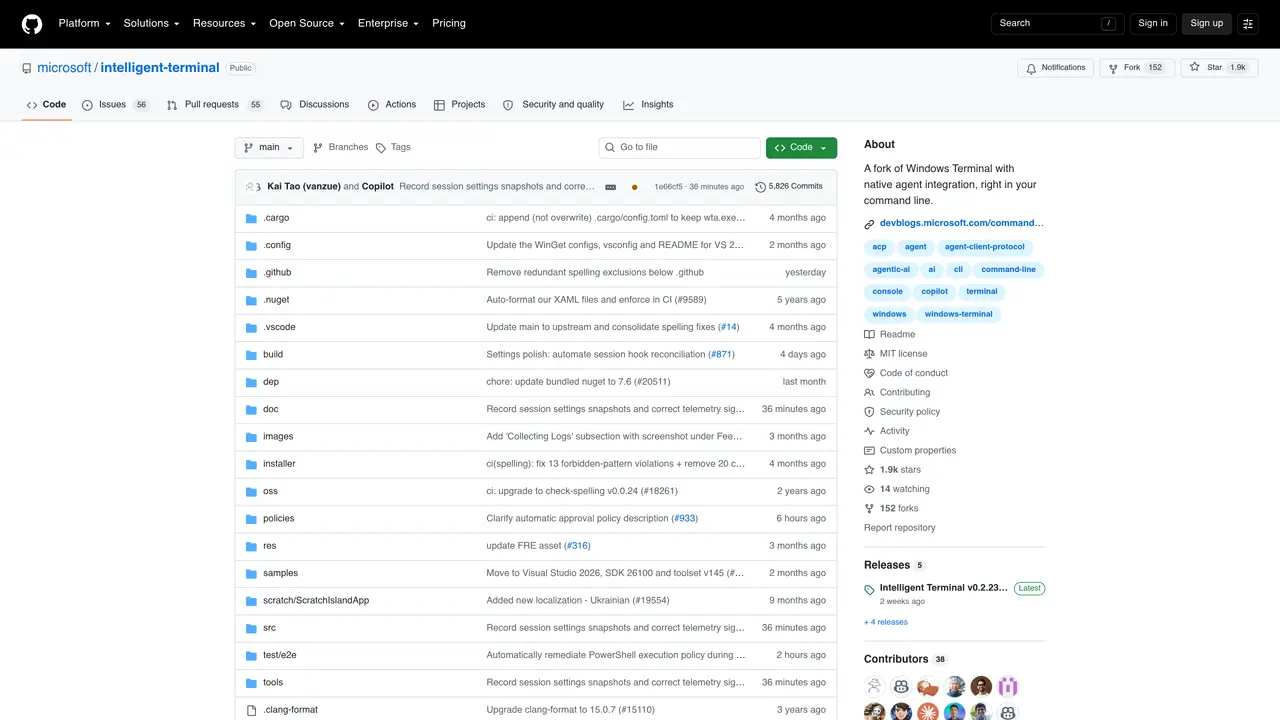
Microsoft Intelligent Terminal is an experimental open-source fork of Windows Terminal designed to bring AI agents and GitHub Copilot CLI directly into command-line workflows. It integrates agentic capabilities into a Windows Terminal-style interface, enabling developers to receive real-time assistance for commands, errors, logs, and background tasks without leaving the terminal. The tool supports Agent Client Protocol-compatible agents, allowing users to run Copilot-style, Claude Code-style, or other local and cloud agents seamlessly within their terminal sessions. It features an agent pane, status bar, command palette, and terminal context awareness to streamline debugging, shell automation, and developer workflows. Ideal for CLI-heavy developers, DevOps engineers, and teams that rely on terminal-based productivity, Intelligent Terminal enhances traditional command-line interfaces with AI-driven insights and troubleshooting. The interface consolidates multi-tab sessions, agent activity, and task tracking into a unified developer workspace, reducing context switching and improving efficiency in complex workflows.
GitHub, Inc.
San Francisco, California, US · Founded 2008
Intelligent Terminal is an experimental fork of Windows Terminal that integrates AI agents natively into the command-line interface. It works with any Agent Client Protocol (ACP)-compatible agent CLI, such as GitHub Copilot CLI, to provide real-time assistance within terminal workflows.
The tool is designed for CLI-heavy developers, DevOps engineers, and teams that rely on terminal-based productivity. It enhances traditional command-line interfaces with AI-driven insights and troubleshooting.
Intelligent Terminal can be installed via the Microsoft Store or using WinGet with the command 'winget install --id Microsoft.IntelligentTerminal -e'. The Microsoft Store version supports automatic updates.
Yes, Intelligent Terminal supports any Agent Client Protocol (ACP)-compatible agent CLI. It auto-detects several agents like Copilot, Claude Code, Codex, Gemini, and OpenCode on first launch.
Intelligent Terminal requires Windows 10 2004 (19041) or later to function properly.
On first launch, Intelligent Terminal auto-detects supported agent CLIs on your machine. If none are found, it defaults to GitHub Copilot CLI and installs it automatically via WinGet.
We use essential cookies to run aitoolnavio™, and optional cookies to analyze traffic and measure our marketing. You choose what we use — optional cookies stay off unless you turn them on. See our Privacy Policy.
One short email a week: fresh tools worth trying, honest takes and the updates that actually matter. No spam, unsubscribe any time.
AI-powered website builder that generates a professional site in under a minute and includes tools for content, SEO, and analytics.
AI-powered coding platform that uses agents to plan, write, and test software with real-time feedback and verifiable artifacts.
Automate code, research, and documents using agents.
AI-powered code assistant that generates, reviews, optimizes, and debugs code with natural language prompts and editor integrations.
AI assistant for safe, reliable productivity with code, collaboration, and integrations.
AI-powered IDE for autonomous coding tasks and agentic development workflows
Privacy-focused AI chatbot that generates uncensored text, code, images, and translations without storing conversations or requiring an account.
A free web-based AI chatbot and agent for writing, coding, research, and content creation with multilingual support.
Write & run code in 50+ languages, auto-complete with AI, and code faster with an intuitive interface.
An IDE that automates legacy-to-modern code migration using autonomous coding agents.
AI models that return typed decisions with calibrated confidence for software automation
Practice coding challenges, improve technical skills, get detailed explanations, compare performance with peers.
Matched on what this tool does — grouped by the job you would be replacing.
matches Agent Client Protocol-compatible agent support (Copilot, Claude, Gemini, Codex, local, or cloud agents) · Terminal context awareness for command suggestions and error explanations · Agent pane, status bar, and command palette for AI-driven workflows
A terminal client that displays and interacts with multiple AI agents in parallel panes
Keyboard-driven manager for running and reviewing multiple AI coding agents in parallel
matches Native GitHub Copilot CLI integration within the terminal · Shell automation and debugging assistance directly in the terminal · Error diagnosis for broken commands, build failures, and environment issues
matches Agent Client Protocol-compatible agent support (Copilot, Claude, Gemini, Codex, local, or cloud agents) · Background task tracking and multi-tab session management · Shell automation and debugging assistance directly in the terminal
Streamline coding with predictive AI, deployment, and integration.
An AI coding agent for VS Code that generates production-ready code, runs tests, debugs issues, and deploys apps from prompts.
VS Code extension that turns the editor into an AI-powered programming assistant for coding, debugging, and project management.
A macOS workspace for running and managing parallel AI coding agents with isolated shells and automatic git worktrees.
A plugin that decomposes prompts into multi-agent plans for Claude Code and Codex
Centralizes and deploys AI agent skills locally on macOS