

AI-powered website builder that generates a professional site in under a minute and includes tools for content, SEO, and analytics.
52M visits/mo+0.7%#4 Coding & Development
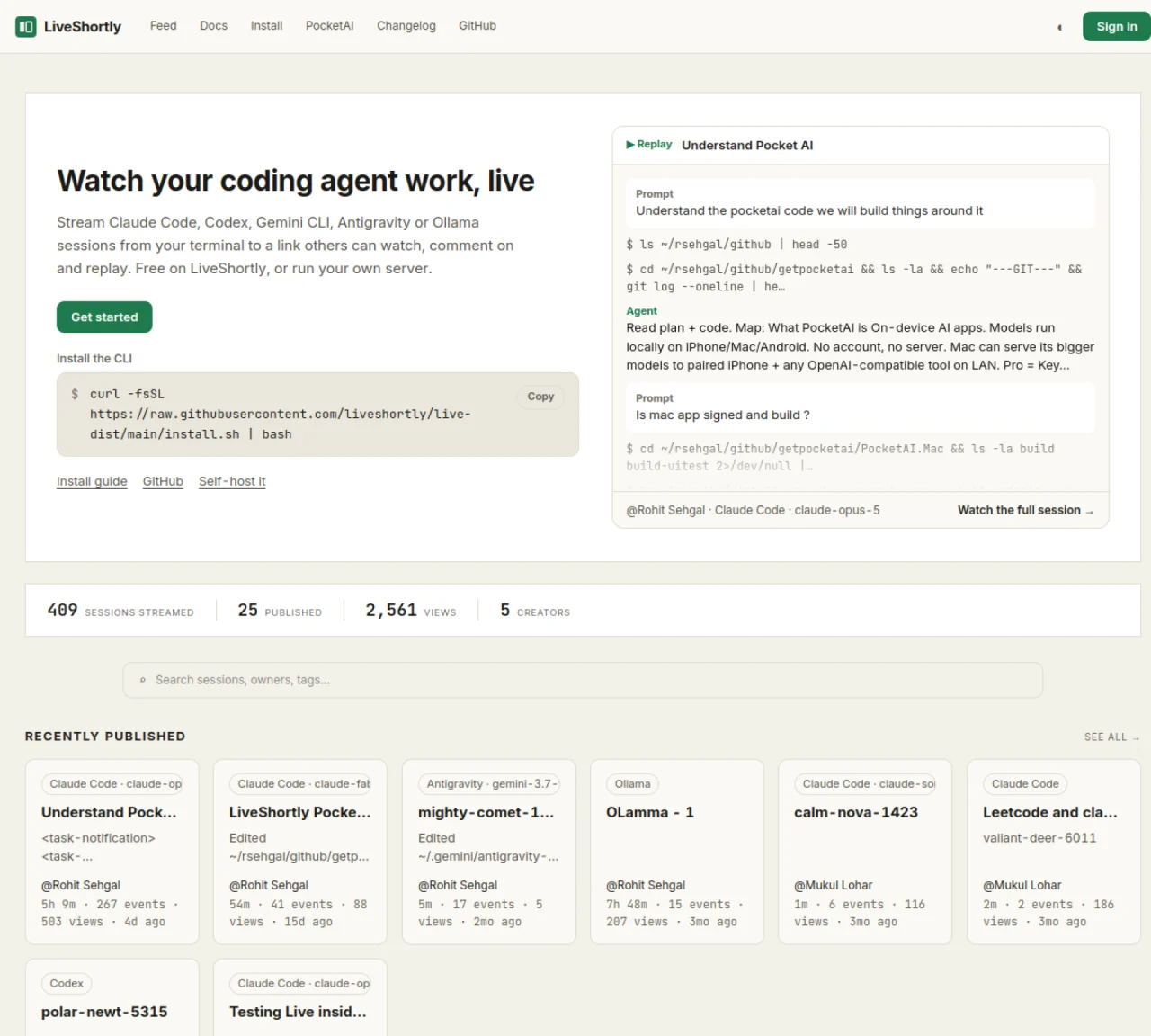
LiveShortly streams coding agent sessions such as Claude Code, Codex, or Ollama from a terminal to a shareable link that others can watch in real time, comment on, and replay later. The hosted service is free and allows up to 10 concurrent live sessions with 100 MB of stored session data per account. Sessions remain private by default but can be shared via link or published to a public feed. Viewers can interact through comments while the session runs, and replays are preserved afterward. The platform also supports starting sessions directly from the browser by running a local daemon that exposes directories to the server. The CLI and daemon tools are open source and available for macOS, Linux, and Windows via WSL.
LiveShortly streams coding agent sessions such as Claude Code, Codex, or Ollama from a terminal to a shareable link that others can watch in real time, comment on, and replay later. It supports both live streaming and replay functionality, with sessions remaining private by default unless shared or published.
LiveShortly is designed for developers, teams, and educators who want to share coding sessions, debug collaboratively, or demonstrate workflows in real time. It is useful for pair programming, code reviews, or educational demonstrations.
Users install the LiveShortly CLI, sign in, and start their coding agent through the tool. Sessions are streamed to a link that viewers can access. Alternatively, users can run a local daemon to start sessions directly from the browser, exposing specific directories to the server.
Yes, LiveShortly offers a self-hosting option for users who prefer to run the service on their own infrastructure instead of using the hosted platform.
The LiveShortly CLI and daemon tools are open source and available for macOS, Linux, and Windows via WSL. The hosted service is accessible through a web browser on any platform.
To get started, install the CLI using a one-command installation script, sign in, and begin streaming your coding agent sessions. Detailed instructions are available in the installation guide and documentation.
We use essential cookies to run aitoolnavio™, and optional cookies to analyze traffic and measure our marketing. You choose what we use — optional cookies stay off unless you turn them on. See our Privacy Policy.
One short email a week: fresh tools worth trying, honest takes and the updates that actually matter. No spam, unsubscribe any time.
AI-powered website builder that generates a professional site in under a minute and includes tools for content, SEO, and analytics.
AI-powered coding platform that uses agents to plan, write, and test software with real-time feedback and verifiable artifacts.
Automate code, research, and documents using agents.
AI-powered code assistant that generates, reviews, optimizes, and debugs code with natural language prompts and editor integrations.
AI assistant for safe, reliable productivity with code, collaboration, and integrations.
AI-powered IDE for autonomous coding tasks and agentic development workflows
Privacy-focused AI chatbot that generates uncensored text, code, images, and translations without storing conversations or requiring an account.
A free web-based AI chatbot and agent for writing, coding, research, and content creation with multilingual support.
Write & run code in 50+ languages, auto-complete with AI, and code faster with an intuitive interface.
An IDE that automates legacy-to-modern code migration using autonomous coding agents.
AI models that return typed decisions with calibrated confidence for software automation
Practice coding challenges, improve technical skills, get detailed explanations, compare performance with peers.
Matched on what this tool does — grouped by the job you would be replacing.
matches Stream coding agent sessions to shareable links · Real-time viewer comments during sessions · Session replays preserved for later viewing
Mobile interface for managing terminal-based coding agents on Mac
A local browser for running AI agents with real user logins and session replay
matches Browser-based session initiation via daemon · Open-source CLI and daemon tools · Self-hosting with Docker Compose
Self-hosted platform for managing a fleet of AI agents with task delegation
A cross-platform desktop app to run, manage, and monitor autonomous AI agents with persistent memory and multimodal tool support.
Runs coding-agent workloads as isolated, observable jobs on self-hosted infrastructure