
AI-powered website builder that generates a professional site in under a minute and includes tools for content, SEO, and analytics.
52M visits/mo+0.7%#4 Coding & Development
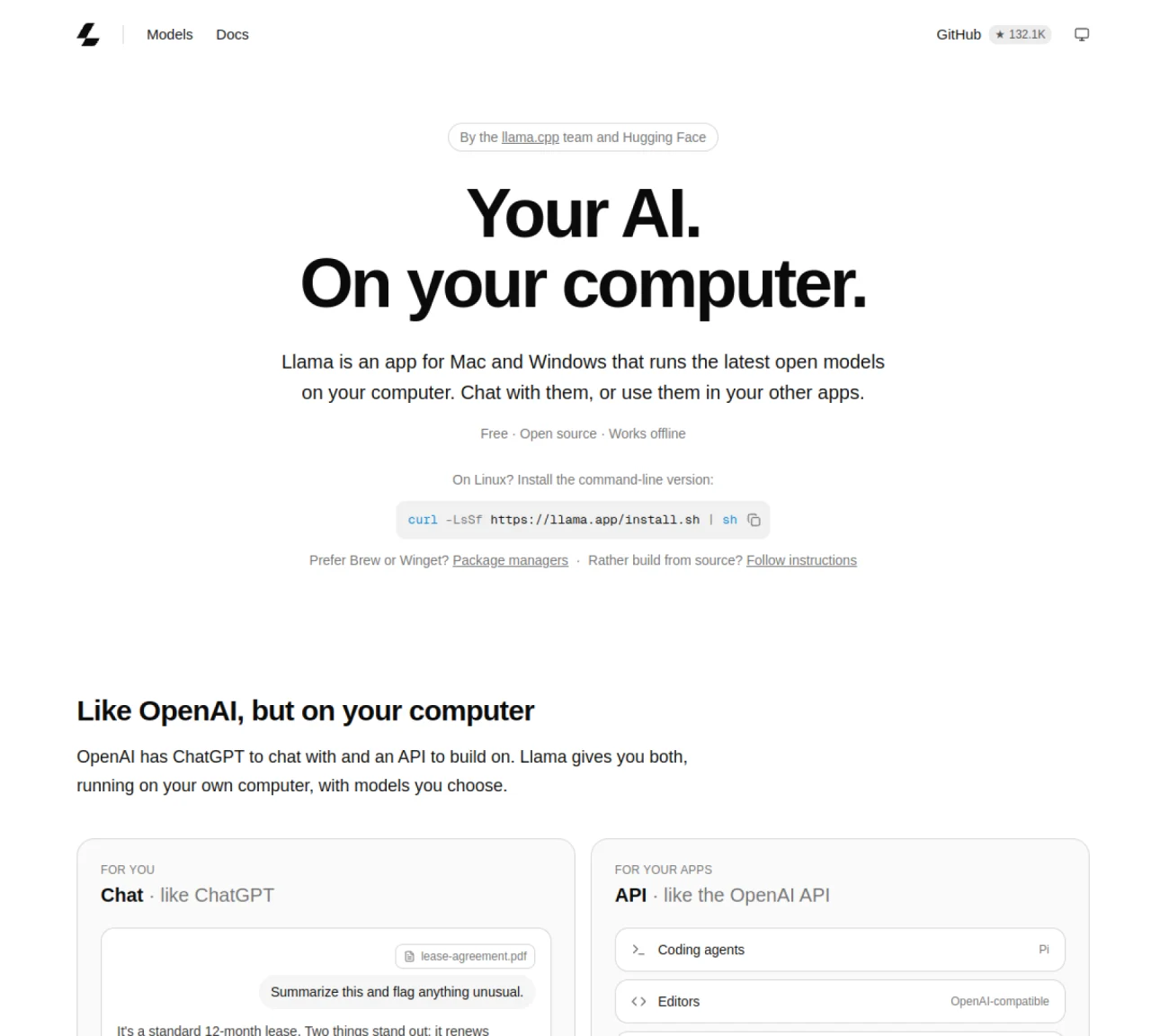
Llama is a desktop application that runs the latest open AI models on a user’s own computer. It provides both a chat interface and a local API that speaks the OpenAI API standard. The app is available for Mac and Windows and works offline. Users can chat with models directly in the browser or connect their own applications to the local API endpoint at localhost:9931. Llama automatically selects and configures models based on the user’s system resources, recommending options that fit available memory. Installed models are stored once and shared across tools, and idle models unload after five minutes to conserve resources. The application is lightweight, with a 4 MB app size and minimal disk usage during idle periods.
Llama Windows is a desktop application that runs open AI models locally on a Windows PC. It provides both a chat interface and a local API endpoint at localhost:9931 that follows the OpenAI API standard, enabling users to interact with models directly in the browser or connect their own applications.
Llama Windows is designed for users who want to run AI models on their own computer without relying on cloud services. It suits developers, researchers, and privacy-conscious individuals who need an offline, local AI solution.
Llama automatically selects and configures models based on the user’s system resources, recommending options that fit available memory. It optimizes settings like quantization, context size, and batch size to ensure efficient performance on the user’s PC.
Yes, Llama Windows provides a local API that is compatible with the OpenAI API standard. Any application that works with OpenAI can be redirected to localhost:9931, allowing seamless integration without requiring additional API keys or usage fees.
Yes, Llama Windows operates entirely offline once models are downloaded. It does not require an internet connection for inference or API interactions, ensuring privacy and reliability.
To get started, download the Llama Windows app from the official website, install it, and open the application. Llama will automatically recommend models that fit your system’s resources, which you can install with a single click and begin using immediately.
We use essential cookies to run aitoolnavio™, and optional cookies to analyze traffic and measure our marketing. You choose what we use — optional cookies stay off unless you turn them on. See our Privacy Policy.
One short email a week: fresh tools worth trying, honest takes and the updates that actually matter. No spam, unsubscribe any time.
AI-powered website builder that generates a professional site in under a minute and includes tools for content, SEO, and analytics.
AI-powered coding platform that uses agents to plan, write, and test software with real-time feedback and verifiable artifacts.
Automate code, research, and documents using agents.
AI-powered code assistant that generates, reviews, optimizes, and debugs code with natural language prompts and editor integrations.
AI assistant for safe, reliable productivity with code, collaboration, and integrations.
AI-powered IDE for autonomous coding tasks and agentic development workflows
Privacy-focused AI chatbot that generates uncensored text, code, images, and translations without storing conversations or requiring an account.
A free web-based AI chatbot and agent for writing, coding, research, and content creation with multilingual support.
Write & run code in 50+ languages, auto-complete with AI, and code faster with an intuitive interface.
An IDE that automates legacy-to-modern code migration using autonomous coding agents.
AI models that return typed decisions with calibrated confidence for software automation
Practice coding challenges, improve technical skills, get detailed explanations, compare performance with peers.
Matched on what this tool does — grouped by the job you would be replacing.
matches Menu bar/system tray app for Mac and Windows · OpenAI API compatibility for local applications · Automatic model selection and configuration
Run open-source chatbots locally on your PC without internet, keeping conversations private and offline.
Open-source desktop AI chat app that runs local LLMs offline or connects to cloud providers via API keys.
Windows application for running private local AI models fully offline
matches Offline operation capability · Local AI inference on Mac hardware · Text and image chat support
Private AI assistant for Android and Windows with online and offline modes
Local AI chat app for Apple Silicon Macs with no account or internet required
Runs private AI models entirely on a user’s Mac without cloud dependency
On-device AI chat and local proxy for private, offline model execution