Collaboration and version control platform for software development and AI model hosting.
645M visits/mo-0.6%#1 Coding & Development

Automatically detects, investigates and fixes production issues in cloud applications
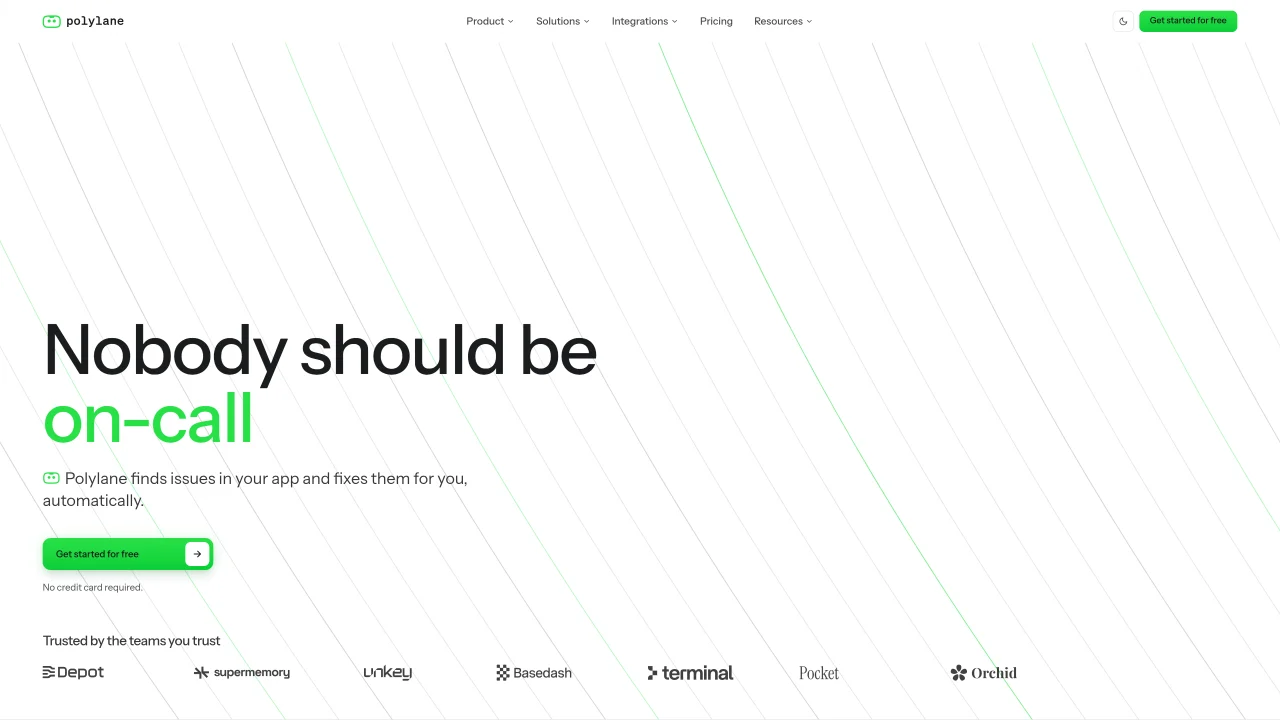
Polylane integrates with cloud infrastructure, code repositories and telemetry systems to monitor application behavior in real time. It analyzes logs, metrics and traces across every service to identify deviations from normal operation and flags genuine issues rather than alert noise. When an issue is detected, the tool performs root-cause analysis by correlating changes in code, deployments and infrastructure with observed symptoms, providing evidence for each claim. Polylane can then generate fixes and open pull requests that address the root cause, allowing teams to review and merge changes through standard workflows without manual intervention. The system also proactively closes logging gaps and provides a Slack agent for querying production status across channels. It supports multiple cloud providers and development environments, enabling continuous impact analysis to catch potential problems before they reach users.
Polylane integrates with cloud infrastructure, code repositories, and telemetry systems to monitor application behavior in real time. It analyzes logs, metrics, and traces to detect deviations from normal operation, performs root-cause analysis, and can generate fixes by opening pull requests for review.
Polylane is designed for DevOps teams, developers, and engineering organizations that need to proactively detect, investigate, and resolve production issues before they impact users. It supports multiple cloud providers and development environments.
Polylane connects to cloud providers like AWS, Cloudflare, and Vercel, as well as code repositories and telemetry systems. It generates fixes as pull requests that go through standard review and CI processes, ensuring seamless integration with existing workflows.
Yes, Polylane can automatically generate fixes and open pull requests once the root cause of an issue is identified. These fixes are reviewed through standard workflows, and the tool also proactively closes logging gaps to prevent future incidents.
Yes, Polylane supports multiple cloud providers, including AWS, Cloudflare, Vercel, Render, Fly.io, Kubernetes, PlanetScale, Supabase, Modal, Railway, and Convex, enabling comprehensive monitoring across diverse environments.
You can get started with Polylane by signing up for free on their website. The platform provides documentation and guides to help you set up and connect your stack, with no credit card required for the initial setup.
We use essential cookies to run aitoolnavio™, and optional cookies to analyze traffic and measure our marketing. You choose what we use — optional cookies stay off unless you turn them on. See our Privacy Policy.
One short email a week: fresh tools worth trying, honest takes and the updates that actually matter. No spam, unsubscribe any time.
Collaboration and version control platform for software development and AI model hosting.
A cloud platform for deploying, scaling, and managing web apps and AI workloads with Git-based CI/CD and edge functions.
Standardize application packaging and execution with portable containers for consistent local and cloud workflows.
An IDE that automates legacy-to-modern code migration using autonomous coding agents.
AI-first electronic design automation for ICs, advanced packaging, and systems with hardware-assisted acceleration and elastic cloud delivery.
Unified AI-powered platform for real-time monitoring, analytics, and security across cloud infrastructure, applications, and services.
Cloud platform for developing, training, and scaling AI models with a serverless GPU environment.
Create cloud servers with ease, enjoy full control, automated backups, secure networking, and reliable support.
AI-powered platform for full-stack observability, anomaly detection, and automated root cause analysis without coding.
Backend platform providing Postgres databases, authentication, storage and compute for applications and agents
Rent GPU computing resources for running AI models at a low cost.
Unified Arm compute platform spanning Neoverse servers, Cortex, C1, Mali, and Ethos for consistent, scalable AI deployment from cloud to edge.
Matched on what this tool does — grouped by the job you would be replacing.
matches Automatic issue detection from logs, metrics and traces · Root-cause analysis with evidence citations · Autofix generation and PR submission
An AI incident management platform that autonomously investigates alerts, finds root causes, and suggests fixes for engineering and SRE teams.
Autoheal automates incident investigation and remediation workflows for production engineering teams.
AI SRE platform that continuously analyzes Kubernetes and cloud infrastructure to auto-investigate alerts and propose remediation steps.
matches Live context graph of cloud resources, code and telemetry · Instrumentation gap closure · Multi-cloud provider integrations
matches Autofix generation and PR submission
Unified AI-powered platform for real-time monitoring, analytics, and security across cloud infrastructure, applications, and services.
Unified observability platform for AI agents, LLM traces, logs and metrics
AI-powered observability and SRE operations platform for full-stack monitoring
DeepSource automates AI-powered code reviews to catch security issues, improve quality, and speed up production deployments.
AI-powered continuous smart contract security platform for blockchain teams, detecting vulnerabilities in real time with CI/CD and GitHub integration.
AI-powered platform that automatically detects and fixes code vulnerabilities with one-click remediation via GitHub or GitLab pull requests.
AI-powered code review platform that analyzes PRs, suggests fixes, and detects vulnerabilities to speed up development workflows.