
Unleash creativity: edit photos, videos, and designs with AI-enhanced tools.
16M visits/mo-11.4%#6 Image & Design

AI-powered tool for interior and exterior design transformations from photos
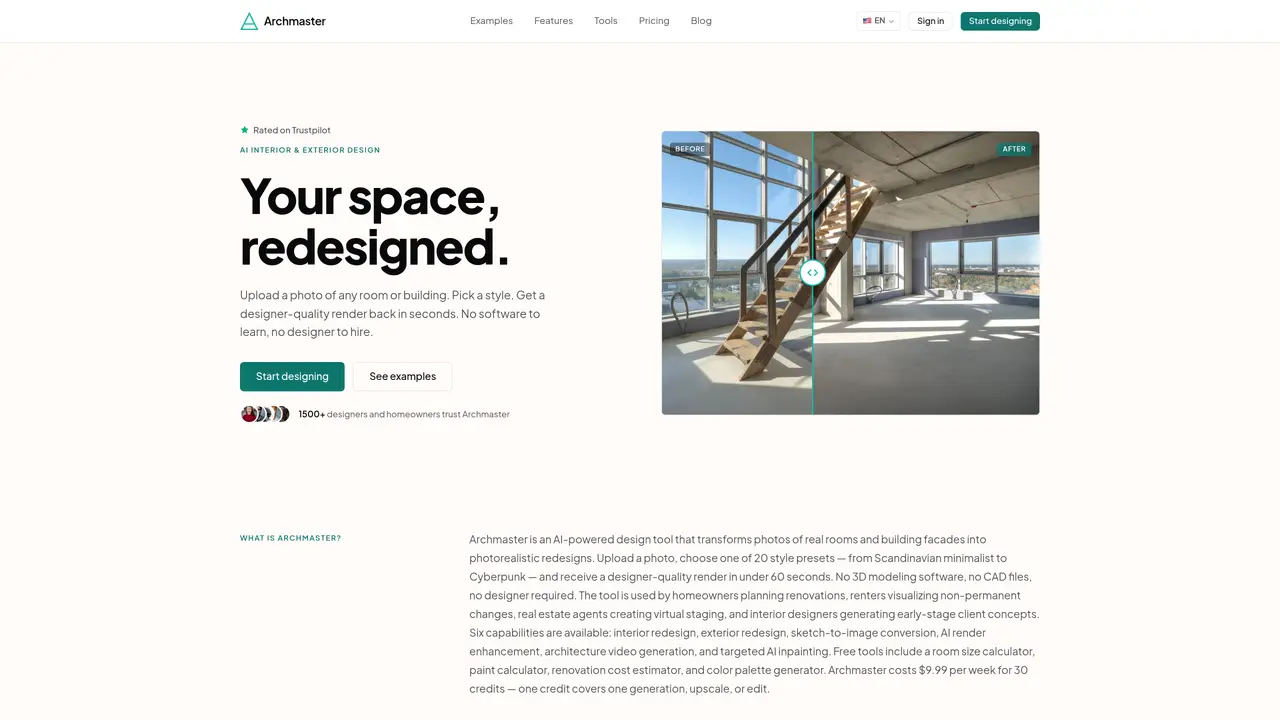
Archmaster is an AI-driven design platform that converts photographs of rooms or building facades into photorealistic redesigns. Users upload an image, select a style from 20 presets, and receive a designer-quality render within 60 seconds without requiring 3D modeling software or hiring a designer. The tool supports interior and exterior redesign, sketch-to-image conversion, render enhancement, architecture video generation, and targeted AI inpainting. It also includes free utilities such as a room size calculator, paint calculator, renovation cost estimator, and color palette generator. The service is used by homeowners, renters, real estate agents, and interior designers for tasks like renovation planning, virtual staging, and early-stage client concept generation. Pricing is structured as a weekly subscription of $9.99 for 30 credits, with a one-time payment option for 10 photo generations.
A credit is the unit of consumption in Archmaster. One credit covers one generation, upscale, or edit operation. Multi-view generation costs 3 credits, and architecture video generation costs 5 credits.
Archmaster supports standard image formats such as JPG and PNG for uploads. The tool processes these images to generate photorealistic redesigns.
Yes, Archmaster supports exterior redesign, allowing users to apply style transformations to building facades and house photos.
No, uploaded photos are not used to train Archmaster's AI. The tool processes images locally without storing or utilizing them for training purposes.
Yes, Archmaster allows users to cancel their subscription at any time without penalties or hidden fees.
To get started, upload a photo of a room or building facade, select a style preset, and receive a designer-quality render in under 60 seconds. No software or designer is required.
archmaster.app · third-party estimates from Similarweb
Last 4 months · grows by one month every month
Share of visits · estimated visits
Image & Design · Sep 2026
Traffic figures are third-party estimates, good for scale and trends; they can differ from a company's own numbers. Updated monthly.
We use essential cookies to run aitoolnavio™, and optional cookies to analyze traffic and measure our marketing. You choose what we use — optional cookies stay off unless you turn them on. See our Privacy Policy.
One short email a week: fresh tools worth trying, honest takes and the updates that actually matter. No spam, unsubscribe any time.
Unleash creativity: edit photos, videos, and designs with AI-enhanced tools.
A drag-and-drop design platform for presentations and social graphics with AI photo tools and a large template library.
Create captivating, customizable presentations and easily share them across devices with a cloud-based platform.
Generate custom visuals for blogs, create unique social media images, and design eye-catching visuals for marketing campaigns.
Create stunning designs, edit photos, remove objects, make collages, and transform images with powerful AI tools and effects.
Create auto-resized campaign images and videos with DaVinci AI's generative media suite.
Create precise 3D models, collaborate on designs, and analyze simulations in real-time.
Cloudinary provides APIs and tools to integrate, manage, and optimize images and videos for AI-driven visual experiences.
Generate custom color palettes instantly with AI or from images for design projects.
Turn simple prompts into flyers, social posts, emails, event pages, and tickets using AI-powered design and marketing tools.
Generate high-quality images with flawless embedded text from text prompts, plus batch output and style control in a creative canvas.
Edit, transform, and enhance photos with text prompts using our free AI photo editor online.
Matched on what this tool does — grouped by the job you would be replacing.
matches Interior redesign · Sketch-to-image conversion · Targeted AI inpainting
AI-powered interior and exterior design tool for virtual staging and redesigns
AI-powered home design and floor plan tool for visualizing room layouts and renovations
AI-powered home redesign from a single photo
Browser-based AI tool for generating interior and exterior home design concepts from photos, sketches, or
matches Exterior redesign · Architecture video generation · AI render enhancement
AI-powered home design tool for interior, exterior and garden spaces
Restyle rooms, test layouts, and shop photoreal designs with Paintit's AI interior design tool.
AI-powered interior and exterior design tool for rapid photorealistic redesigns