

Unleash creativity: edit photos, videos, and designs with AI-enhanced tools.
16M visits/mo-11.4%#6 Image & Design
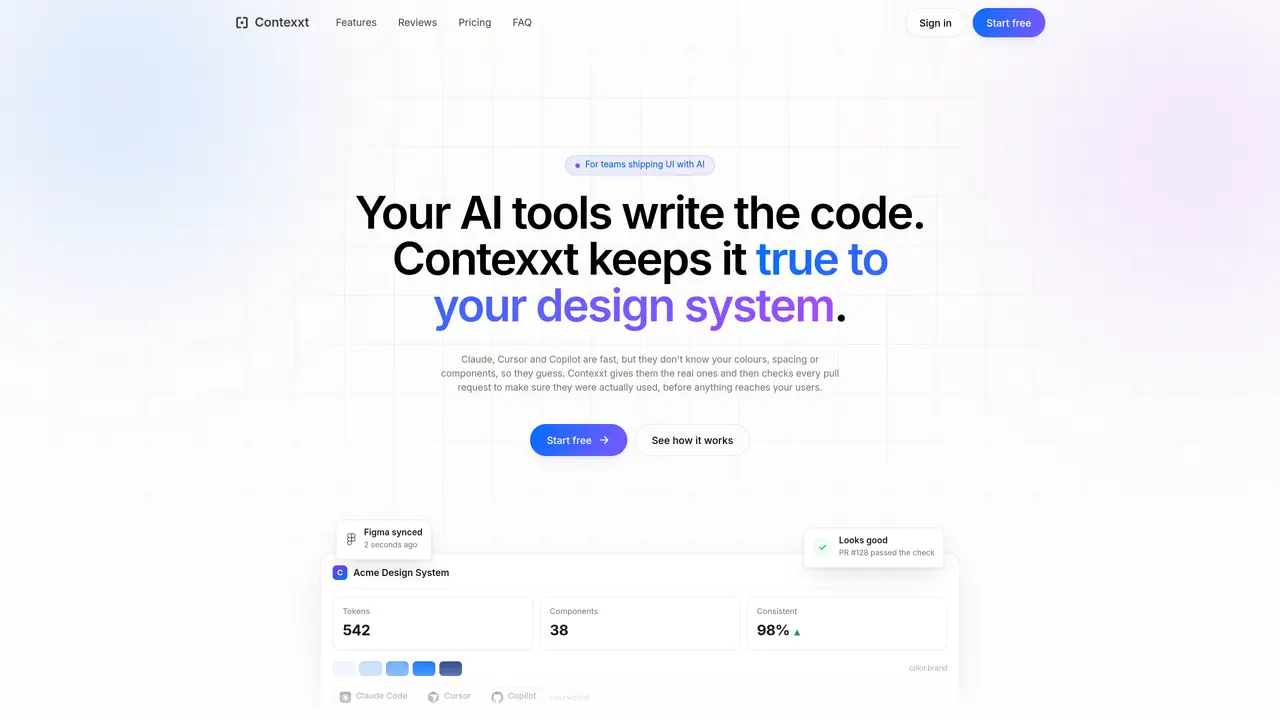
Contexxt connects Figma and code repositories to provide AI coding tools with an accurate, up-to-date design system. It extracts tokens, spacing, components, and rules directly from the actual codebase and Figma file, rather than relying on static documentation or design files. The tool then supplies this context to AI assistants like Claude Code, Cursor, and Copilot so they can generate UI code that adheres to the real system specifications. After code is written, Contexxt automatically checks every pull request against the same design system, flagging mismatches with exact fixes and blocking merges when required. This ensures consistency between design and implementation without manual review overhead. Documentation is also kept current, as live token blocks update automatically when either Figma or code changes, eliminating stale references.
Contexxt connects Figma and code repositories to provide AI coding tools with an accurate, up-to-date design system. It extracts tokens, spacing, components, and rules directly from the actual codebase and Figma file, then supplies this context to AI assistants like Claude Code, Cursor, and Copilot to generate UI code that adheres to the real system specifications.
Contexxt is designed for design system owners, frontend leads, and agencies managing multiple systems. It is particularly useful for teams that want to ensure consistency between design and implementation when using AI tools for coding.
Contexxt integrates with Figma, GitHub, and AI coding tools like Claude Code, Cursor, and Copilot. It connects to these tools through a secure setup, allowing AI assistants to access the real design system values and components.
Contexxt requires an initial setup to learn your design system by reading your Figma file and repository. Once configured, it runs automatically, providing context to AI tools and checking pull requests without ongoing manual intervention.
Contexxt checks every pull request against the design system, flagging mismatches with exact fixes and blocking merges when required. This ensures that the code adheres to the real system specifications before reaching users.
Yes, Contexxt keeps documentation current by updating live token blocks automatically whenever Figma or code changes. This eliminates the need for manual updates and ensures that references remain accurate.
We use essential cookies to run aitoolnavio™, and optional cookies to analyze traffic and measure our marketing. You choose what we use — optional cookies stay off unless you turn them on. See our Privacy Policy.
One short email a week: fresh tools worth trying, honest takes and the updates that actually matter. No spam, unsubscribe any time.
Unleash creativity: edit photos, videos, and designs with AI-enhanced tools.
A drag-and-drop design platform for presentations and social graphics with AI photo tools and a large template library.
Create captivating, customizable presentations and easily share them across devices with a cloud-based platform.
Generate custom visuals for blogs, create unique social media images, and design eye-catching visuals for marketing campaigns.
Create stunning designs, edit photos, remove objects, make collages, and transform images with powerful AI tools and effects.
Create auto-resized campaign images and videos with DaVinci AI's generative media suite.
Create precise 3D models, collaborate on designs, and analyze simulations in real-time.
Cloudinary provides APIs and tools to integrate, manage, and optimize images and videos for AI-driven visual experiences.
Generate custom color palettes instantly with AI or from images for design projects.
Turn simple prompts into flyers, social posts, emails, event pages, and tickets using AI-powered design and marketing tools.
Generate high-quality images with flawless embedded text from text prompts, plus batch output and style control in a creative canvas.
Edit, transform, and enhance photos with text prompts using our free AI photo editor online.
Matched on what this tool does — grouped by the job you would be replacing.
matches Figma and code repository synchronization · Real design tokens and spacing values extraction · Component API and prop validation
Connects AI agents to a design system and design skills for consistent UI
AutonomyAI’s Fei Studio turns product intent into production changes by ingesting repos, generating code to standards, and opening PRs for PMs, designers, and engineers.
A Jira connector that routes tickets to AI agents, generates code and pull requests, and syncs updates back to Jira for software teams.
AI-powered React UI generator that converts prompts and Figma designs into editable React code
matches Pull request compliance checking · Automated mismatch detection with exact fixes
An AI-powered code review tool that automates GitHub and GitLab pull request reviews with inline comments, PR summaries, and custom rules for software teams.
AI-native code review platform that automates pull request reviews and enforces coding standards directly in GitHub workflows.
AI-powered code review and security scanning platform that automates pull request feedback and IDE reviews with one-click fixes.
Automated product review for pull requests to catch AI code drift against specs