
Unleash creativity: edit photos, videos, and designs with AI-enhanced tools.
16M visits/mo-11.4%#6 Image & Design

Turns text prompts, screenshots, sketches or URLs into Figma wireframes, mockups and exportable HTML/React code.
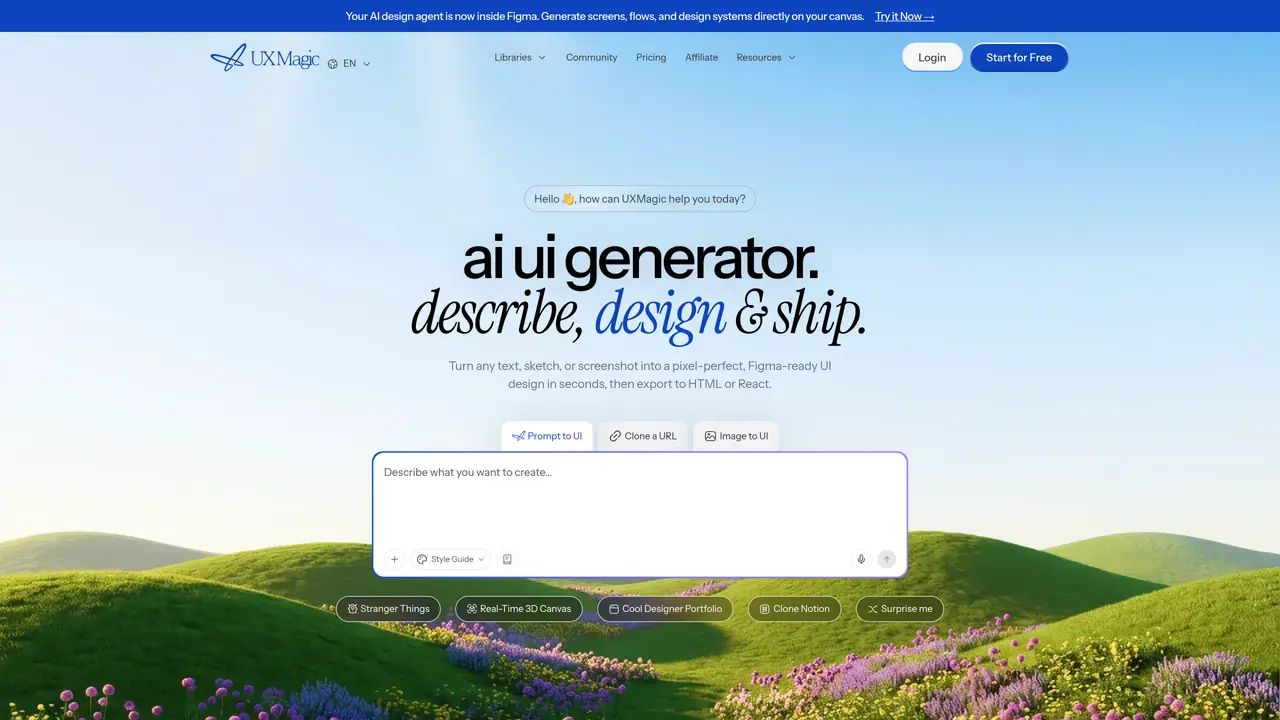
UXMagic.ai is an AI-powered wireframe and UI mockup generator that converts text prompts, screenshots, sketches or a website URL into Figma-ready wireframes, high-fidelity mockups and developer-friendly code (HTML/React). The tool supports exporting designs to Figma, Webflow, Framer and other platforms. Its Copilot and agentic AI features automate layout creation, style-guide application, content edits and component generation, streamlining prototyping workflows. By reducing design-to-development friction, UXMagic.ai helps designers, agencies and product teams save significant time on routine UI tasks. The platform is designed to accelerate early-stage design iterations while maintaining compatibility with existing design systems and tools. It bridges the gap between conceptual ideas and executable code, enabling faster validation of user interfaces.
UXMagic.ai is an AI-powered UI design generator that turns text prompts, screenshots, sketches, or URLs into high-fidelity, Figma-ready designs. It is used by designers, product managers, and startup teams to accelerate design and development workflows.
UXMagic eliminates designer-to-developer handoff friction by generating multi-screen UI designs from a text prompt, exporting directly to Figma for refinement, and providing clean responsive HTML or React code—all in one flow.
With UXMagic, you can generate full UI designs from text descriptions, editable Figma designs from screenshots or sketches, clone versions of any website, create wireframes, sitemaps, and produce production-ready HTML or React code.
UXMagic integrates with Figma through one-click exports to fully editable Figma layers, a dedicated Figma plugin for generating UIs inside existing files, and the ability to import design systems for consistent brand application.
Yes, UXMagic exports modern, responsive HTML and React code that mirrors the Figma-approved design. The code uses clean structure and standard conventions, though backend logic still requires developer implementation.
Yes, you can import existing Figma components, styles, color tokens, and brand assets into UXMagic. The AI then generates new screens using your exact typography, colors, and component library for brand consistency.
uxmagic.ai · third-party estimates from Similarweb
Last 4 months · grows by one month every month
Share of visits by channel
No measurable traffic from Paid Referrals.
Share of visits · estimated visits
Other countries: 43.4%
How people reach this site from other AI tools
62 a month
Image & Design · Sep 2026
Traffic figures are third-party estimates, good for scale and trends; they can differ from a company's own numbers. Updated monthly.
We use essential cookies to run aitoolnavio™, and optional cookies to analyze traffic and measure our marketing. You choose what we use — optional cookies stay off unless you turn them on. See our Privacy Policy.
One short email a week: fresh tools worth trying, honest takes and the updates that actually matter. No spam, unsubscribe any time.
Unleash creativity: edit photos, videos, and designs with AI-enhanced tools.
A drag-and-drop design platform for presentations and social graphics with AI photo tools and a large template library.
Create captivating, customizable presentations and easily share them across devices with a cloud-based platform.
Generate custom visuals for blogs, create unique social media images, and design eye-catching visuals for marketing campaigns.
Create stunning designs, edit photos, remove objects, make collages, and transform images with powerful AI tools and effects.
Create auto-resized campaign images and videos with DaVinci AI's generative media suite.
Create precise 3D models, collaborate on designs, and analyze simulations in real-time.
Cloudinary provides APIs and tools to integrate, manage, and optimize images and videos for AI-driven visual experiences.
Generate custom color palettes instantly with AI or from images for design projects.
Turn simple prompts into flyers, social posts, emails, event pages, and tickets using AI-powered design and marketing tools.
Generate high-quality images with flawless embedded text from text prompts, plus batch output and style control in a creative canvas.
Edit, transform, and enhance photos with text prompts using our free AI photo editor online.
Matched on what this tool does — grouped by the job you would be replacing.
matches Converts text prompts into Figma wireframes and mockups · Generates HTML/React code from designs for direct implementation · Supports input from screenshots, sketches or website URLs
A Figma plugin that turns natural language prompts into editable UI designs, streamlining rapid prototyping and collaboration.
An AI no-code web design tool that generates sitemaps, wireframes, and styled pages from prompts and exports projects to Webflow.
AI copilot that converts rough ideas into spec-driven UI designs and exports Figma files or React+Tailwind code.
AI tool that converts text prompts into website designs, wireframes, and Figma prototypes in seconds.
matches Generates HTML/React code from designs for direct implementation · Automates layout and style-guide application via AI Copilot · Reduces design-to-development handoff time
Turns text prompts into ready-to-use React UI code with Shadcn UI and Tailwind CSS components.
AI tool that generates UI code from text prompts or design files and builds React components.
Generate interactive prototypes from text or Figma designs instantly with AI, ideal for teams without design expertise.
AI website builder that turns prompts and Figma designs into live sites with visual editing, code export, and instant deployment.