Summarizes, extracts, and rewrites content from files.
89M visits/mo+8.7%#2 Productivity & Office
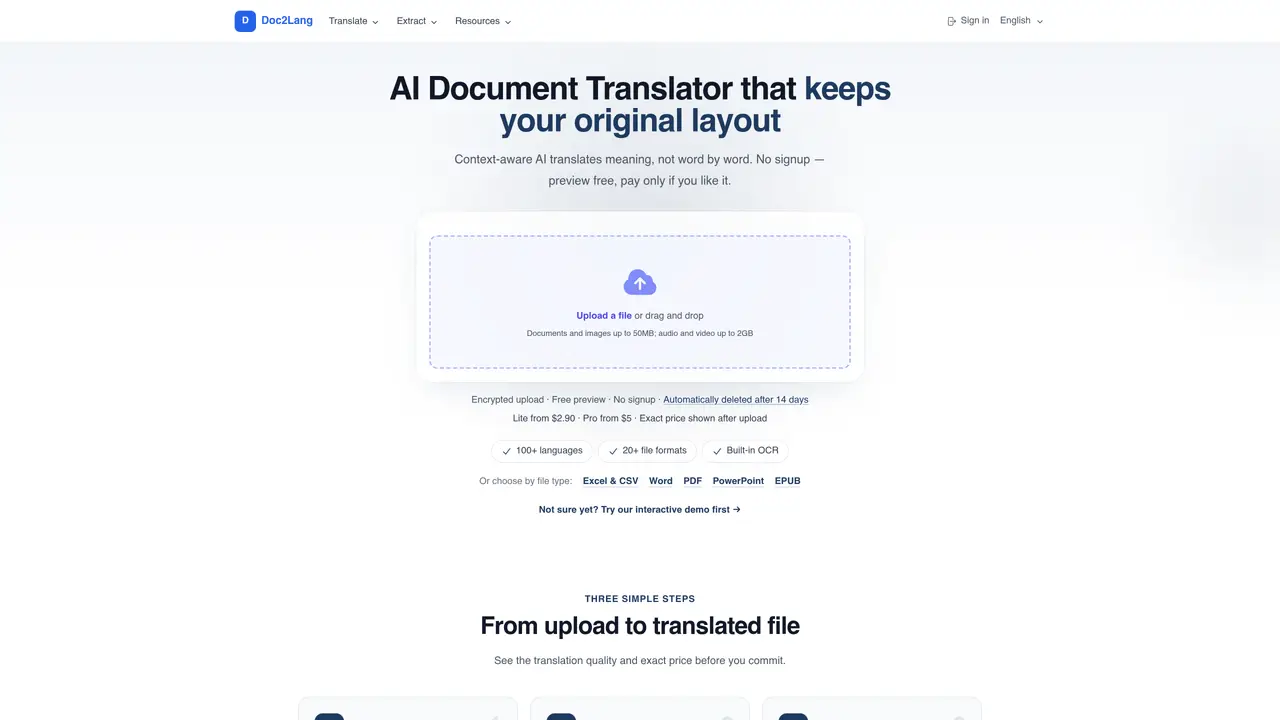
Doc2Lang is a document translation service that allows you to translate files in various formats, including Excel, Word, PowerPoint, and PDF. The platform uses ChatGPT technology to provide fast and accurate translations. The translated documents can then be downloaded. The service supports multiple file formats, offers high-quality translations, and ensures user data security and control. It is a convenient and flexible tool for businesses and individuals needing document translations. Doc2Lang is suitable for content writers, translators, and entrepreneurs who require accurate and secure document translations. The service is easy to use and provides a simple way to translate documents without the need for extensive language knowledge. By using Doc2Lang, users can save time and effort in translating documents, allowing them to focus on other important tasks. The service is also ideal for businesses that need to translate documents for international clients or partners. With Doc2Lang, users can easily translate documents in various formats, including PDF, Excel, Word, and PowerPoint, and download the translated documents for further use. The service ensures high-quality translations and user data security and control, making it a reliable choice for document translation needs. Doc2Lang is a convenient and flexible tool that can be used by individuals and businesses alike, providing accurate and secure document translations in a fast and efficient manner.
Doc2Lang supports over 20 file formats, including Excel, Word, PowerPoint, PDF, EPUB, CSV, subtitles (SRT, VTT, ASS), images (JPG, PNG, WebP), audio (MP3, WAV, M4A), video (MP4, MOV, MKV), HTML, and InDesign IDML files.
No account is required to upload files or preview translations. However, an account is needed to complete the payment and download the translated file.
Doc2Lang uses context-aware AI to translate meaning while maintaining the original document structure, including charts, formulas, headings, tables, styles, and embedded media.
Yes, Doc2Lang includes built-in OCR to detect and translate text from scanned PDFs or images, then redraws the translated text while preserving the artwork.
Doc2Lang operates on a pay-per-file model, with no subscription required. The exact price is shown after uploading a file and reviewing the free preview.
Uploaded files are automatically deleted from Doc2Lang's servers after 14 days.
doc2lang.com · third-party estimates from Similarweb
Last 4 months · grows by one month every month
Share of visits · estimated visits
Other countries: 10.4%
Productivity & Office · Sep 2026
Traffic figures are third-party estimates, good for scale and trends; they can differ from a company's own numbers. Updated monthly.
We use essential cookies to run aitoolnavio™, and optional cookies to analyze traffic and measure our marketing. You choose what we use — optional cookies stay off unless you turn them on. See our Privacy Policy.
One short email a week: fresh tools worth trying, honest takes and the updates that actually matter. No spam, unsubscribe any time.
Summarizes, extracts, and rewrites content from files.
Automate citation and reference management, aid research with text and data mining, and securely store and share documents.
Capture, organize, and share ideas, notes, and documents effortlessly.
Headless CMS that lets developers manage structured content and deliver it anywhere via flexible APIs and real-time collaboration tools.
Efficiently create and manage cases, streamline workflows, securely store and share documents, and collaborate with colleagues.
Access files, collaborate, and secure your data with unbeatable customizable system.
An AI-powered PDF editor and converter for editing, OCR, signing, annotating, merging, and chatting with documents across devices.
Browser-based PDF editor that edits, signs, converts, merges, compresses, and shares files, with AI for form filling, document chat, and PDF creation.
Securely store, access, and search documents from any device with ease.
Create and customize legal documents, consult lawyers, and access legal guides all in one platform.
Centralize brand assets, automate approvals, and collaborate with external partners in a single digital asset management platform.
AI diagramming and documentation tool for engineering teams to create and update cloud architecture, ERDs, and flowcharts from prompts, code, and CI/CD workflows.
Matched on what this tool does — grouped by the job you would be replacing.
matches Translate files in various formats, including Excel, Word, PowerPoint, and PDF · Supports multiple file formats · Offers high-quality translations
Quickly and accurately translate documents with unparalleled precision and confidence for business, legal, and academic purposes.
AI-powered document translation with perfect formatting
AI-powered document translator that preserves layout, tables, images and structure across 16+ file formats.
Online document translator supporting PDF, Word, Excel, PowerPoint and scanned files