

Summarizes, extracts, and rewrites content from files.
89M visits/mo+8.7%#2 Productivity & Office
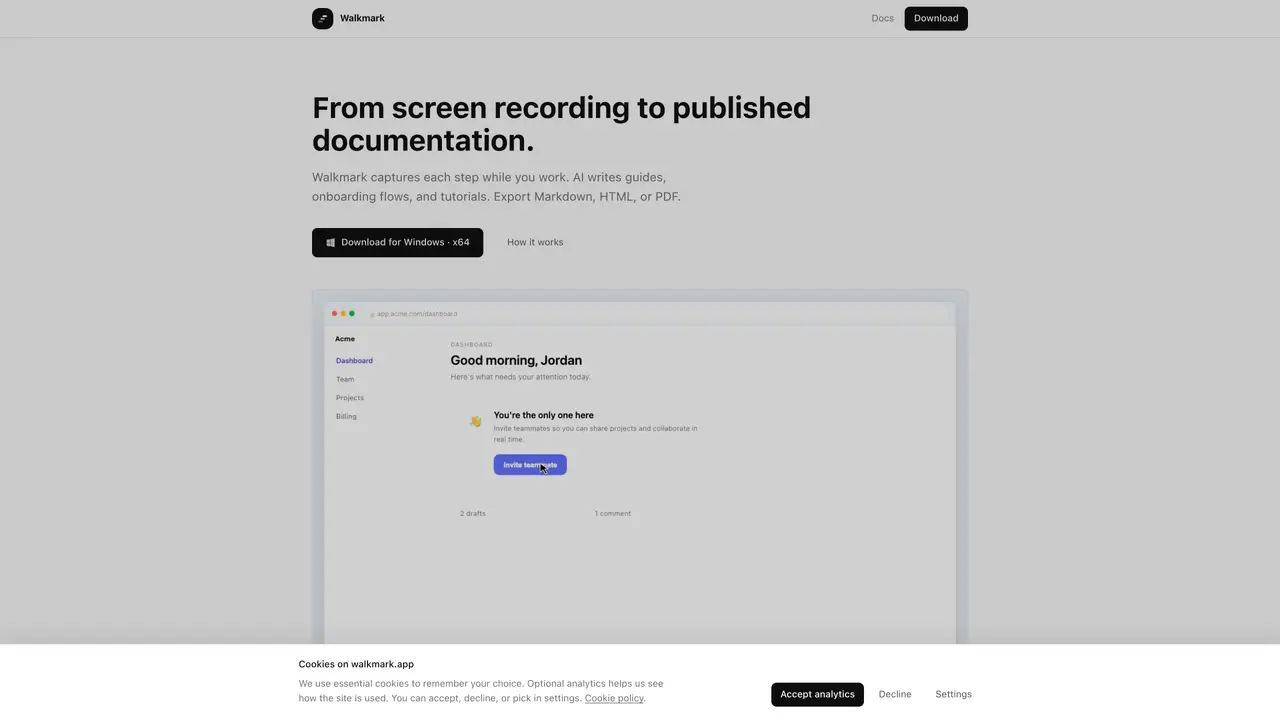
Walkmark is an open-source desktop application for macOS, Windows, and Linux that records screen activity and converts it into step-by-step documentation. Users select a screen or window, perform a task while the app automatically captures screenshots at each meaningful interaction, and then use AI to generate guides, onboarding flows, or tutorials. The AI model analyzes the full sequence of screenshots to produce coherent step-by-step instructions with consistent context, avoiding repetition or contradictions. Exports are available in Markdown, HTML, or PDF formats, each including numbered steps and embedded screenshots. The app operates locally by default, with AI writing handled either through local models like Ollama, third-party APIs, or an optional hosted service. Editing tools allow users to reorder steps, redact sensitive fields, or adjust framing before finalizing the output.
Walkmark is a free, open-source desktop application for macOS, Windows, and Linux that records screen activity and converts it into AI-generated step-by-step documentation. It captures screenshots during meaningful interactions and uses AI to produce coherent guides, onboarding flows, or tutorials.
Users select a screen or window, perform a task while the app automatically captures screenshots at each click, type, or scroll. The AI then drafts titles and step-by-step instructions from the sequence, which can be edited and exported in Markdown, HTML, or PDF formats.
No account is required for the open-source desktop app. Walkmark Cloud, a hosted AI writing service, will be optional and may require an account when it launches.
Recording, editing, and export remain local by default. Screenshots and prompts only leave your machine when you click 'Write' to use a local model, your own API provider, or Walkmark Cloud when available.
Walkmark supports any vision-capable AI model, including local models like Ollama, third-party APIs such as OpenAI, Gemini, or Anthropic, or an OpenAI-compatible local server.
Walkmark exports guides in Markdown (with an images folder), self-contained HTML, or print-ready PDF. Users can also copy formatted text to the clipboard from the editor.
We use essential cookies to run aitoolnavio™, and optional cookies to analyze traffic and measure our marketing. You choose what we use — optional cookies stay off unless you turn them on. See our Privacy Policy.
One short email a week: fresh tools worth trying, honest takes and the updates that actually matter. No spam, unsubscribe any time.
Summarizes, extracts, and rewrites content from files.
Automate citation and reference management, aid research with text and data mining, and securely store and share documents.
Capture, organize, and share ideas, notes, and documents effortlessly.
Headless CMS that lets developers manage structured content and deliver it anywhere via flexible APIs and real-time collaboration tools.
Efficiently create and manage cases, streamline workflows, securely store and share documents, and collaborate with colleagues.
Access files, collaborate, and secure your data with unbeatable customizable system.
An AI-powered PDF editor and converter for editing, OCR, signing, annotating, merging, and chatting with documents across devices.
Browser-based PDF editor that edits, signs, converts, merges, compresses, and shares files, with AI for form filling, document chat, and PDF creation.
Securely store, access, and search documents from any device with ease.
Create and customize legal documents, consult lawyers, and access legal guides all in one platform.
Centralize brand assets, automate approvals, and collaborate with external partners in a single digital asset management platform.
AI diagramming and documentation tool for engineering teams to create and update cloud architecture, ERDs, and flowcharts from prompts, code, and CI/CD workflows.
Matched on what this tool does — grouped by the job you would be replacing.
matches Automatic screenshot capture on clicks, typing, and scrolling · AI-generated step-by-step documentation from sequences · Redaction tools for sensitive fields like passwords
AI-powered process documentation tool that captures workflows into visual step-by-step guides with screenshots, editing, and exports.
Turn recorded processes into shareable step-by-step guides with automatic screenshots and editing tools.
Records browser workflows and generates shareable guides in HTML, PDF and video
Records web workflows and turns them into shareable step-by-step guides and exportable documentation with AI assistance.