

Summarizes, extracts, and rewrites content from files.
89M visits/mo+8.7%#2 Productivity & Office
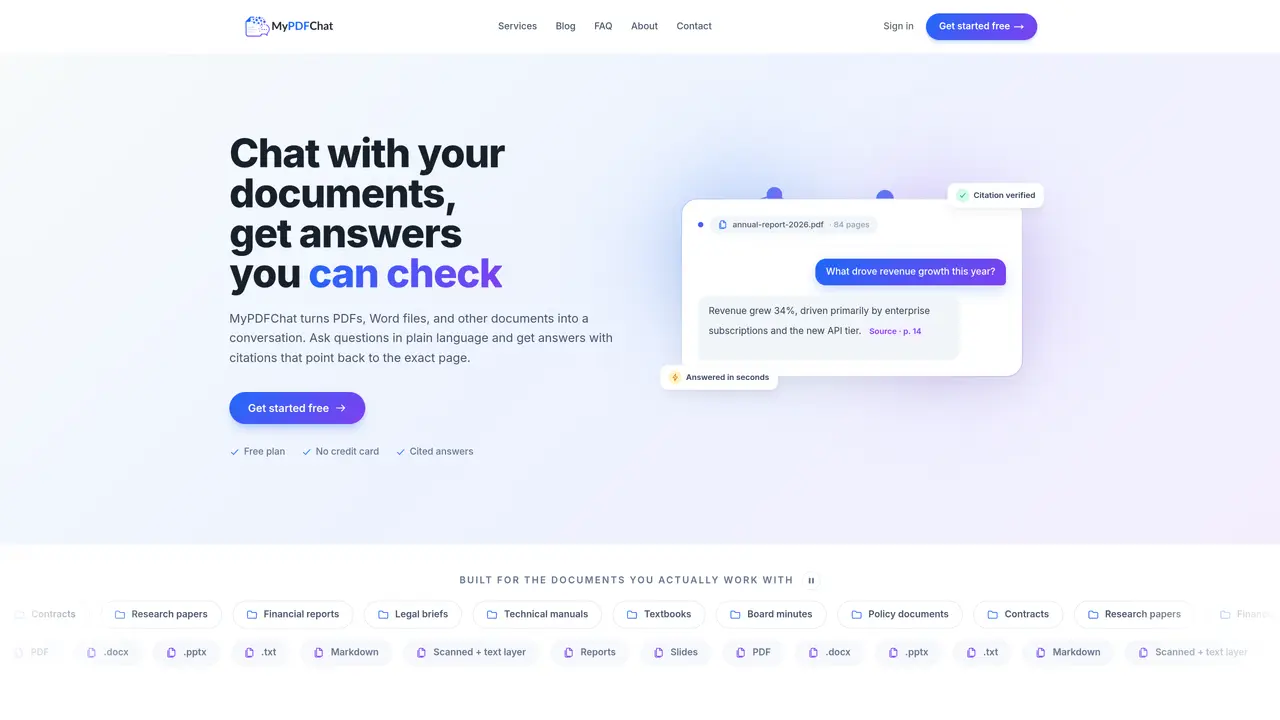
MyPDFChat ingests PDFs, Word files, PowerPoint decks, plain text and scanned documents with text layers, converting them into an interactive chat interface. Users upload files and pose questions in natural language, receiving answers accompanied by citations that link to the exact passage and page number within the source document. The tool supports multi-document conversations, allowing users to upload several files into a single chat session for cross-referencing, comparison or synthesis. Each response is grounded in the uploaded material, and the platform explicitly states when a question cannot be answered from the provided documents. Documents are processed securely, stored privately in the user’s workspace, and removed upon deletion; they are not used to train external AI models. The interface emphasizes verification by design, with every claim traceable to its origin, making it suitable for tasks requiring auditability or detailed review.
MyPDFChat is an AI-powered platform that allows users to upload documents such as PDFs, Word files, PowerPoint decks, and plain text, then ask questions in natural language and receive answers with citations linking to the exact passage and page number in the source document.
Yes, MyPDFChat offers a free plan that allows users to upload documents and chat within monthly limits without requiring a credit card. Paid plans are available to increase limits and file sizes.
Every answer includes citations that point to the exact passage and page number in the source document. Users can click on these citations to review the original text and confirm the answer's accuracy.
Documents are stored privately in the user’s workspace and are removed from MyPDFChat’s systems once deleted. They are not used to train external AI models.
Yes, MyPDFChat supports multi-document conversations, allowing users to upload several files into a single chat session for cross-referencing, comparison, or synthesis.
Yes, the platform is designed for legal and compliance tasks, enabling users to find specific clauses, compare drafts, and maintain an audit trail with traceable citations for every claim.
We use essential cookies to run aitoolnavio™, and optional cookies to analyze traffic and measure our marketing. You choose what we use — optional cookies stay off unless you turn them on. See our Privacy Policy.
One short email a week: fresh tools worth trying, honest takes and the updates that actually matter. No spam, unsubscribe any time.
Summarizes, extracts, and rewrites content from files.
Free tool to collect, organize, cite and share research sources
An AI-powered PDF editor and converter for editing, OCR, signing, annotating, merging, and chatting with documents across devices.
Browser-based PDF editor that edits, signs, converts, merges, compresses, and shares files, with AI for form filling, document chat, and PDF creation.
Streamline PDF interaction with AI summarization, batch processing, and secure Q&A.
Efficiently find data, extract key topics, map entities, analyze sentiment, and highlight important points in your PDF documents.
All-in-one AI platform for writing, image, music, and analysis.
AI-powered PDF editor with built-in agents for summarization, translation, and document analysis.
Obtain information, navigate documents, and customize responses with an AI-powered chatbot and user-friendly interface.
Summarize, chat with, and clean up PDFs.
Find sections, analyze & extract content, and interact with documents efficiently using AI-powered technology.
Generate comprehensive PDF reports, leverage NLP and ML to understand documents, save time and money with faster decision-making.
Matched on what this tool does — grouped by the job you would be replacing.
matches Natural language Q&A with answers citing exact page and passage · Answers explicitly state when information is not present in documents · Secure document processing with encryption in transit and at rest
Generate comprehensive PDF reports, leverage NLP and ML to understand documents, save time and money with faster decision-making.
Upload documents and ask AI questions about their content online
Turn PDFs, DOCX, TXT and Markdown into searchable AI assistants with source-backed answers and citations.
Answers and summaries generated from uploaded files and media