Generate content, correct spelling, suggest synonyms to enhance writing.
173M visits/mo+0.1%#1 Productivity & Office

Generates App Store and Google Play screenshots from a single app description
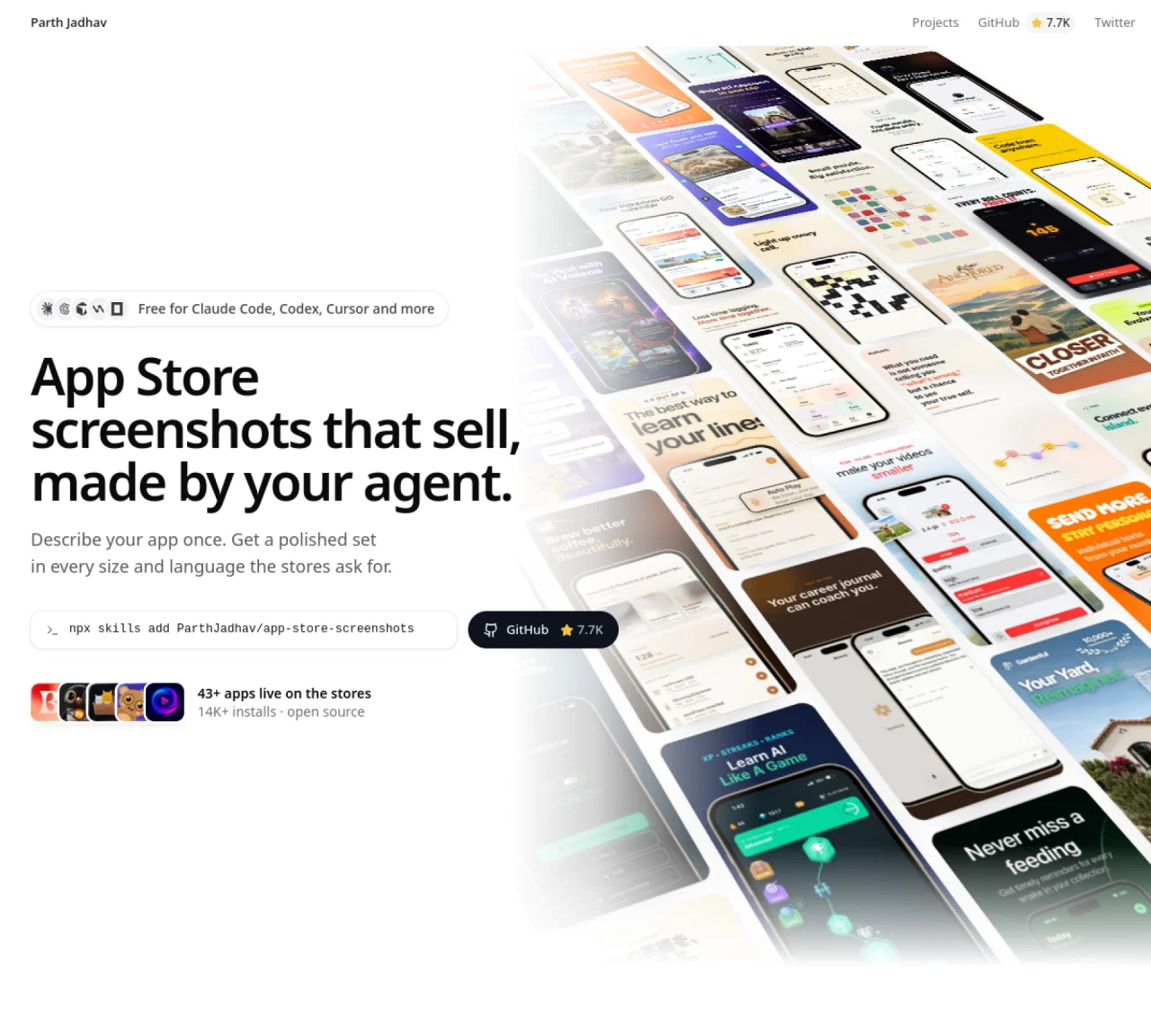
App Store Screenshots is a free, open-source skill for AI coding agents that produces polished App Store and Google Play screenshots. Users describe their app once, then the agent generates a complete set of screenshots in every required size and language. The tool supports iPhone, iPad, Mac, Apple Watch, Apple TV, CarPlay, Android phones and tablets, as well as the Google Play feature graphic and App Store creative assets. After generation, users can edit headlines, screenshots, and layouts in a local editor before exporting PNG bundles that meet App Store Connect and Google Play specifications. The process is designed to work with popular AI coding agents such as Claude Code, Codex, Cursor, Windsurf, and OpenCode. All work is saved locally in a JSON file, allowing the screenshot set to be recreated on any machine.
App Store Screenshots is a free, open-source skill for AI coding agents that automates the creation of polished App Store and Google Play screenshots. Users describe their app once, and the tool generates a complete set of screenshots in all required sizes and languages.
The tool is designed for developers, designers, and teams who need to create App Store and Google Play screenshots efficiently. It is particularly useful for those using AI coding agents like Claude Code, Codex, Cursor, Windsurf, or OpenCode.
To get started, install the skill using a package manager like npm, pnpm, yarn, or bun. Then, ask your AI coding agent to generate screenshots by providing details about your app, such as its purpose, features, and desired styles.
Yes, the tool supports screenshots for iPhone, iPad, Mac, Apple Watch, Apple TV, CarPlay, Android phones and tablets, as well as Google Play feature graphics and App Store creative assets. It also supports multiple languages, including English, Japanese, German, French, and Spanish.
Yes, the tool includes a local editor where you can tweak headlines, screenshots, and layouts before exporting. You can also ask your AI agent to make changes after the initial generation.
Yes, App Store Screenshots is free and open-source under the MIT license. It does not require any payment to use, and all generated screenshots are saved locally in a JSON file for future use.
We use essential cookies to run aitoolnavio™, and optional cookies to analyze traffic and measure our marketing. You choose what we use — optional cookies stay off unless you turn them on. See our Privacy Policy.
One short email a week: fresh tools worth trying, honest takes and the updates that actually matter. No spam, unsubscribe any time.
Generate content, correct spelling, suggest synonyms to enhance writing.
Turn messy team ideas into actionable plans with Miro's visual workspace.
Leverage analytics, automate tasks, share documents, and coordinate projects.
Integrates AI into Airtable to analyze data, summarize insights, draft content, and automate workflows without prior AI experience.
Cloud accounting software that automates bookkeeping, invoicing, and financial reporting for small and growing businesses.
Streamline teamwork, manage projects, automate tasks efficiently.
Automate code, research, and documents using agents.
AI assistant for safe, reliable productivity with code, collaboration, and integrations.
Create customizable tables, databases, and spreadsheets, share data securely with team members.
Easy-to-use CRM platform that automates lead capturing, prioritizes tasks, and provides sales pipeline analytics for businesses of all sizes.
Transforms thoughts into actions, enhancing productivity and efficiency.
Write & run code in 50+ languages, auto-complete with AI, and code faster with an intuitive interface.
Matched on what this tool does — grouped by the job you would be replacing.
Paid placement · similar tools from listings that support aitoolnavio™
Instant lead response for home-service pros: your phone rings on every new lead, plus 14 days of follow-up
matches Generates screenshots for iPhone, iPad, Mac, Apple Watch, Apple TV, CarPlay, Android phones and tablets · Supports the Google Play feature graphic and App Store creative assets · Local editor for tweaking headlines, screenshots, and layouts
AI-powered app icon generator for Android, iOS, and web apps with no design skills required.
AI-powered tool to generate and localize App Store and Google Play screenshots and icons
Generates and polishes App Store and Google Play screenshots using templates and AI
Generates and edits App Store and Google Play screenshots from real app screenshots