Generate content, correct spelling, suggest synonyms to enhance writing.
173M visits/mo+0.1%#1 Productivity & Office

Mac productivity app that converts to-do lists into AI-driven execution plans with pressure-based reminders
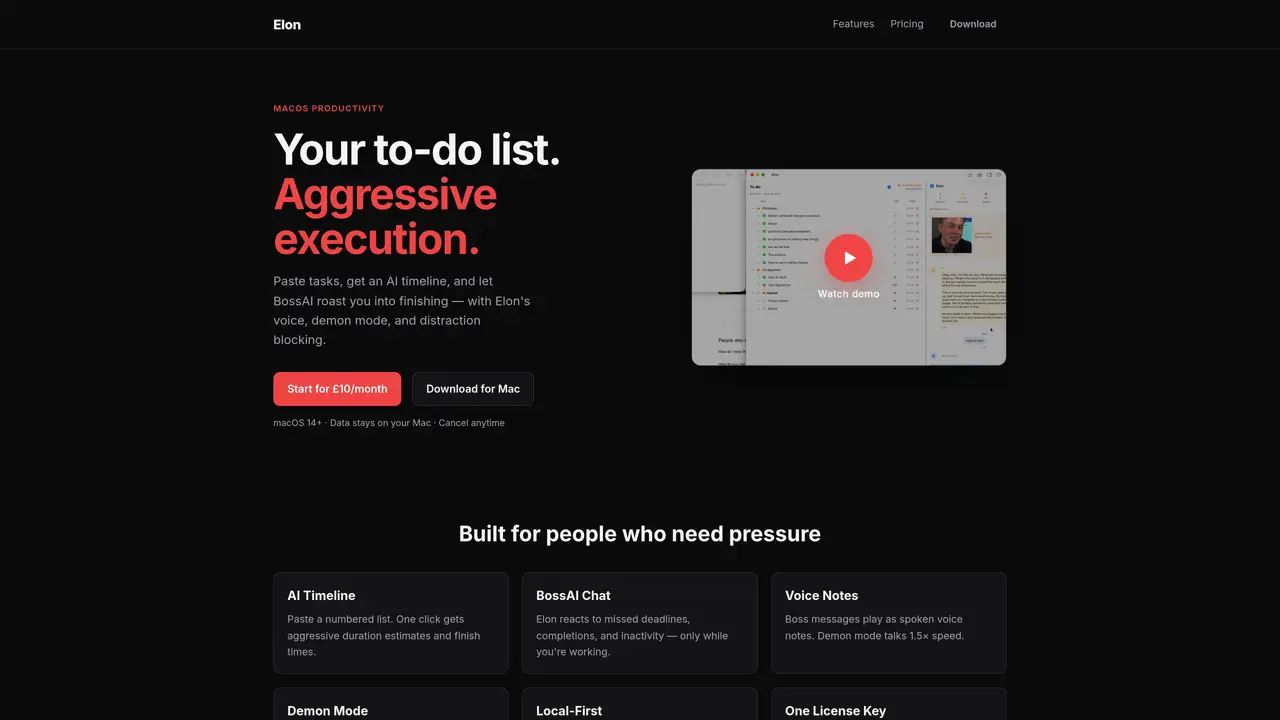
Elon is a macOS productivity application designed to convert task lists into structured execution plans using AI-driven estimates and reminders. Users paste numbered task lists and receive aggressive duration predictions and finish times through an AI timeline. The app includes a BossAI chat feature that responds to missed deadlines, task completions, and inactivity with spoken voice notes, escalating urgency as needed. Demon mode increases the speed of voice messages while distraction blocking prevents access to specified websites during work sessions. All tasks, chat history, and settings are stored locally in an SQLite database on the user’s Mac, with no cloud account or external AI service required. The application operates through a one-time license key purchase and subscription model, with data remaining entirely on the user’s device. It targets individuals who respond to pressure and need structured accountability to complete tasks efficiently.
Elon is a macOS productivity application that converts task lists into structured execution plans using AI-driven estimates and reminders. Users paste numbered task lists to receive aggressive duration predictions and finish times through an AI timeline.
Elon targets individuals who respond to pressure and need structured accountability to complete tasks efficiently. It is built for users who benefit from aggressive execution and real-time feedback.
Elon operates on a subscription model with a one-time license key purchase. The pricing is simple, with a monthly fee that includes AI features, and users can cancel anytime.
No, Elon does not require an internet connection or a cloud account. All tasks, chat history, and settings are stored locally in an SQLite database on the user’s Mac.
Elon does not rely on external AI services or integrations. It includes built-in AI features such as BossAI chat and AI timeline estimates without requiring additional setup.
To get started, users subscribe to Elon, receive a license key via email, and paste it into the app’s settings. The app requires macOS 14 or later and can be downloaded directly from the website.
We use essential cookies to run aitoolnavio™, and optional cookies to analyze traffic and measure our marketing. You choose what we use — optional cookies stay off unless you turn them on. See our Privacy Policy.
One short email a week: fresh tools worth trying, honest takes and the updates that actually matter. No spam, unsubscribe any time.
Generate content, correct spelling, suggest synonyms to enhance writing.
Turn messy team ideas into actionable plans with Miro's visual workspace.
Leverage analytics, automate tasks, share documents, and coordinate projects.
Integrates AI into Airtable to analyze data, summarize insights, draft content, and automate workflows without prior AI experience.
Cloud accounting software that automates bookkeeping, invoicing, and financial reporting for small and growing businesses.
Streamline teamwork, manage projects, automate tasks efficiently.
Automate code, research, and documents using agents.
AI assistant for safe, reliable productivity with code, collaboration, and integrations.
Create customizable tables, databases, and spreadsheets, share data securely with team members.
Easy-to-use CRM platform that automates lead capturing, prioritizes tasks, and provides sales pipeline analytics for businesses of all sizes.
Transforms thoughts into actions, enhancing productivity and efficiency.
Write & run code in 50+ languages, auto-complete with AI, and code faster with an intuitive interface.
Matched on what this tool does — grouped by the job you would be replacing.
Paid placement · similar tools from listings that support aitoolnavio™
Instant lead response for home-service pros: your phone rings on every new lead, plus 14 days of follow-up
matches AI timeline with duration estimates · BossAI chat with spoken reminders · Demon mode for escalating urgency
matches Voice notes at normal and 1.5x speed · Local SQLite data storage
Boost productivity with macOS and AI integration.
Create task lists, get reminders, track progress, and receive real-time feedback for organized workflow.
Turns a short voice update into an actionable daily task list with smart carry-over and suggestions.
Private AI voice journal for iPhone that transcribes and organizes spoken notes offline
Local AI tool that transcribes and summarizes voice recordings into searchable notes
Offline voice dictation for macOS with instant text output
Offline voice dictation tool for Windows, macOS and Linux