Generate content, correct spelling, suggest synonyms to enhance writing.
173M visits/mo+0.1%#1 Productivity & Office

Voice notes, reminders, and organization tool with automatic categorization
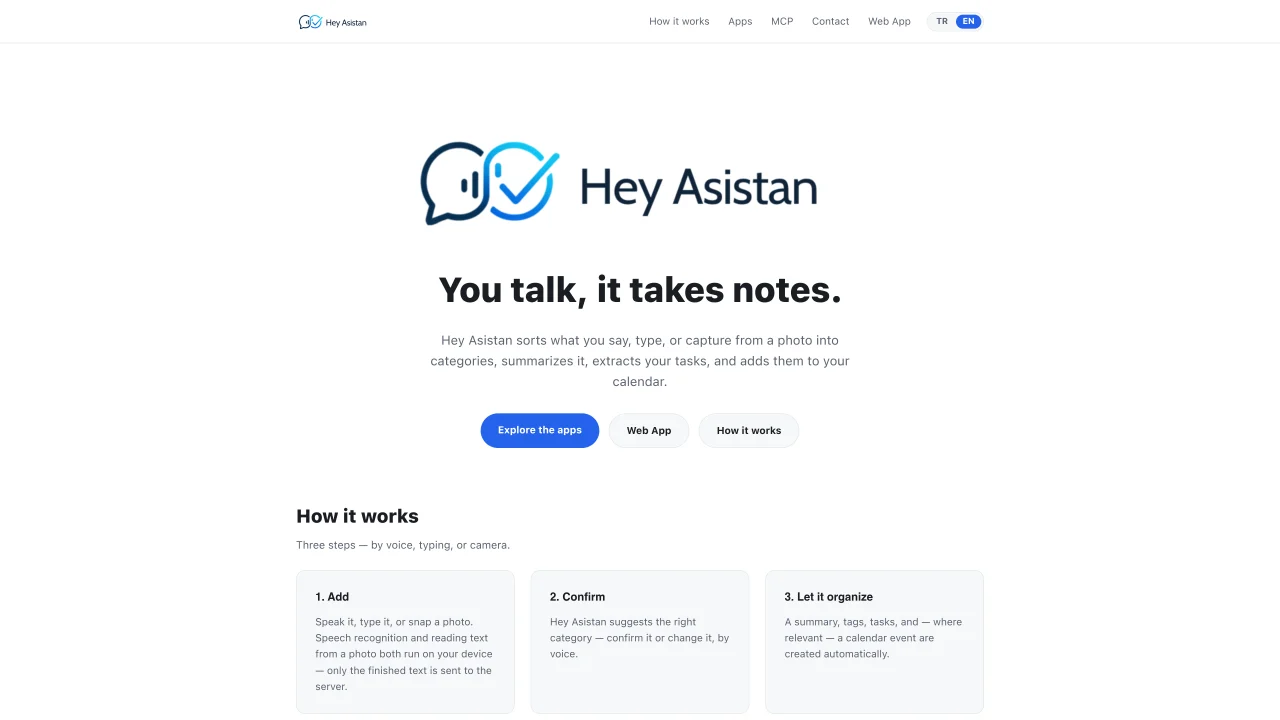
Hey Asistan processes voice notes, typed text, or captured photos by converting speech to text, extracting text from images, and organizing the content. It automatically sorts input into categories, generates summaries, identifies tasks, and creates calendar events. Users can confirm or adjust suggested categories through voice commands. The tool runs speech recognition and OCR locally on devices before sending only the processed text to servers. Native applications are available for iPhone, iPad, Android, Mac, Windows, and Linux, with a web version accessible via browser. The same account synchronizes across all platforms, allowing seamless transitions between devices.
Hey Asistan is an application that converts voice notes, typed text, or captured photos into organized content. It sorts input into categories, generates summaries, extracts tasks, and creates calendar events.
Hey Asistan suits individuals who need help organizing notes, tasks, and reminders across multiple devices. It is useful for students, professionals, or anyone who prefers voice or image-based input for capturing information.
Speech recognition and OCR run locally on your device, and only the processed text is sent to servers. This ensures your data is handled securely before any external transmission.
Yes, Hey Asistan offers native apps for iPhone, iPad, Android, Mac, Windows, and Linux, as well as a web version. The same account synchronizes across all platforms for seamless transitions.
Download the app for your device from the respective app store or visit the web version at app.heyasistan.tr. Create an account to begin capturing and organizing content through voice, typing, or photos.
Yes, Hey Asistan suggests categories for your input, which you can confirm or change using voice commands. This allows you to customize how your content is organized.
We use essential cookies to run aitoolnavio™, and optional cookies to analyze traffic and measure our marketing. You choose what we use — optional cookies stay off unless you turn them on. See our Privacy Policy.
One short email a week: fresh tools worth trying, honest takes and the updates that actually matter. No spam, unsubscribe any time.
Generate content, correct spelling, suggest synonyms to enhance writing.
Turn messy team ideas into actionable plans with Miro's visual workspace.
Leverage analytics, automate tasks, share documents, and coordinate projects.
Integrates AI into Airtable to analyze data, summarize insights, draft content, and automate workflows without prior AI experience.
Cloud accounting software that automates bookkeeping, invoicing, and financial reporting for small and growing businesses.
Streamline teamwork, manage projects, automate tasks efficiently.
Automate code, research, and documents using agents.
AI assistant for safe, reliable productivity with code, collaboration, and integrations.
Create customizable tables, databases, and spreadsheets, share data securely with team members.
Easy-to-use CRM platform that automates lead capturing, prioritizes tasks, and provides sales pipeline analytics for businesses of all sizes.
Transforms thoughts into actions, enhancing productivity and efficiency.
Write & run code in 50+ languages, auto-complete with AI, and code faster with an intuitive interface.
Matched on what this tool does — grouped by the job you would be replacing.
Paid placement · similar tools from listings that support aitoolnavio™
Instant lead response for home-service pros: your phone rings on every new lead, plus 14 days of follow-up
matches Voice note capture · Text input from typing · Photo-to-text conversion
matches Photo-to-text conversion · Automatic categorization · Summary generation
Voice-powered AI that turns speech into structured, editable text with smart tagging and auto-organization for hands-free note-taking and workflows.
Capture-first personal knowledge workspace for notes, voice, meetings, images, and multilingual conversations
An AI note-taking web app that converts voice, audio, and documents into structured Notion pages with optional AI insights.
AI-powered daily planner that organizes tasks, emails and calendar events via voice or text
Summarizes, extracts, and rewrites content from files.
A cognitive intelligence API platform for adding computer vision, voice, transcription, and NLP features to applications.
AI-powered document scanner and invoice organizer for automated analysis and storage