Generate content, correct spelling, suggest synonyms to enhance writing.
173M visits/mo+0.1%#1 Productivity & Office

AI email triage that sorts all your Gmail inboxes overnight and drafts context-aware replies.
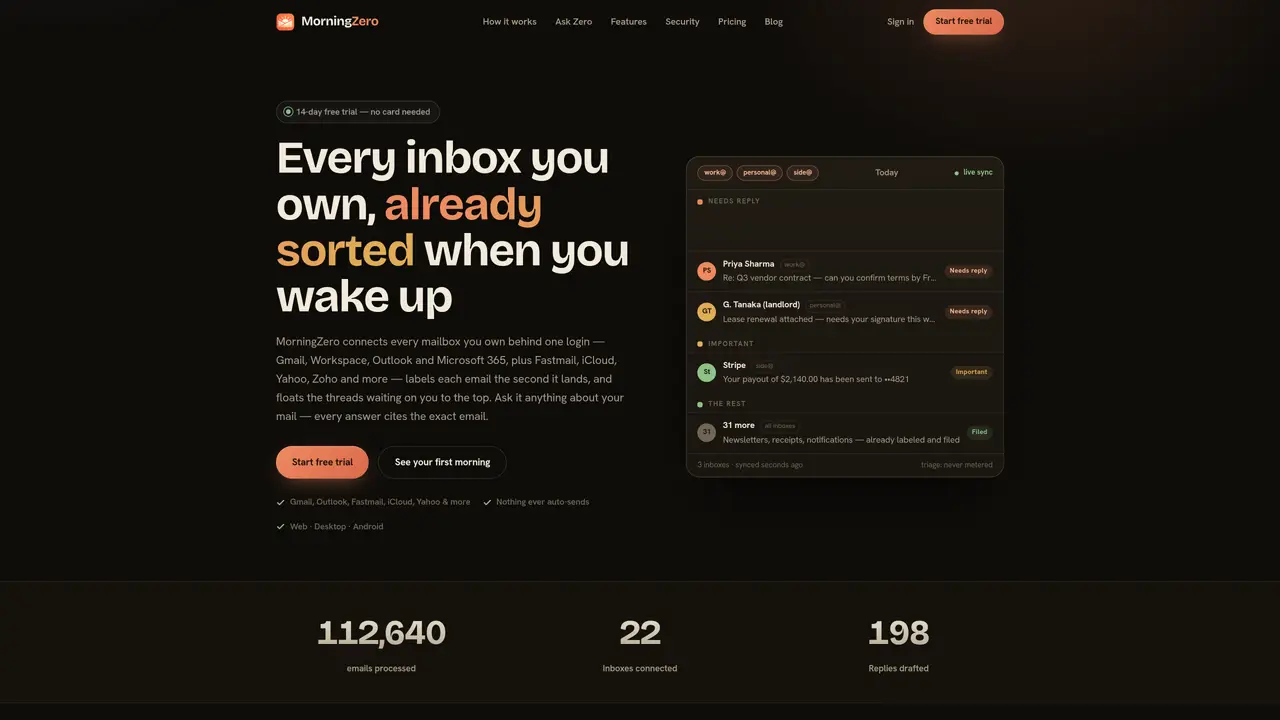
MorningZero connects multiple Gmail and Google Workspace accounts under a single login and automatically labels and triages incoming emails. It organizes each inbox into three categories—Important, Needs Reply, and The Rest—so users start each day with a pre-sorted inbox. When opening a thread, a context-aware reply draft is generated and ready to send with one tap, though no messages are ever auto-sent. Users can also query their mail using natural-language questions and receive answers backed by exact source emails. The tool prioritizes efficiency by reducing manual sorting and accelerating response times without removing user control over sending. It is designed for professionals and teams who rely on Gmail for high-volume communication and need a streamlined way to manage priorities. MorningZero operates in the background, ensuring minimal disruption while delivering a structured, actionable inbox each morning.
MorningZero supports Gmail, Google Workspace, Outlook, Microsoft 365, Fastmail, iCloud, Yahoo, Zoho, and other providers via app passwords.
No, MorningZero never auto-sends emails. All messages require user confirmation before being sent.
It labels each email the moment it arrives, splitting them into three buckets—Important, Needs Reply, and The Rest—before the user wakes up.
Yes, it performs live searches across every connected inbox and cites the exact source emails for answers.
No, MorningZero processes emails at any volume without metered AI-credit quotas or message limits.
It uses provider-specific consent screens for major services and app passwords for others, ensuring no login credentials are stored.
We use essential cookies to run aitoolnavio™, and optional cookies to analyze traffic and measure our marketing. You choose what we use — optional cookies stay off unless you turn them on. See our Privacy Policy.
One short email a week: fresh tools worth trying, honest takes and the updates that actually matter. No spam, unsubscribe any time.
Generate content, correct spelling, suggest synonyms to enhance writing.
Turn messy team ideas into actionable plans with Miro's visual workspace.
Leverage analytics, automate tasks, share documents, and coordinate projects.
Integrates AI into Airtable to analyze data, summarize insights, draft content, and automate workflows without prior AI experience.
Cloud accounting software that automates bookkeeping, invoicing, and financial reporting for small and growing businesses.
Streamline teamwork, manage projects, automate tasks efficiently.
Automate code, research, and documents using agents.
AI assistant for safe, reliable productivity with code, collaboration, and integrations.
Create customizable tables, databases, and spreadsheets, share data securely with team members.
Easy-to-use CRM platform that automates lead capturing, prioritizes tasks, and provides sales pipeline analytics for businesses of all sizes.
Transforms thoughts into actions, enhancing productivity and efficiency.
Write & run code in 50+ languages, auto-complete with AI, and code faster with an intuitive interface.
Matched on what this tool does — grouped by the job you would be replacing.
Paid placement · similar tools from listings that support aitoolnavio™
Instant lead response for home-service pros: your phone rings on every new lead, plus 14 days of follow-up
matches Automatic email triage into Important, Needs Reply, and The Rest · Context-aware reply drafts ready with one tap · Natural-language queries answered with cited email sources
AI-powered email assistant that organizes inboxes, drafts replies, and surfaces priorities across multiple email providers.
AI email assistant that categorizes and prioritizes messages in Gmail or Outlook using natural language processing.
AI assistant that scans sent emails to find and draft follow-ups in your inbox
AI-powered inbox manager that drafts context-aware email replies and surfaces action items across Gmail, Outlook, and calendars.