

Generate content, correct spelling, suggest synonyms to enhance writing.
173M visits/mo+0.1%#1 Productivity & Office
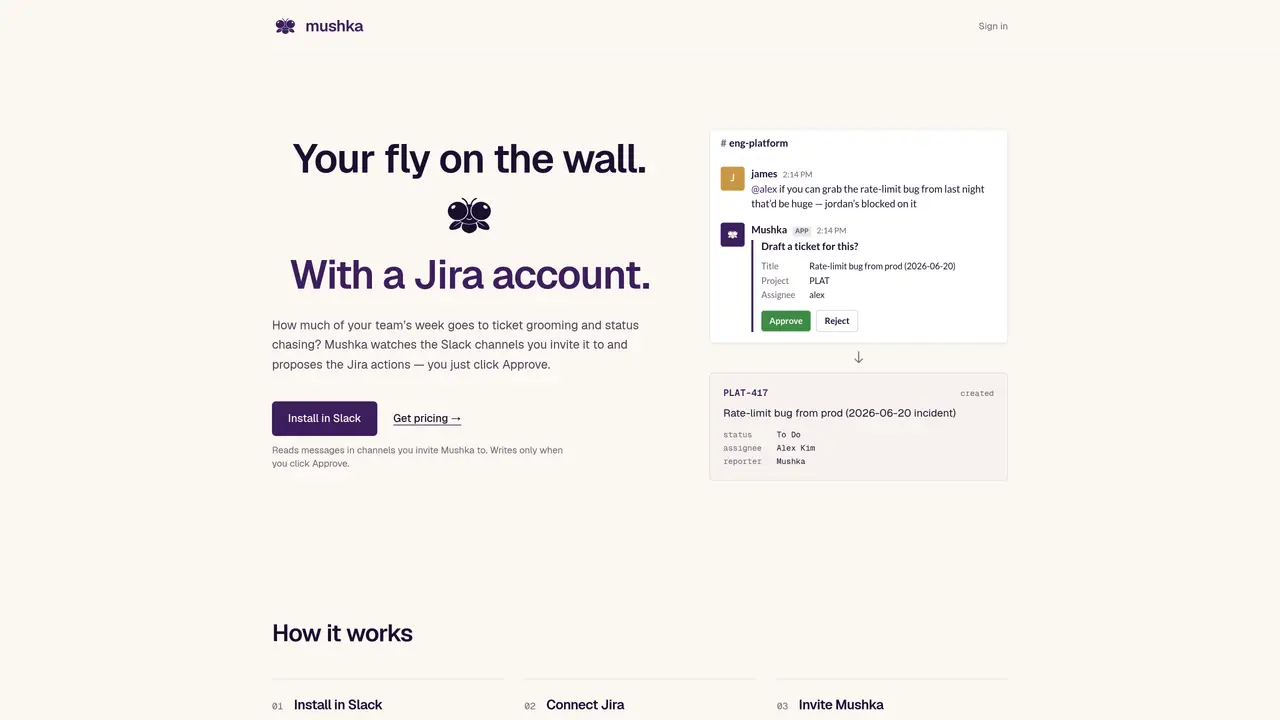
Mushka is a Slack-integrated bot that monitors designated channels and proposes Jira ticket drafts based on conversations. It reads messages only in channels explicitly invited to and drafts tickets with suggested titles, projects, and assignees. Each proposal requires a human team member to click Approve before any action is written to Jira. The tool maintains an audit log of all approved actions, including what was proposed, who approved it, and the resulting Jira ticket details. Raw Slack messages are processed for ticket drafting and then deleted, ensuring Slack remains the primary record. Mushka connects to Jira via OAuth and restricts its actions to the specific projects authorized by the user. All credentials are encrypted at rest with customer-specific keys, and data is not used to train AI models.
Mushka only reads messages in channels explicitly invited to using /invite @Mushka. It does not access DMs, private channels it wasn’t invited to, or workspace-wide content.
No. Mushka proposes actions in Slack, but executes them only after a human team member clicks Approve. Proposing and executing are separate processes.
Raw Slack messages are deleted after processing. Activity digests are sent to large-language-model providers under agreements that prohibit training on your data.
No. Slack remains the primary record. Mushka holds raw messages only briefly to draft tickets, then deletes them, and retains only an audit log of approved actions.
Slack and Jira tokens are encrypted at rest with customer-specific keys (AES-256-GCM) and decrypted only at the moment of use. All actions are scoped to the projects you authorize.
Mushka currently integrates with Slack and Jira. Linear, GitHub Issues, and Microsoft Teams are planned for future releases.
We use essential cookies to run aitoolnavio™, and optional cookies to analyze traffic and measure our marketing. You choose what we use — optional cookies stay off unless you turn them on. See our Privacy Policy.
One short email a week: fresh tools worth trying, honest takes and the updates that actually matter. No spam, unsubscribe any time.
Generate content, correct spelling, suggest synonyms to enhance writing.
Turn messy team ideas into actionable plans with Miro's visual workspace.
Leverage analytics, automate tasks, share documents, and coordinate projects.
Integrates AI into Airtable to analyze data, summarize insights, draft content, and automate workflows without prior AI experience.
Cloud accounting software that automates bookkeeping, invoicing, and financial reporting for small and growing businesses.
Streamline teamwork, manage projects, automate tasks efficiently.
Automate code, research, and documents using agents.
AI assistant for safe, reliable productivity with code, collaboration, and integrations.
Create customizable tables, databases, and spreadsheets, share data securely with team members.
Easy-to-use CRM platform that automates lead capturing, prioritizes tasks, and provides sales pipeline analytics for businesses of all sizes.
Transforms thoughts into actions, enhancing productivity and efficiency.
Write & run code in 50+ languages, auto-complete with AI, and code faster with an intuitive interface.
Matched on what this tool does — grouped by the job you would be replacing.
Paid placement · similar tools from listings that support aitoolnavio™
Instant lead response for home-service pros: your phone rings on every new lead, plus 14 days of follow-up
matches Slack message monitoring in invited channels · Jira ticket drafting with suggested titles and assignees · Human approval required for all Jira writes
AI assistant that converts WhatsApp project updates into structured actions in project tools












