
Generate content, correct spelling, suggest synonyms to enhance writing.
173M visits/mo+0.1%#1 Productivity & Office
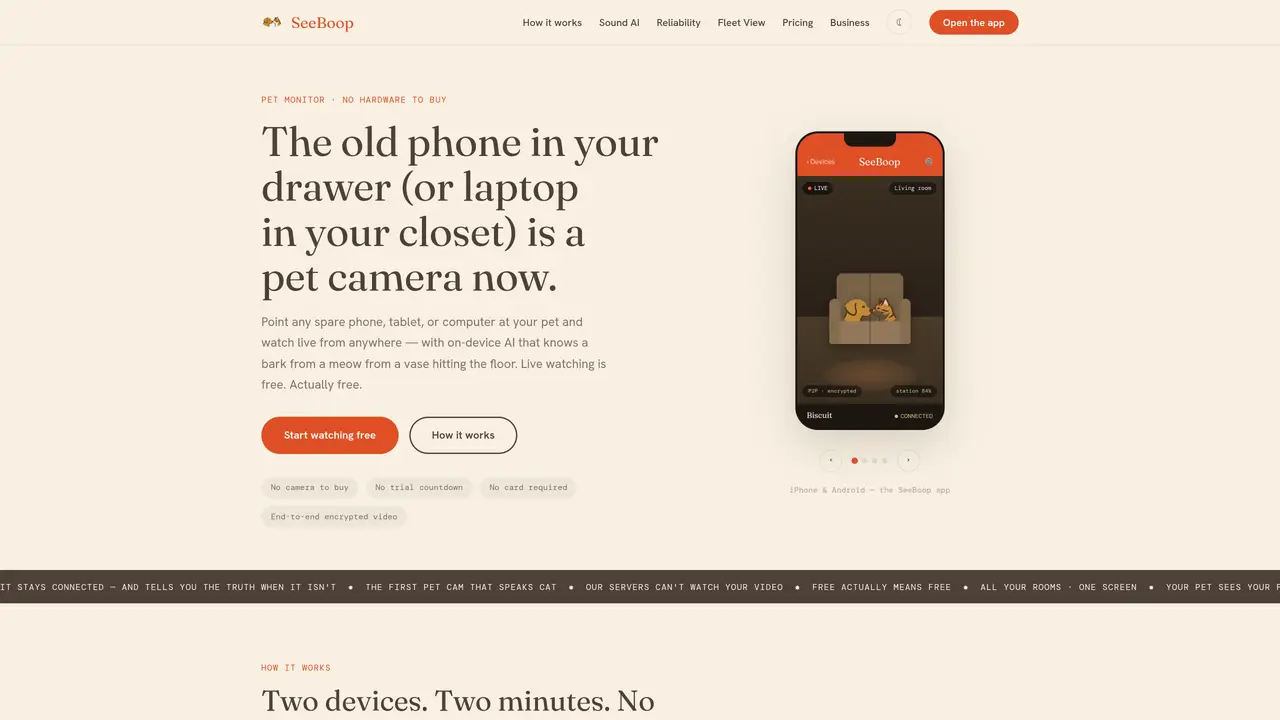
SeeBoop converts spare phones, tablets or computers into pet cameras without requiring new hardware. A Station device is placed near the pet while a Viewer device displays the live feed from anywhere. The app pairs the two devices via QR code, establishing a direct P2P encrypted connection that avoids cloud storage of video. On-device sound AI distinguishes between barks, meows and crashes, sending specific alerts rather than generic motion notifications. The system includes features like remote lens flipping, night mode, battery telemetry and weekly calm insights derived from logged events. It supports multiple rooms through a Fleet View grid and prioritizes reliability with auto-reconnect and status indicators to prevent silent failures.
SeeBoop converts spare phones, tablets, or computers into pet cameras by using one device as a Station (camera) and another as a Viewer (display). The app pairs the two devices via QR code, creating a direct P2P encrypted connection without cloud storage of video.
SeeBoop is designed for pet owners who want a simple, cost-effective way to monitor pets using existing devices. It suits households with spare phones, tablets, or computers and those seeking reliable, private pet monitoring.
No, SeeBoop does not require any new hardware. It repurposes old phones, tablets, or computers as pet cameras, eliminating the need for additional purchases.
SeeBoop uses end-to-end encrypted video and audio streams, ensuring that video and audio are never stored on servers. The on-device sound AI processes audio locally, further protecting privacy.
Yes, SeeBoop’s on-device sound AI distinguishes between barks, meows, and other sounds, sending specific alerts rather than generic motion notifications. It also provides weekly calm insights based on logged events.
SeeBoop automatically reconnects if the connection drops, with a media watchdog that detects frozen streams. The app also provides clear status indicators (Live, Reconnecting, Offline) and sends a push notification if the Station goes offline.
We use essential cookies to run aitoolnavio™, and optional cookies to analyze traffic and measure our marketing. You choose what we use — optional cookies stay off unless you turn them on. See our Privacy Policy.
One short email a week: fresh tools worth trying, honest takes and the updates that actually matter. No spam, unsubscribe any time.
Generate content, correct spelling, suggest synonyms to enhance writing.
Turn messy team ideas into actionable plans with Miro's visual workspace.
Leverage analytics, automate tasks, share documents, and coordinate projects.
Integrates AI into Airtable to analyze data, summarize insights, draft content, and automate workflows without prior AI experience.
Cloud accounting software that automates bookkeeping, invoicing, and financial reporting for small and growing businesses.
Streamline teamwork, manage projects, automate tasks efficiently.
Automate code, research, and documents using agents.
AI assistant for safe, reliable productivity with code, collaboration, and integrations.
Create customizable tables, databases, and spreadsheets, share data securely with team members.
Easy-to-use CRM platform that automates lead capturing, prioritizes tasks, and provides sales pipeline analytics for businesses of all sizes.
Transforms thoughts into actions, enhancing productivity and efficiency.
Write & run code in 50+ languages, auto-complete with AI, and code faster with an intuitive interface.
Matched on what this tool does — grouped by the job you would be replacing.
Paid placement · similar tools from listings that support aitoolnavio™
Instant lead response for home-service pros: your phone rings on every new lead, plus 14 days of follow-up
matches On-device sound AI for bark, meow and crash detection · End-to-end encrypted video and audio streaming · Remote lens flipping between front and back cameras
matches On-device sound AI for bark, meow and crash detection · End-to-end encrypted video and audio streaming · Remote lens flipping between front and back cameras
AI pet camera that lets you monitor, talk to, and treat your pet remotely with real-time alerts and health insights.
Monitor pet health and activity, receive alerts for issues, and remotely communicate with your pet.
Turns security cameras into AI-powered video intelligence with real-time alerts and smart search.
Revolutionize security with real-time AI alerts and scalable cloud management.
Turns standard cameras into smart devices that detect theft, incidents, and workplace behaviors for real-time monitoring.