AI assistant for safe, reliable productivity with code, collaboration, and integrations.

SlayTab
$2/moStarting price
0Popularity
About SlayTab
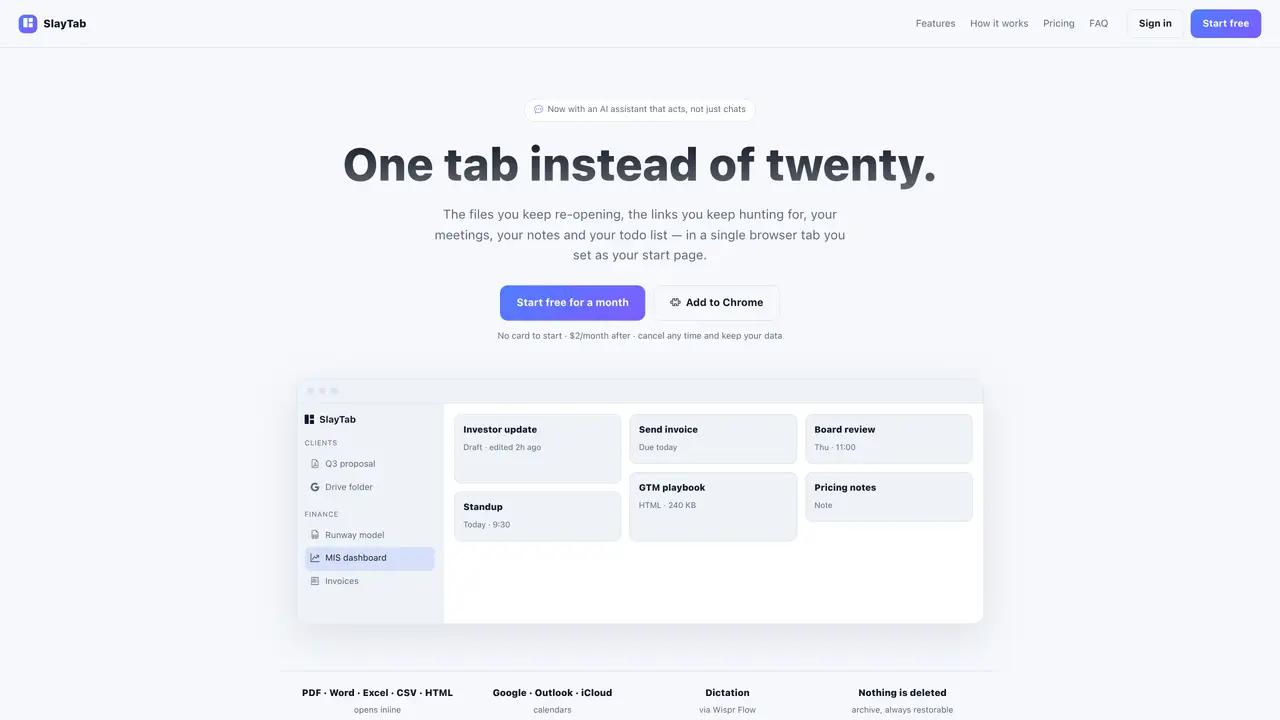
SlayTab replaces multiple browser tabs with a single start page that aggregates documents, links, notes, tasks and calendar events. Users upload PDFs, spreadsheets, decks, CSVs and HTML files which render inline rather than downloading into local folders. Links from services such as Google Drive, dashboards or inboxes are grouped into customizable categories with icons and colors. Calendar integration supports Google, Outlook and iCloud via direct sign-in or iCal feed, displaying day, week and month views with meeting join buttons. A built-in notepad autosaves content, supports voice dictation through Wispr Flow, and remains searchable. The AI assistant can retrieve saved information, open documents, add tasks, block calendar time or draft emails based on user queries. The extension allows one-click capture of active tabs or entire browser windows, reducing tab clutter. All content remains restorable and is not deleted even if the user cancels a paid plan.
Key features
- Inline PDF, spreadsheet, deck and HTML rendering
- Custom link categories with drag-to-reorder
- Google, Outlook and iCloud calendar integration
- Autosaving notepad with search functionality
- AI assistant for document retrieval and task automation
- One-click tab capture via browser extension
- Overdue, today and next seven days todo views
- Voice dictation support
Use cases
- Consolidating frequently accessed work documents and links
- Managing tasks, notes and calendar events from a single start page
- Reducing browser tab clutter by capturing and organizing open tabs
Pros
- Inline document rendering without downloads
- Customizable link categories with icons and colors
- Calendar integration across Google, Outlook and iCloud
- AI assistant that performs actions rather than just answering queries
- Voice dictation support via Wispr Flow integration
Cons
- AI assistant requires paid plan
- Calendar sync limited to read-only for iCal feeds
- Voice dictation depends on third-party app Wispr Flow
- Teams pricing requires direct contact
Frequently asked questions about SlayTab
What happens when I stop paying for SlayTab?
The AI assistant feature turns off, but all documents, links, notes, tasks, and connected calendars remain accessible and fully functional on the free plan indefinitely.
Does SlayTab read my documents or files?
Your files are stored securely and only returned to you. When using the AI assistant, your query and the relevant parts of your workspace are sent to OpenAI to generate a response.
Can SlayTab write to my Google Calendar?
Only if explicitly requested. The assistant can add events to a Google calendar you select, but nothing is written without your confirmation.
Does SlayTab work with Calendly or TidyCal?
Indirectly. Calendly and TidyCal write confirmed bookings to your Google, Outlook, or iCloud calendar, which can then be connected to SlayTab for display.
Can I dictate notes or tasks instead of typing?
Yes. SlayTab integrates with Wispr Flow, a desktop dictation app, allowing voice input for notes, tasks, or messages to the assistant.
What counts as one assistant message in the Pro plan?
One user query sent to the assistant counts as a single message, regardless of the actions it performs in response, such as searching, opening documents, or adding tasks.