Generate content, correct spelling, suggest synonyms to enhance writing.
173M visits/mo+0.1%#1 Productivity & Office

AI-powered calendar and task planner that auto-schedules to-dos into Google, Outlook, or iCloud calendars and adapts when plans change.
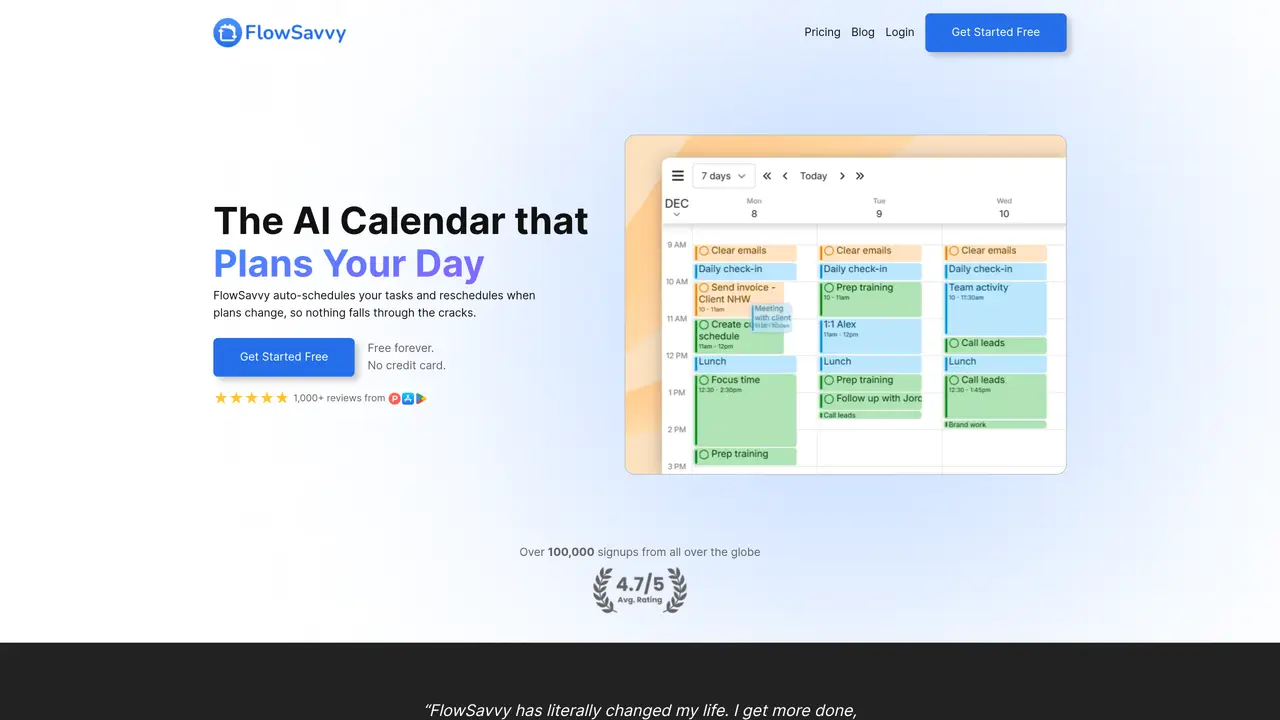
FlowSavvy is an AI-powered calendar and task management application designed for busy individuals, professionals, and students who need automatic time-blocking that adjusts dynamically to schedule changes. It converts to-do lists into actionable plans by placing tasks directly on the calendar and keeping them updated in real time. The tool uses AI to auto-schedule tasks around existing events, split tasks when necessary, balance workloads across days, and offer one-click recalculations for missed items. It supports bidirectional calendar synchronization with Google Calendar, Outlook, and iCloud, with options to control whether tasks sync back to external calendars. FlowSavvy includes features for task and habit management such as priorities, due dates, repeating tasks, progress tracking, and multiple task lists. It also offers work-life boundary controls with custom scheduling hours profiles, color-coded workload and urgency views, push notifications, widgets, dark mode, and multiple calendar and to-do layouts across web, iOS, and Android platforms. The app is available via web, Android, and iOS, and operates on a freemium model with a free plan that limits auto-scheduling to two weeks ahead. The Pro plan, priced at $14 per month or $120 per year ($10 per month equivalent), supports planning up to eight weeks ahead and includes a seven-day free trial, with a 50% student discount available for the first year on the annual plan.
FlowSavvy only auto-schedules tasks that have the 'Auto-Schedule' option enabled. It never modifies existing calendar events, ensuring fixed commitments remain untouched.
You retain full control over your schedule. Tasks can be manually adjusted by dragging and dropping, and you can customize scheduling hours, priorities, dependencies, and due dates.
Yes, FlowSavvy synchronizes with Google Calendar, Outlook.com, and iCloud calendars, integrating tasks around existing events.
FlowSavvy is designed for busy individuals seeking powerful auto-scheduling without complex team or enterprise features.
No. You can choose whether FlowSavvy tasks sync back to other calendars. If synced, tasks only block availability if they are near their deadline.
FlowSavvy uses encryption in transit and at rest, strict access controls, and regular system updates. It does not sell user data or use it to train AI models.
flowsavvy.app · third-party estimates from Similarweb
Last 4 months · grows by one month every month
Share of visits · estimated visits
Other countries: 11.3%
Productivity & Office · Sep 2026
Traffic figures are third-party estimates, good for scale and trends; they can differ from a company's own numbers. Updated monthly.
We use essential cookies to run aitoolnavio™, and optional cookies to analyze traffic and measure our marketing. You choose what we use — optional cookies stay off unless you turn them on. See our Privacy Policy.
One short email a week: fresh tools worth trying, honest takes and the updates that actually matter. No spam, unsubscribe any time.
Generate content, correct spelling, suggest synonyms to enhance writing.
Turn messy team ideas into actionable plans with Miro's visual workspace.
Leverage analytics, automate tasks, share documents, and coordinate projects.
Integrates AI into Airtable to analyze data, summarize insights, draft content, and automate workflows without prior AI experience.
Cloud accounting software that automates bookkeeping, invoicing, and financial reporting for small and growing businesses.
Streamline teamwork, manage projects, automate tasks efficiently.
Automate code, research, and documents using agents.
AI assistant for safe, reliable productivity with code, collaboration, and integrations.
Create customizable tables, databases, and spreadsheets, share data securely with team members.
Easy-to-use CRM platform that automates lead capturing, prioritizes tasks, and provides sales pipeline analytics for businesses of all sizes.
Transforms thoughts into actions, enhancing productivity and efficiency.
Write & run code in 50+ languages, auto-complete with AI, and code faster with an intuitive interface.
Matched on what this tool does — grouped by the job you would be replacing.
Paid placement · similar tools from listings that support aitoolnavio™
Instant lead response for home-service pros: your phone rings on every new lead, plus 14 days of follow-up
matches AI auto-scheduling and dynamic rescheduling of tasks · Bidirectional calendar sync with Google Calendar, Outlook, and iCloud · Task and habit management with priorities, due dates, and repeating tasks
matches Task and habit management with priorities, due dates, and repeating tasks · Progress tracking and multiple task lists · Custom scheduling hours profiles and work-life boundary controls
matches AI auto-scheduling and dynamic rescheduling of tasks · Voice input for quick task, note, and idea capture
Optimizes schedules by auto-organizing tasks and meetings.
AI assistant that coordinates meetings, plans schedules and prioritizes tasks
AI-powered calendar that auto-schedules tasks using intelligent time blocking and prioritization with Google, Office 365, and iCloud sync.
AI-powered tool that converts to-do lists into optimized calendar schedules with real-time adjustments.
An AI daily planner for remote workers and wellness-focused users that syncs calendars, predicts energy levels from wearables, and time-blocks tasks.
ADHD-friendly AI assistant that unifies notes, email, tasks, and calendar in one place for natural-language planning and organization.
AI-powered task planner and scheduler that organizes daily work into clear schedules, prioritizes tasks, and suggests breaks to maintain focus.
AI-powered daily planner and habit tracker for iOS and Android
AI planner that captures tasks by voice, auto-schedules calendars, and syncs workspaces for individuals and teams.
AI-powered task manager that captures tasks from voice, photos, and Gmail, syncs with calendars, and supports Kanban planning.