Generate content, correct spelling, suggest synonyms to enhance writing.
173M visits/mo+0.1%#1 Productivity & Office

A browser-based suite of 246+ free utilities for text, image, PDF, and developer tasks
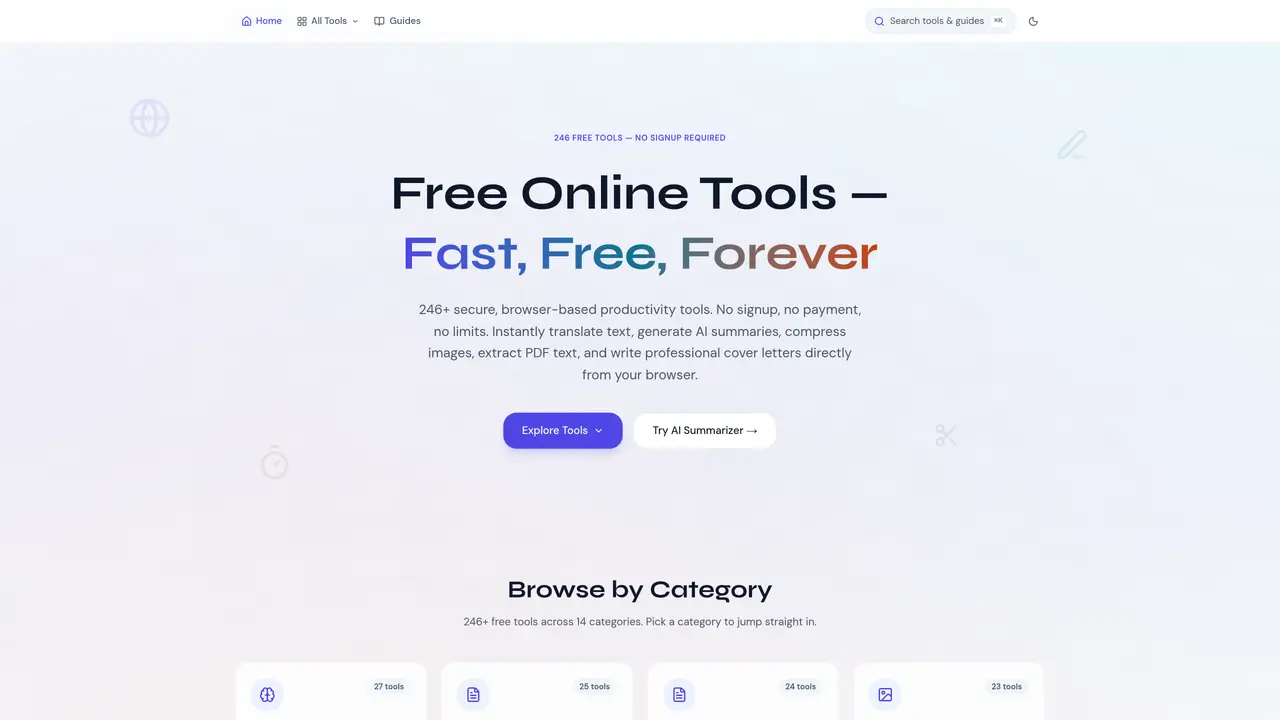
ToolWise is a free online platform offering over 246 browser-based utilities designed for students, writers, developers, and professionals. The suite includes AI-powered tools such as text summarization, grammar checking, and paraphrasing, alongside practical utilities for file conversion, image processing, PDF editing, and data formatting. All tools operate without requiring user signups or account creation, and most process data locally in the browser to ensure privacy. The platform covers diverse categories like AI tools, text manipulation, PDF editing, image processing, file conversion, developer utilities, SEO tools, calculators, and more. Users can access features such as image compression, background removal, PDF merging, JSON formatting, and password generation directly from their browser. ToolWise emphasizes accessibility, speed, and security, providing enterprise-grade tools at no cost while avoiding intrusive advertisements or usage limits. The platform is structured into 14 categories, allowing users to quickly find tools tailored to their needs. AI and text tools assist with writing and content refinement, while developer utilities support tasks like JSON validation and regex testing. Image and PDF tools enable local file processing without uploads, and calculators cover financial, health, and unit conversions. ToolWise prioritizes privacy by processing sensitive data entirely within the user’s browser, ensuring that documents, images, and text remain secure. The responsive design ensures compatibility across devices, making it suitable for both quick tasks and more complex workflows.
ToolWise is a free online platform offering over 246 browser-based utilities for tasks like text manipulation, AI-powered writing, file conversion, image processing, and PDF editing. It provides tools such as grammar checkers, image compressors, and PDF converters without requiring signups or account creation.
ToolWise is designed for students, writers, developers, designers, and professionals who need quick, no-cost solutions for common digital tasks. Its tools cater to a wide range of use cases, from content creation to technical development.
ToolWise processes most data locally in the user's browser, ensuring sensitive information like images or documents never leaves the device. This privacy-first architecture applies to tools like image compressors and text formatters.
No, ToolWise does not require users to create an account or provide any personal information to access its tools. Users can start using any tool immediately without signing up.
ToolWise organizes its 246+ tools into 14 categories, including AI tools, text tools, PDF tools, image tools, developer tools, file converters, SEO tools, calculators, and more. Each category contains specialized utilities for specific tasks.
To get started, visit the ToolWise website and browse or search for the tool you need. Select a tool to open it directly in your browser, and use it immediately without any additional steps.
We use essential cookies to run aitoolnavio™, and optional cookies to analyze traffic and measure our marketing. You choose what we use — optional cookies stay off unless you turn them on. See our Privacy Policy.
One short email a week: fresh tools worth trying, honest takes and the updates that actually matter. No spam, unsubscribe any time.
Generate content, correct spelling, suggest synonyms to enhance writing.
Turn messy team ideas into actionable plans with Miro's visual workspace.
Leverage analytics, automate tasks, share documents, and coordinate projects.
Integrates AI into Airtable to analyze data, summarize insights, draft content, and automate workflows without prior AI experience.
Cloud accounting software that automates bookkeeping, invoicing, and financial reporting for small and growing businesses.
Streamline teamwork, manage projects, automate tasks efficiently.
Automate code, research, and documents using agents.
AI assistant for safe, reliable productivity with code, collaboration, and integrations.
Create customizable tables, databases, and spreadsheets, share data securely with team members.
Easy-to-use CRM platform that automates lead capturing, prioritizes tasks, and provides sales pipeline analytics for businesses of all sizes.
Transforms thoughts into actions, enhancing productivity and efficiency.
Write & run code in 50+ languages, auto-complete with AI, and code faster with an intuitive interface.
Matched on what this tool does — grouped by the job you would be replacing.
Paid placement · similar tools from listings that support aitoolnavio™
Instant lead response for home-service pros: your phone rings on every new lead, plus 14 days of follow-up
matches AI summarizer for text condensation · Grammar checker with contextual analysis
matches PDF merging, splitting, and text extraction
matches Image compression and background removal
Generate content, correct spelling, suggest synonyms to enhance writing.
AI-powered writing assistant for grammar, style, and tone improvements across documents and emails.
AI-powered writing tool for paraphrasing, summarizing, and enhancing writing effortlessly.
AI writing assistant that generates text, images, code, and chat to streamline content creation for creators, marketers, and business owners.
Collection of 150+ browser-based utilities for PDF, image, AI text and IT tasks
Free online utilities for PDF editing, AI writing, and word processing
A collection of free online tools for PDF, image, AI, developer, business and conversion tasks
Free online suite of PDF, image and AI utilities
A free, browser-based suite of 60+ AI tools for creators, designers, marketers, writers, and developers.
Aggregates 41 AI-powered tools for writing, images, files and technical tasks
Collection of 100+ free AI, SEO and PDF utilities with no signup required
Free online utilities for image editing, PDF management, text processing and more