Generate cinematic video clips from text or images and refine them with AI-powered editing tools for creators and visual professionals.
6.4M visits/mo+14.2%#8 Video & Animation

Turns still photos into short AI-generated videos with adjustable motion and camera effects
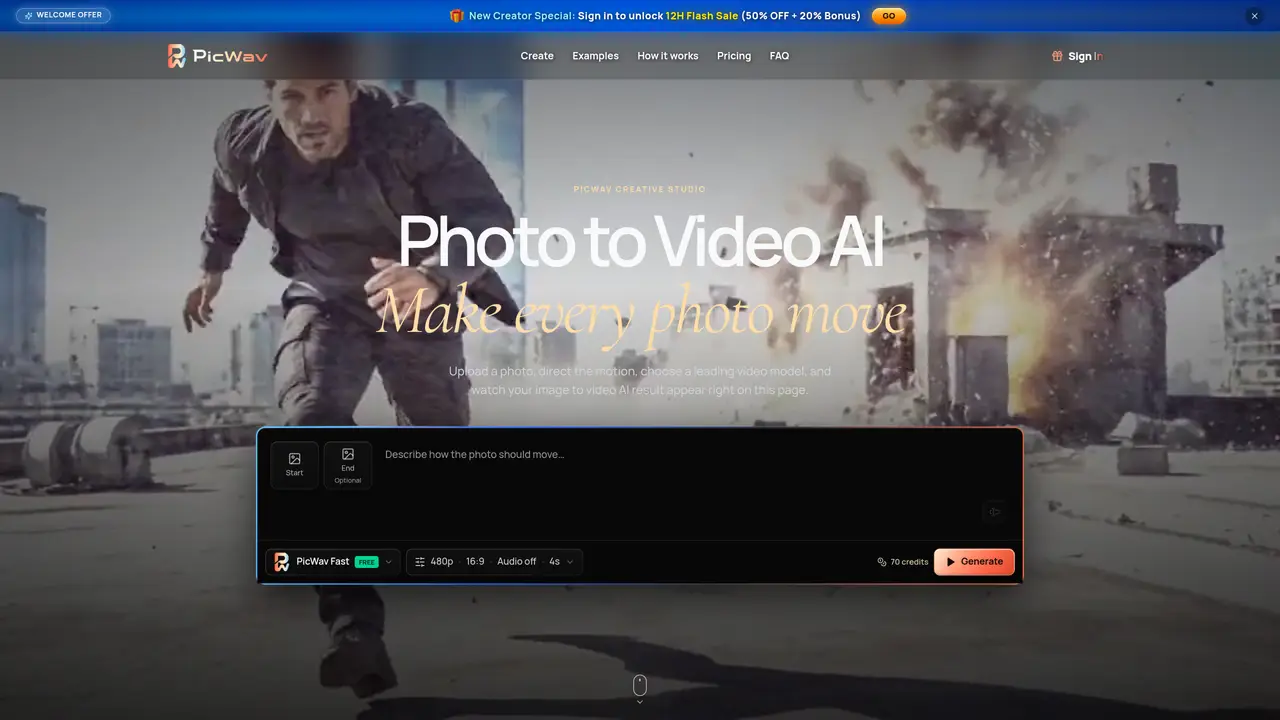
PicWav converts single images into short videos by applying AI-driven motion and camera movements. Users upload a photo and direct the motion through text prompts, selecting from preset motion directions or customizing camera behavior. The tool supports start and end frames for guided transitions, allowing precise control over the generated movement. Multiple video models are available, each offering different balances of speed, quality, resolution, and audio handling. Outputs can be tailored to various aspect ratios and durations, with settings adjusted for social media, product showcases, or cinematic styles. The process remains entirely browser-based, enabling upload, direction, generation, and review within a single workspace. PicWav emphasizes preserving the original image’s identity while adding natural-looking motion and atmosphere.
PicWav is an AI-powered tool that converts still images into short videos by applying motion and camera movements. Users upload a photo, direct the motion through text prompts, and select from various video models to generate a video while preserving the original image’s identity.
PicWav is designed for creators, marketers, and businesses who need to animate photos for social media, product showcases, or cinematic styles without additional shoots. It suits users who want precise control over motion and camera behavior.
PicWav allows users to direct motion using plain language prompts, such as specifying subtle smiles, drifting fabric, or camera orbits. The tool also supports start and end frames to guide transitions, ensuring the motion aligns with the user’s vision.
PicWav offers multiple video models, including PicWav Fast, Seedance 2.0 Mini, Hailuo 2.3, Kling 3.0 Pro, Veo 3.1, and Wan 2.7. Each model balances speed, quality, resolution, audio handling, and frame control differently to suit various project needs.
Yes, PicWav supports various aspect ratios (e.g., vertical 9:16, square 1:1, wide 16:9) and adjustable durations. Users can tailor outputs to specific platforms or styles, with unsupported options hidden to simplify the process for beginners.
To get started, upload a photo in JPG, PNG, or WebP format, direct the motion using text prompts, select a video model, and generate the video. The entire process—uploading, directing, generating, and reviewing—occurs within a single browser-based workspace.
We use essential cookies to run aitoolnavio™, and optional cookies to analyze traffic and measure our marketing. You choose what we use — optional cookies stay off unless you turn them on. See our Privacy Policy.
One short email a week: fresh tools worth trying, honest takes and the updates that actually matter. No spam, unsubscribe any time.
Generate cinematic video clips from text or images and refine them with AI-powered editing tools for creators and visual professionals.
Create custom titles, 3D objects, adjust color and contrast, add special effects, transitions, and animations.
Animate images effortlessly with text prompts and motion control.
Professional visual AI engine for node-based image, video, 3D, audio and generative workflows with full control over models and outputs.
AI video generation tool that creates videos from text prompts, images, or reference clips with strong character consistency.
AI-powered tool for creating, customizing, and animating lightweight Lottie graphics for websites and apps from text prompts.
Generates high-quality videos and images from text or images with cinematic controls and native 4K output.
An all-in-one creative suite specializing in Image-to-Video animation.
A web-based motion design tool for creating collaborative animations with Figma import and exports like 4K video, GIF, and Lottie.
AI-powered platform to create professional animated videos and presentations with voice-overs, text animation, and asset libraries.
Create animated presentations, design videos with voiceovers and music, and access tutorials and resources for easy use.
Create immersive experiences, personalize customer interactions, and provide dynamic conversations and advice to multiple players.
Matched on what this tool does — grouped by the job you would be replacing.
matches Turns still photos into short AI-generated videos with adjustable motion and camera effects · Motion direction via text prompts · Start and end frame guidance
Converts still images into short AI-generated videos with adjustable motion and aspect ratio
Online AI tool that turns still images into short videos from text prompts
Turns still photos into short videos using AI models and text prompts
Generates video transitions from a sequence of reference images and text prompts