Create marketing videos quickly, customize with templates, music, and photos, optimize for different platforms with AI.
4.4M visits/mo-5%#12 Video & Animation

AI editor that transforms raw clips into platform-ready short-form videos
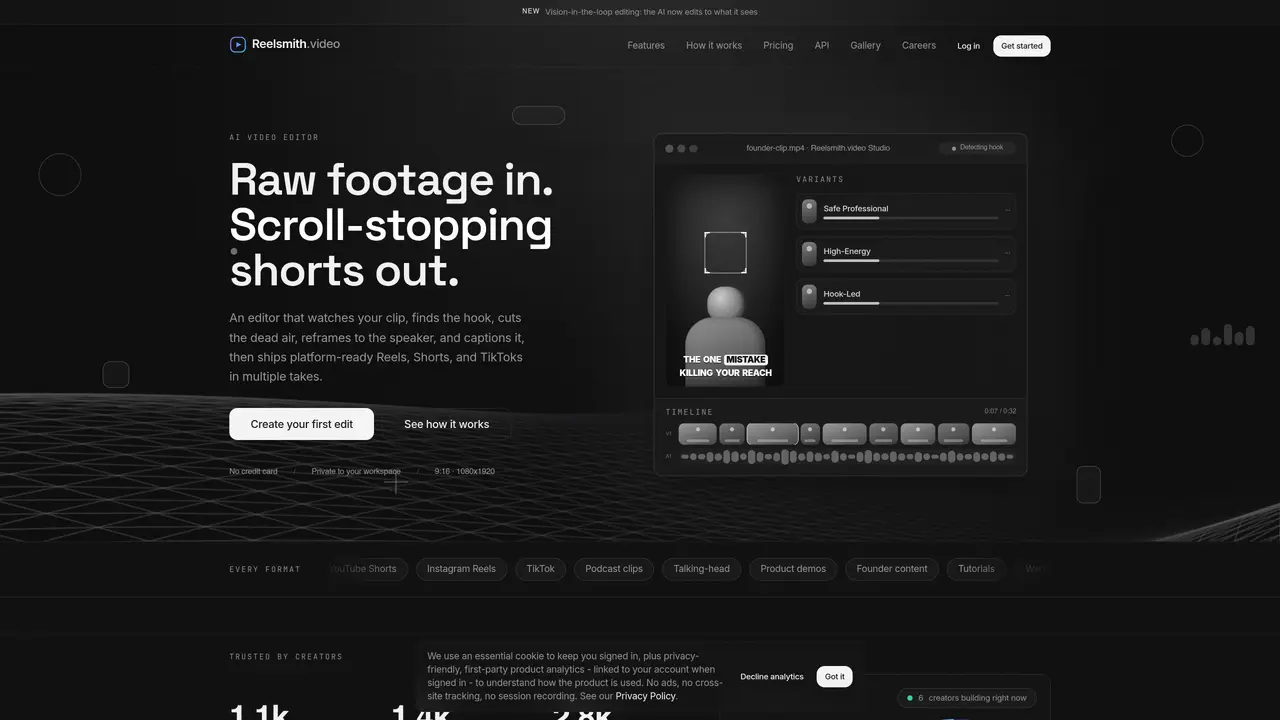
Reelsmith.video automates the creation of short-form videos for platforms like YouTube Shorts, Instagram Reels, and TikTok. The tool ingests raw footage and outputs multiple editorial variants that open on a strong hook, cut dead air, reframe to the active speaker, caption every word, and apply a professional grade. It uses a vision-in-the-loop model to analyze each frame, favoring sharp, well-framed takes and keeping the speaker’s face centered. Audio is cleaned, captions are word-by-word with keyword emphasis, and cuts are synchronized to detected beats. Each render undergoes a self-review pass to flag awkward cuts or unreadable captions and re-renders to correct them. Users can preview and adjust the timeline before downloading platform-ready 9:16 videos in multiple styles such as talking-head, podcast clips, product demos, or founder content. The service also offers a developer API for programmatic upload and retrieval of finished reels.
Reelsmith.video is an AI-powered editor that transforms raw footage into platform-ready short-form videos for YouTube Shorts, Instagram Reels, and TikTok. It automates editing decisions such as cutting dead air, reframing to the active speaker, adding word-by-word captions, and applying professional color grading.
The tool suits creators, podcasters, founders, educators, and teams who need to produce polished short-form content efficiently. It adapts to various formats like talking-head clips, product demos, podcast segments, and founder content.
Reelsmith.video offers a pay-as-you-go option for single renders and subscription plans for regular creators or teams. Plans differ in the number of renders, source minutes, and additional features like brand kits and priority rendering.
Yes, Reelsmith.video provides a developer API for programmatic upload and retrieval of finished reels. It supports REST API and MCP for automation and AI agent integration.
Yes, users can preview multiple editorial variants, adjust the timeline, and fine-tune the output before downloading platform-ready 9:16 videos. The tool also includes a self-review pass to correct awkward cuts or unreadable captions.
The tool supports a wide range of styles, including talking-head edits, podcast clips, founder content, product demos, tutorials, memes, corporate videos, and more. Each style adapts cuts, captions, and pacing to match the content type.
reelsmith.video · third-party estimates from Similarweb
Last 2 months · grows by one month every month
Share of visits by channel
Share of visits · estimated visits
Video & Animation · Sep 2026
Traffic figures are third-party estimates, good for scale and trends; they can differ from a company's own numbers. Updated monthly.
We use essential cookies to run aitoolnavio™, and optional cookies to analyze traffic and measure our marketing. You choose what we use — optional cookies stay off unless you turn them on. See our Privacy Policy.
One short email a week: fresh tools worth trying, honest takes and the updates that actually matter. No spam, unsubscribe any time.
Create marketing videos quickly, customize with templates, music, and photos, optimize for different platforms with AI.
AI video clipping and editing tool that turns long videos into short clips with captions, reframing, and one-click social publishing.
Boost social media engagement, produce AI music videos, and remix videos with any style effortlessly.
Create promotional videos effortlessly with WeVideo's intuitive drag-and-drop interface.
An AI creation platform for turning images into videos, adding twist endings, and building interactive roleplay stories.
Drag-and-drop video maker for creating professional product demos, explainer videos, and ads without coding skills.
AI-powered video clipping and editing tool that extracts viral moments, adds captions, and schedules shorts for TikTok, YouTube, and Instagram.
Submagic is an AI tool that helps content creators create viral reels and shorts 10 times faster than any other video editing tool.
Turn text or links into short, viral-ready videos for TikTok, Instagram, and YouTube without editing skills.
Turns long videos into ready-to-post short clips for TikTok, Reels, and YouTube Shorts in minutes.
AIReel lets creators make AI-generated videos from text or image in minutes.
AI-powered tool for accurate captions, video clipping, and impactful face centering.
Matched on what this tool does — grouped by the job you would be replacing.
matches Hook detection and front-loading · Dead air and filler word removal · Beat-synced cuts and audio ducking
AI video clipping and editing tool that turns long videos into short clips with captions, reframing, and one-click social publishing.
Turns long videos into ready-to-post short clips for TikTok, Reels, and YouTube Shorts in minutes.
AI video editor that repurposes long-form videos into clips, captions, and posts with built-in scheduling for social media.
AI-powered video repurposing tool that turns long-form footage into optimized social clips for LinkedIn, YouTube Shorts, and TikTok in minutes.
matches Active-speaker auto-reframe · Color grading and shot polishing
AI-powered video editor and screen recorder for Mac
AI video editor that edits videos by text transcript