

AI-powered video messaging tool that records, shares, and manages video messages with AI-generated titles, summaries, and tasks.
16M visits/mo-3.4%#5 Chatbots & Assistants
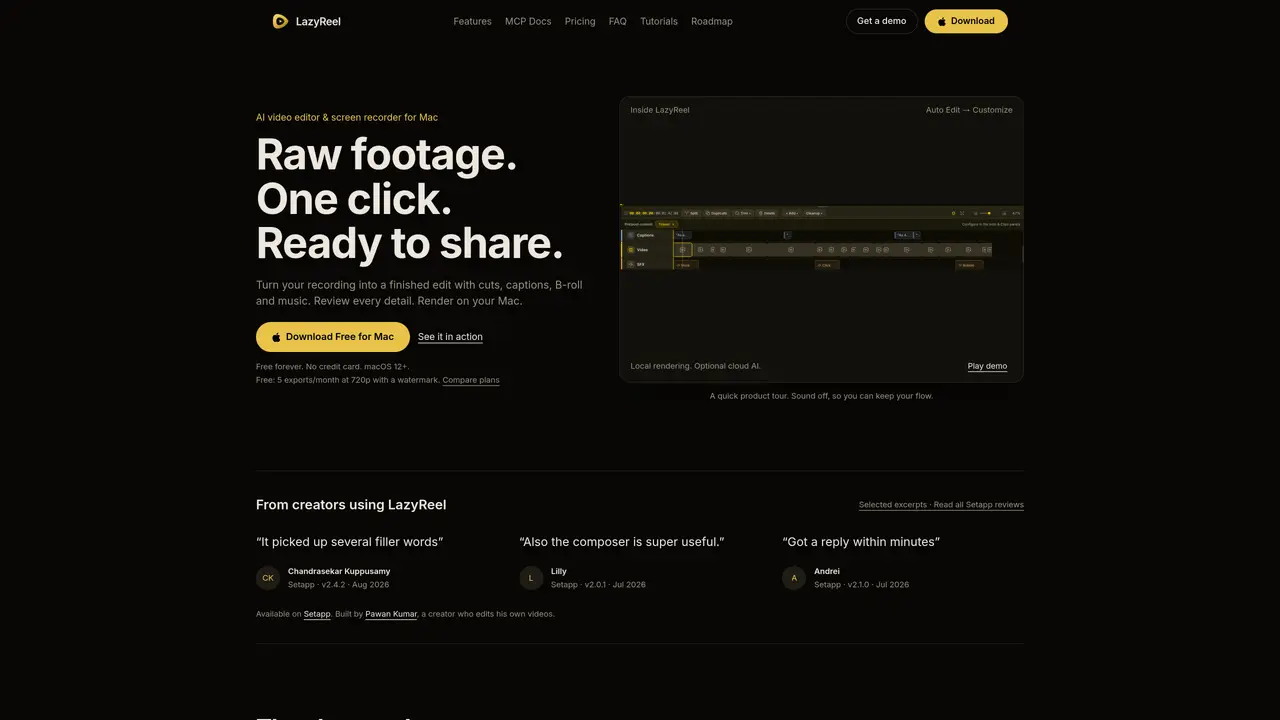
LazyReel is a desktop application for macOS that combines screen recording with AI-assisted video editing. It captures raw footage locally and uses an Auto-Edit feature to generate an initial cut by removing silences, filler words, and unnecessary pauses. The editor provides a transcript-based timeline where users can refine captions, add B-roll from templates, adjust music levels, and insert sound effects or memes. Transcription occurs on-device via Whisper, with cloud AI processing available as an optional add-on. The tool supports multiple aspect ratios and automatically reframes edits for different social platforms like TikTok, Instagram Reels, and YouTube. Recordings can be sent wirelessly from a phone to the Mac over a local network without uploading to servers. The interface emphasizes local rendering and hardware acceleration while offering cloud-based AI enhancements for specific tasks.
LazyReel is an AI-powered video editor and screen recorder designed for macOS. It captures raw footage locally and uses an Auto-Edit feature to generate a polished first cut by removing silences, filler words, and pauses. Users can refine captions, add B-roll from templates, adjust music levels, and insert sound effects or memes through a transcript-based timeline.
LazyReel is built for creators, educators, and professionals who need to quickly turn raw recordings into shareable videos. It suits users who prefer local editing workflows but want AI-assisted automation to streamline the process.
Transcription occurs on-device using Whisper, ensuring footage never uploads to servers by default. Cloud AI processing is available as an optional add-on for tasks like image generation, text enhancements, and clip processing, but users can also bring their own API keys for unlimited AI generations.
Yes, LazyReel offers a free plan with limited exports and watermarked videos. Paid plans provide unlimited 4K exports without watermarks and include additional features like cloud AI processing and advanced editing tools.
Yes, recordings made on a phone can be sent wirelessly to the Mac over a local network without uploading to servers. The footage transfers directly from the phone's camera roll to the LazyReel project.
LazyReel supports multiple aspect ratios (16:9, 9:16, 1:1, 4:5) and automatically reframes edits for different social platforms like TikTok, Instagram Reels, YouTube Shorts, and standard YouTube.
lazyreel.app · third-party estimates from Similarweb
Last 4 months · grows by one month every month
Share of visits by channel
Share of visits · estimated visits
Video & Animation · Sep 2026
Traffic figures are third-party estimates, good for scale and trends; they can differ from a company's own numbers. Updated monthly.
We use essential cookies to run aitoolnavio™, and optional cookies to analyze traffic and measure our marketing. You choose what we use — optional cookies stay off unless you turn them on. See our Privacy Policy.
One short email a week: fresh tools worth trying, honest takes and the updates that actually matter. No spam, unsubscribe any time.
AI-powered video messaging tool that records, shares, and manages video messages with AI-generated titles, summaries, and tasks.
Unleash creativity: edit photos, videos, and designs with AI-enhanced tools.
Record lectures, create tutorials, and securely share videos with teams.
Create stunning videos in a few clicks, customize with powerful tools, and automate editing without experience.
Create, convert, and enhance videos effortlessly with professional effects and royalty-free music.
Create marketing videos quickly, customize with templates, music, and photos, optimize for different platforms with AI.
Automate video editing, add text-to-speech voice-overs, and optimize videos for impactful results.
Freemium, uncensored AI video and image creation for individual creators with text-to-video, image effects, and gem-based upgrades for HD and no watermarks.
Create, edit, subtitle, and translate pro-grade videos instantly.
Cloudinary provides APIs and tools to integrate, manage, and optimize images and videos for AI-driven visual experiences.
All-in-one AI suite for creators to automate workflows, edit media, and generate content across video, design, and productivity tools.
Generate cinematic video clips from text or images and refine them with AI-powered editing tools for creators and visual professionals.
Matched on what this tool does — grouped by the job you would be replacing.
matches Auto-Edit for automated first cuts · On-device transcription via Whisper · Transcript-based timeline editing
An AI video editing assistant that transcribes audio, removes silences, auto-builds rough cuts, and exports timelines to major NLEs.
AI-powered screen recorder and editor for Mac and iPhone
AI-powered video editor for clips, captions, supercuts and web animations
MacOS software that turns screen recordings into polished demos and tutorials with auto-zoom, captions, and AI voiceovers.
matches AI-powered clip identification and scoring · Vertical, square, and wide aspect ratio outputs · Natural language search for specific moments
AI video clipping and editing tool that turns long videos into short clips with captions, reframing, and one-click social publishing.
AI video editing platform that turns long-form videos into TikTok, Instagram Reels, and YouTube Shorts with auto cuts, B-roll, and subtitles.
AI-powered video clipping tool for Mac that identifies and extracts shareable clips from long videos
AI-powered video clipping tool that extracts and reframes key moments from long recordings