
AI-powered video messaging tool that records, shares, and manages video messages with AI-generated titles, summaries, and tasks.
16M visits/mo-3.4%#5 Chatbots & Assistants
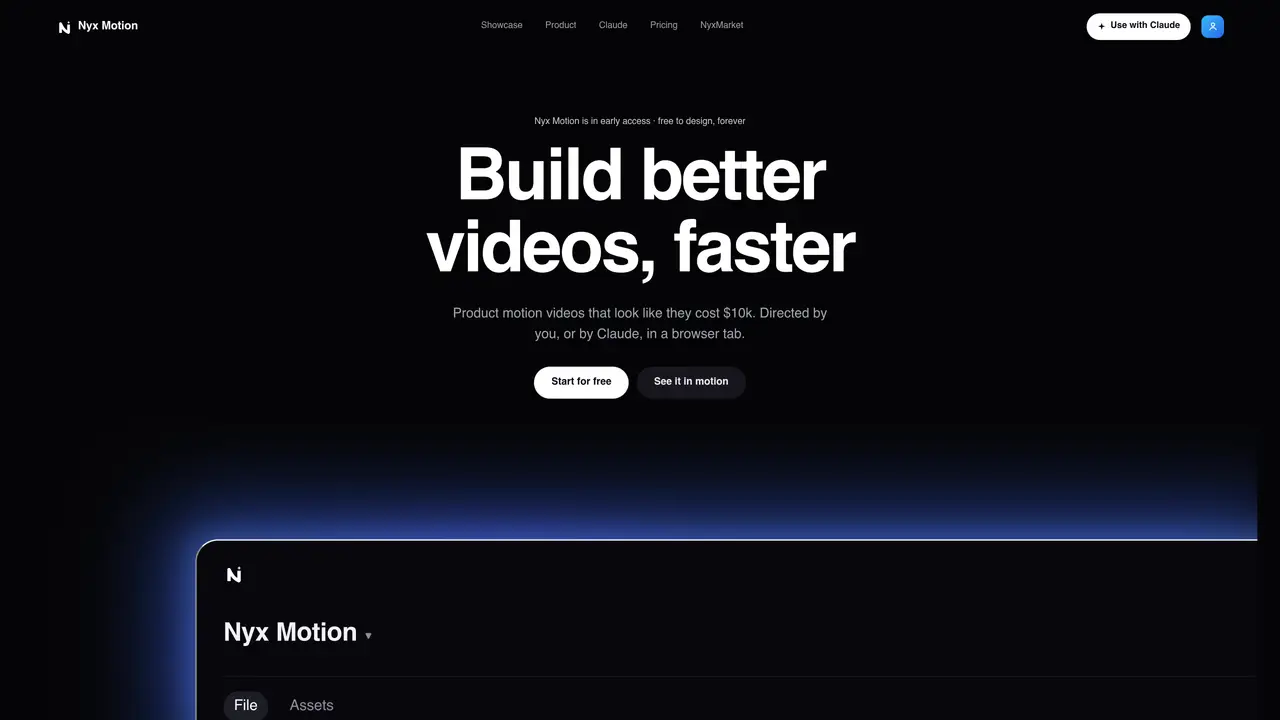
Nyx Motion is a web-based application for producing motion videos without After Effects. Users can design videos directly in the browser or delegate direction to an AI assistant via a connector. The tool offers a simplified timeline where duration is adjusted by dragging block edges instead of keyframe graphs. Camera moves such as push-ins, racks and orbits are generated by setting two framings and producing smooth transitions between them. Projects can include multiple live layers that are individually retimable, with interfaces built component by component. An AI sound engineer applies studio-grade effects, gain staging and EQ automatically to match the motion. Videos are exported as frame-exact MP4 files in HD quality.
Nyx Motion is a web-based application for creating cinematic motion videos directly in a browser without requiring After Effects. It allows users to design videos themselves or delegate direction to an AI assistant via a connector.
Nyx Motion is designed for creators, marketers, and teams who need to produce high-quality motion videos efficiently, whether they have technical expertise or prefer AI-assisted direction.
The AI director, powered by Claude, can design, author, review, and fix videos against a craft gate. Users connect via a custom connector URL, and the AI handles the creative process while the user approves or adjusts the output.
Nyx Motion supports cinematic camera moves such as push-ins, racks, and orbits by setting two framings and generating smooth transitions between them without manual keyframing.
Yes, Nyx Motion offers a free tier that allows unlimited projects and live previews, with the option to upgrade to a Pro plan for HD exports and additional features.
Videos can be exported as frame-exact MP4 files in HD quality, with Pro users having access to high-quality sound effects applied by an AI sound engineer.
We use essential cookies to run aitoolnavio™, and optional cookies to analyze traffic and measure our marketing. You choose what we use — optional cookies stay off unless you turn them on. See our Privacy Policy.
One short email a week: fresh tools worth trying, honest takes and the updates that actually matter. No spam, unsubscribe any time.
AI-powered video messaging tool that records, shares, and manages video messages with AI-generated titles, summaries, and tasks.
Unleash creativity: edit photos, videos, and designs with AI-enhanced tools.
Record lectures, create tutorials, and securely share videos with teams.
Create stunning videos in a few clicks, customize with powerful tools, and automate editing without experience.
Create, convert, and enhance videos effortlessly with professional effects and royalty-free music.
Create marketing videos quickly, customize with templates, music, and photos, optimize for different platforms with AI.
Automate video editing, add text-to-speech voice-overs, and optimize videos for impactful results.
Freemium, uncensored AI video and image creation for individual creators with text-to-video, image effects, and gem-based upgrades for HD and no watermarks.
Create, edit, subtitle, and translate pro-grade videos instantly.
Cloudinary provides APIs and tools to integrate, manage, and optimize images and videos for AI-driven visual experiences.
All-in-one AI suite for creators to automate workflows, edit media, and generate content across video, design, and productivity tools.
Generate cinematic video clips from text or images and refine them with AI-powered editing tools for creators and visual professionals.
Matched on what this tool does — grouped by the job you would be replacing.
matches Text-to-video generation · Image-to-video transformation · Cinematic camera work
Free AI tool by Tencent that converts text or images into high-quality videos with realistic motion and cinematic camera work up to 4K resolution.
Veo 4 AI is a cinematic AI video generator for text-to-video and image-to-video creation with realistic motion, smooth animation, and high-quality visual rendering.
Unified AI studio for video, image, character, audio and 3D world generation
Create cinematic and animated videos instantly from simple text prompts with AI.
matches AI-powered logo animation generation · Predefined motion styles (cinematic, 3D orbit, glitch, liquid morph) · AI Scene Authoring
matches Brand profile extraction from product URL · Cinematic narrative structure (hook to CTA) · Original AI-generated soundtrack
matches Turns still photos into short AI-generated videos with adjustable motion and camera effects · Converts static images into short videos using natural language prompts · Browser-based image to video conversion
AI-powered logo animation generator that turns static logos into motion
AI-powered motion graphics editor for product launch videos
An AI video platform for marketing teams and creators to generate storyboards, AI footage, edit clips, and export promotional videos.
AI-powered tool that generates and edits product launch videos from text prompts
AI video ad generator that turns a brief into a fully rendered ad
Generates cinematic launch Reels from a product URL in under a minute
AI-powered tool that converts static images into short videos using natural language prompts
Turns still photos into short AI-generated videos with adjustable motion and camera effects