





Generate captions, optimize content, and enhance with custom images for maximum engagement.
46M visits/mo-10%#3 Image & Design
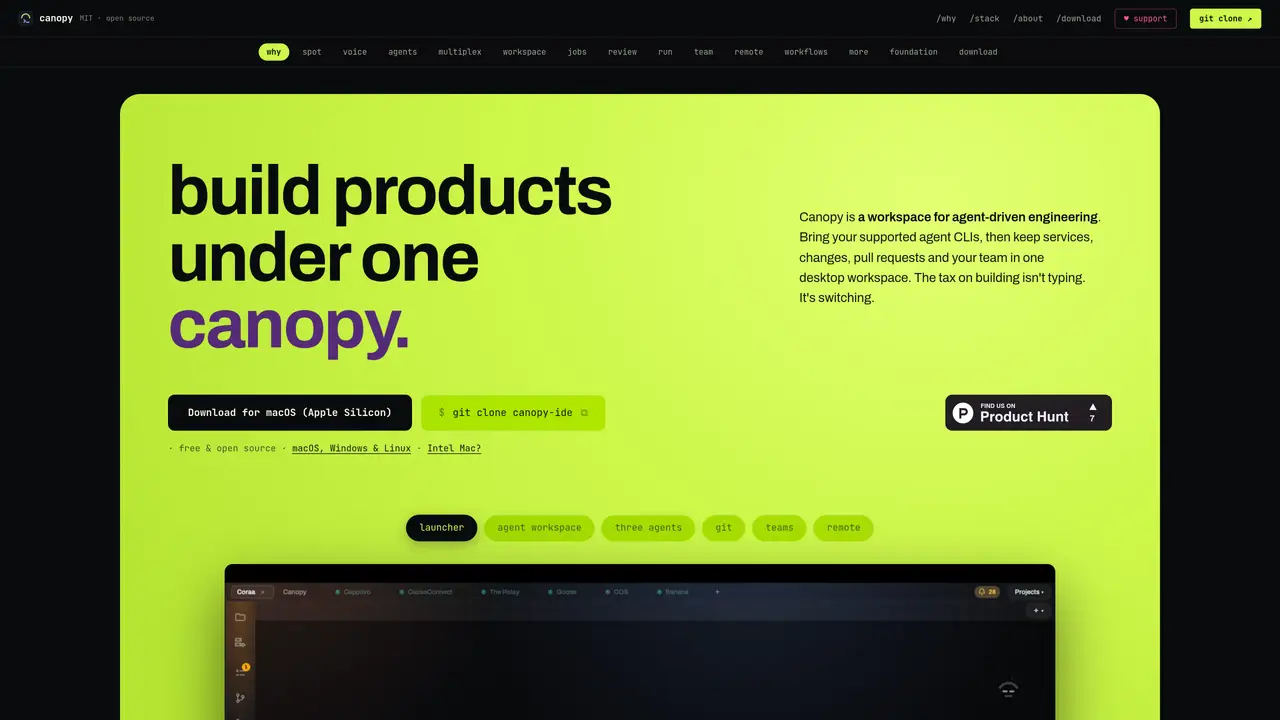
Canopy is a desktop workspace designed to organize and streamline agent-driven engineering workflows. It integrates supported agent CLIs into a unified interface, allowing teams to manage services, code changes, pull requests, and collaborative tasks within a single application. The tool focuses on reducing context switching by providing shared workspaces, isolated worktrees, and visual feedback for running services and code reviews. Users can coordinate multiple agents, track their progress, and maintain oversight of parallel work sessions without losing track of shared context or file ownership. The workspace supports terminal workflows while adding layers for diffs, tasks, and pull request reviews. It also includes features for searching across open files, terminal output, agent conversations, and research notes using fuzzy matching. Audio input can be transcribed locally for terminal commands or agent prompts without uploading data. The interface supports multiplexing multiple agents in resizable panes, with persistent layouts that survive restarts.
Canopy is a desktop workspace designed for agent-driven engineering workflows. It integrates supported agent CLIs into a unified interface, allowing teams to manage services, code changes, pull requests, and collaborative tasks within a single application.
Canopy is suitable for developers and teams working with agent-based workflows, particularly those who need to coordinate multiple agents, track progress, and maintain oversight of parallel work sessions without losing context.
Canopy works with supported agent CLIs and subscriptions users already have, adding a workspace layer around them for shared context, isolated worktrees, visual feedback, diffs, tasks, and pull requests.
Yes, Canopy supports local audio input transcription for terminal commands or agent prompts without uploading data, ensuring privacy and offline functionality after model installation.
Yes, Canopy allows users to multiplex multiple agents in resizable panes, with persistent layouts that survive restarts, enabling independent work sessions within a single workspace.
Users can download Canopy for macOS, Windows, or Linux, then use the provided launcher to start agent workspaces. The tool is free and open-source, with installation instructions available on its website.
We use essential cookies to run aitoolnavio™, and optional cookies to analyze traffic and measure our marketing. You choose what we use — optional cookies stay off unless you turn them on. See our Privacy Policy.
One short email a week: fresh tools worth trying, honest takes and the updates that actually matter. No spam, unsubscribe any time.
Generate captions, optimize content, and enhance with custom images for maximum engagement.
Build conversational forms, capture rich responses, and automate follow-ups with AI-powered surveys and workflows.
Automate code, research, and documents using agents.
AI-powered IDE for autonomous coding tasks and agentic development workflows
Source, match, and manage talent with predictive analytics for effortless recruiting.
Automate workflow, optimize operations, and detect potential issues with this efficient AI-driven solution.
Transforms thoughts into actions, enhancing productivity and efficiency.
AI Recruitment engine to hire top global talent
All-in-one team productivity platform combining chat, docs, video meetings, workflows, and AI tools in one place.
Personal assistant that coordinates tasks across apps and devices via text or call
AI automation and agent-building platform with 3,000+ app integrations
AI job search copilot that matches roles to skills, optimizes resumes for ATS, generates cover letters, and autofills applications with real-time insights.
Matched on what this tool does — grouped by the job you would be replacing.
matches Multiplex agent work in resizable panes with independent terminals · Shared context and file ownership tracking across agents · Persistent workspace layouts that survive application restarts
Desktop AI workspace where multiple agents work simultaneously on tasks
Professional workspace for managing multiple agent CLIs in one interface
Desktop app for multi-agent coding sessions with AI PR review and CI debugging
Spatial IDE for orchestrating multiple AI coding agents on a shared canvas
matches Local fuzzy search across files, terminals, agent conversations, and research · On-device audio transcription for terminal commands and agent prompts · Visual diffs and pull request reviews with line-level comments
matches Browser picture-in-picture for agent-driven web interfaces
Browser interface for terminal coding agents like Claude Code and OpenCode
Desktop workspace for running AI agents on local files and code
AI-powered code editor and IDE for multi-file coding tasks across platforms
Unified local workspace for running AI models, automations and custom tools on a computer
Run and manage remote AI coding agents from any device with real-time sync and a clean UI.
Cloud harness for running isolated coding agents with dedicated environments per task
Multiplayer workspace for AI coding agents to collaborate and review work