
AI-powered video messaging tool that records, shares, and manages video messages with AI-generated titles, summaries, and tasks.
16M visits/mo-3.4%#5 Chatbots & Assistants
AI meeting recorder and protocol generator for iOS
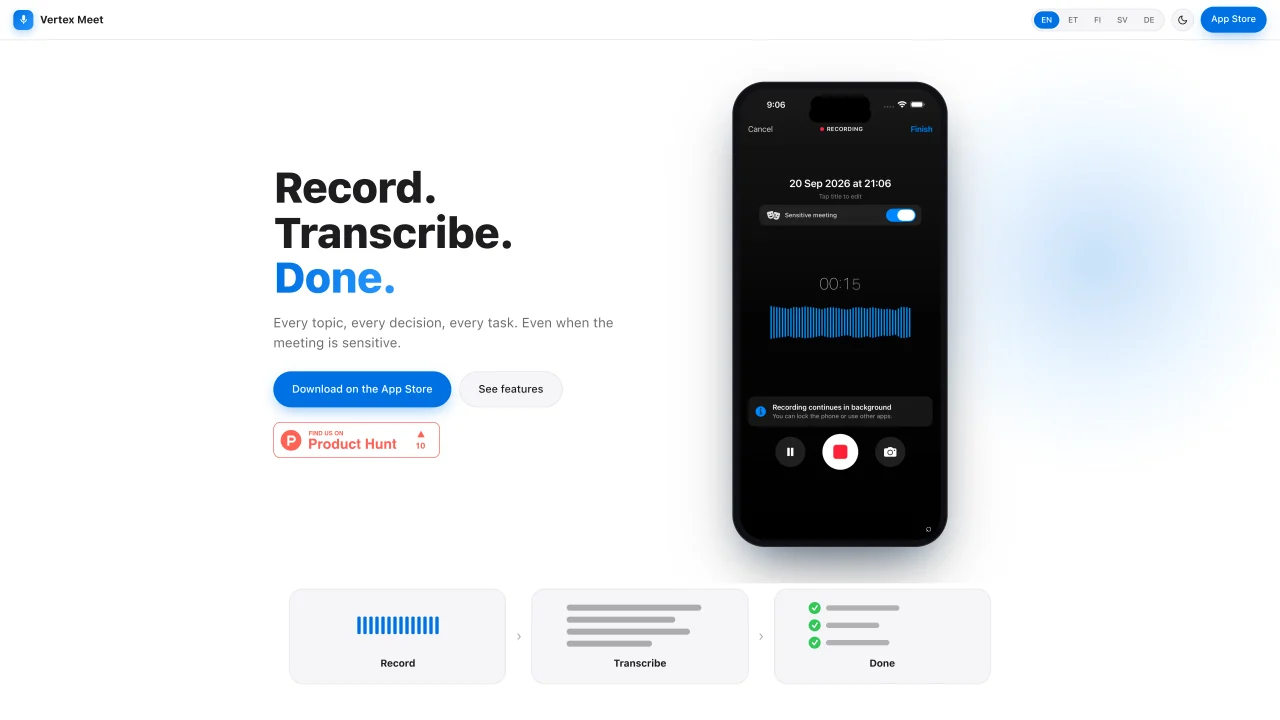
Vertex Meet records meetings on iOS devices and generates structured protocols using AI. It captures audio locally and transcribes it into text with OpenAI’s speech-to-text technology. A two-stage AI engine then refines the transcript into clean prose and organizes it into sections such as decisions, tasks, and topics. The app supports background recording with Live Activity, allowing users to pause and resume without time limits. Photos of slides, tables, or whiteboards can be snapped mid-meeting and automatically integrated into the protocol. Sensitive data like names, national ID numbers, and bank account details are pseudonymized on the device before processing and restored in the final document. The tool is designed for legal, HR, audit, and public sector professionals who require complete, confidential meeting records.
Vertex Meet is an iOS app that records meetings, transcribes audio into text using OpenAI’s speech-to-text, and generates structured meeting protocols with sections for decisions, tasks, and topics.
The tool is designed for professionals in legal, HR, audit, and public sectors who require complete and confidential meeting records.
Sensitive information like names, national ID numbers, and bank details are pseudonymized on the device before processing and restored in the final document to ensure confidentiality.
Yes, Vertex Meet supports background recording with Live Activity, allowing users to pause and resume without time limits while keeping audio on the device.
Yes, users can snap photos of slides, tables, or whiteboards during a meeting, and the app automatically integrates them into the protocol with relevant context.
Download the app from the App Store, record your meeting, and the AI will generate a structured protocol with sections for decisions, tasks, and topics.
We use essential cookies to run aitoolnavio™, and optional cookies to analyze traffic and measure our marketing. You choose what we use — optional cookies stay off unless you turn them on. See our Privacy Policy.
One short email a week: fresh tools worth trying, honest takes and the updates that actually matter. No spam, unsubscribe any time.
AI-powered video messaging tool that records, shares, and manages video messages with AI-generated titles, summaries, and tasks.
Hardware device that records conversations and converts them into searchable transcripts, summaries, and notes.
Automate transcription, generate summaries, identify speakers, and timestamps for video-conferencing conversations.
AI-powered meeting recorder and summarizer that captures, transcribes, and generates actionable insights from conversations.
Automatically record, transcribe, take notes, and create summaries with key insights during meetings.
Transforms audio/video to summarized text, instantly, across platforms.
Automatically transcribe meetings, create summaries, and securely store audio files in a searchable format.
Automatically turn meetings into searchable notes and tasks.
Wearable AI device that captures conversations and meetings, then auto-generates transcripts, summaries, action items, mind maps, and searchable notes.
Record, transcribe, and share key insights from virtual trainings, online meetings, and content creation.
Record, transcribe, and summarize online meetings from Google Meet and Zoom with AI, then share insights across collaboration tools.
Transform audio/video to text with precision, supporting 1500+ platforms, enriched by AI features.
Matched on what this tool does — grouped by the job you would be replacing.
matches AI-powered transcription · Background recording with Live Activity · Structured protocol generation
AI meeting recorder that transcribes, summarizes, and extracts actionable items from calls and lectures in real time.
AI-powered meeting assistant for transcription, summaries and action items
AI-powered meeting transcription, summarization and action-item extraction
AI-powered meeting recorder, transcriber and search tool for teams
matches Pseudonymization of sensitive data · Device-local processing
Offline transcription and AI summarization for iPhone and Mac
Browser extension that scans and blocks sensitive data before sending prompts to AI tools